
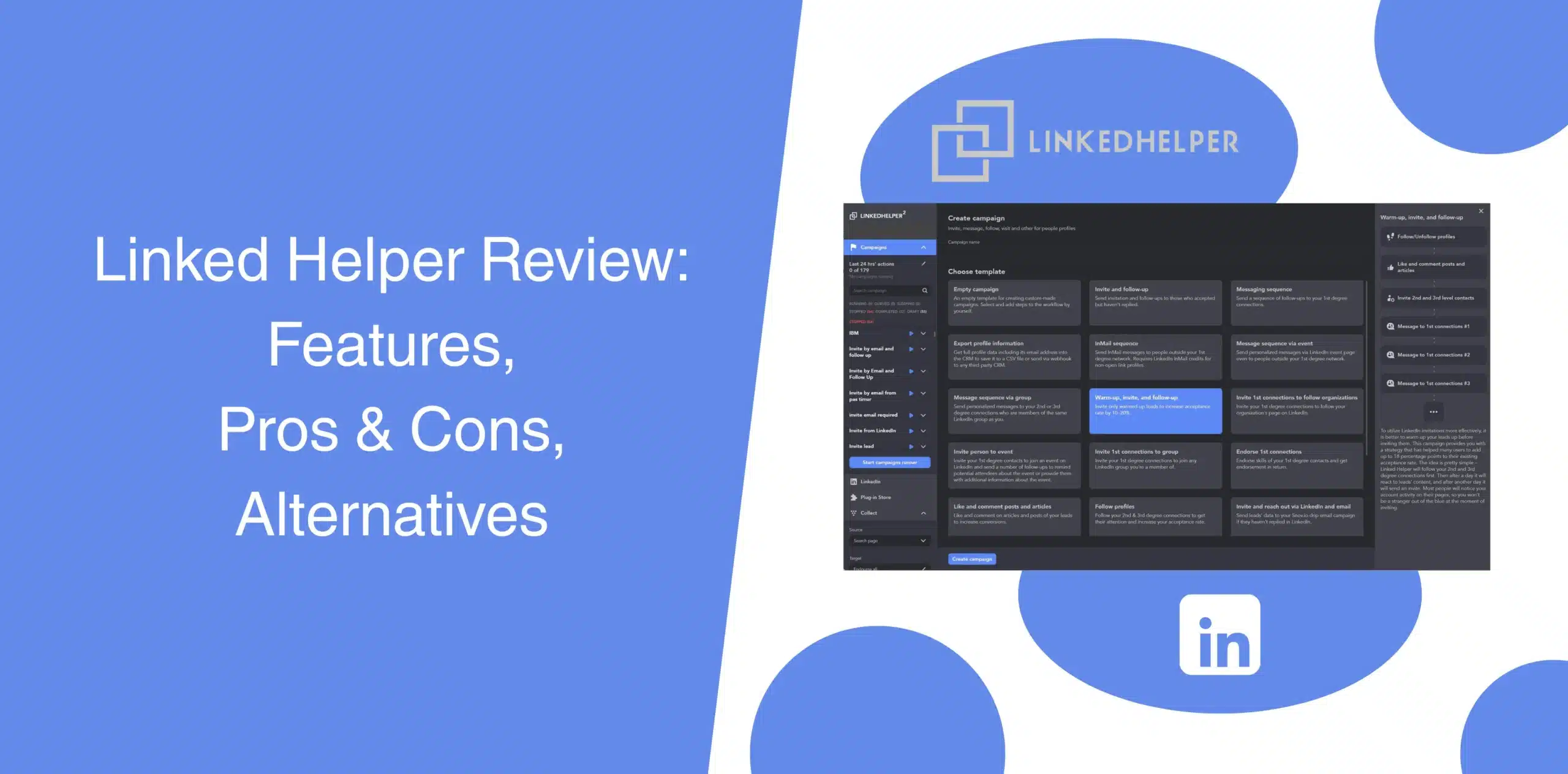
You want to use Linked Helper for outreach but are unsure about its capabilities, features, and ROI. This Linked Helper review will help you make an informed decision. We’ve tested the tool in real prospecting scenarios to see how it handles automation, campaign management, and day-to-day use.
We’ll share our experience with you, providing a clear picture of Linked Helper’s pros, cons, features, pricing, and best alternative.
Linked Helper Overview
Linked Helper is a desktop-based software built for automating outreach tasks on LinkedIn. Unlike cloud-based solutions or browser extensions, you need to download and install the application locally on your computer. Once installed, you can use it to automate LinkedIn actions like profile visits, connection requests, follow-ups, and messaging sequences.
Linked Helper Pros
- Decent automation flexibility with multi-step workflows;
- Compatible with all sorts of LinkedIn accounts, including Basic, Recruiter, and Sales Navigator;
- Built-in CRM for tracking leads;
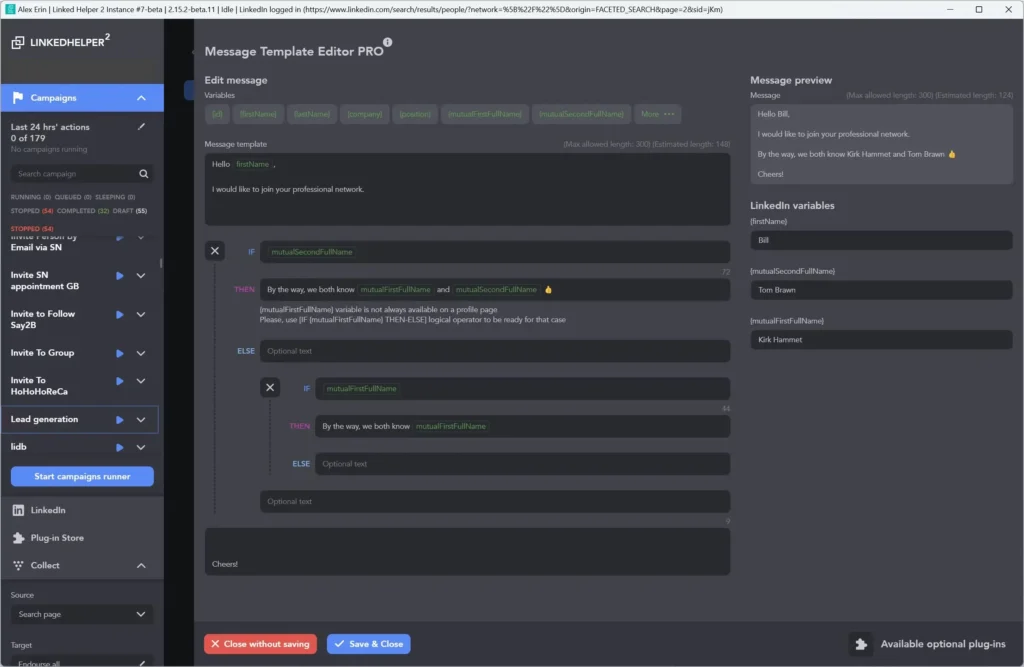
- Offers granular control over actions. You can set delays, limits, and conditional logic;
- Affordable pricing compared to many other top LinkedIn automation tools.
Linked Helper Cons
- Outdated interface that slows down daily use;
- Steeper learning curve compared to modern tools. Setting up complex sequences requires technical know-how;
- If you close your computer, your campaigns stop;
- Since the software runs locally, it can put extra load on your computer and affect overall performance;
- Some users have reported receiving warnings and account restrictions from LinkedIn;
- Performance can lag when handling large prospect lists or complex sequences.
Linked Helper Reviews
We read through different Linked Helper reviews and customers’ experiences and saw a mix of customer experiences.
Linked Helper reviews on g2 shows 4.5 from 5 with 149 reviews.
Some users appreciate the control. They like tweaking campaigns, setting delays, and managing workflows. Others? Not so much.
You’ll see comments like:
- Takes time to understand everything;
- Feels clunky after a while;
- Not ideal for managing multiple accounts.
Linked Helper reviews on Capterra shows 4.9 from 5 with 276 reviews.
But the negative experiences are as wide-ranging as the positive ones. Many users report that the interface is confusing and the setup process is unpleasant.
One user review noted the software is great for the price and ROI, but setup can take some time.
That divide matters. If your goal is simple, consistent lead generation without friction, then complexity quickly becomes a liability.
Linked Helper Features
Linked Helper packs a wide range of features. At least, the software checks most boxes you’d expect from a LinkedIn automation tool.
We’ll go over exactly what you get and where Linked Helper falls short.
LinkedIn Automation and Outreach Sequences
Just like most automation tools, Linked Helper lets you automate actions like profile visits, connection requests, and follow-ups.
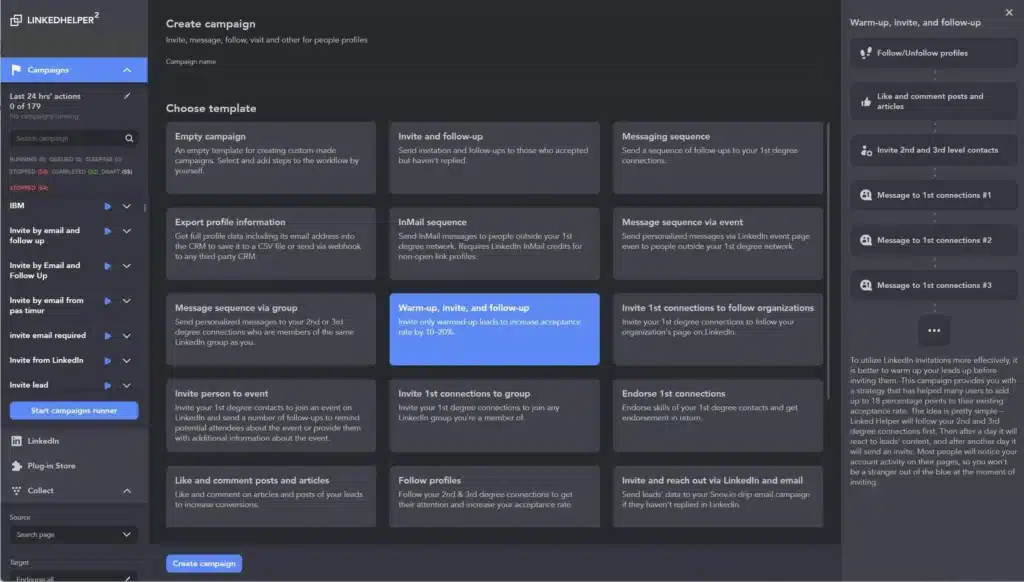
Plus, you can build a multi-step sequence where the software visits a profile, sends a connection request to that user, sends a follow-up message after invite acceptance, and so on.
The application also supports “Smart Drip Campaigns,” meaning you can set delays based on prospect behavior. It includes warm-up sequences to slowly increase activity, which is vital to avoid looking like a robot.
Sounds solid, right?
It is, until you actually start building full-scale campaigns.
The interface requires careful setup. One wrong condition or timing issue can throw off your entire sequence. There’s no strong visual builder, which makes campaign creation feel more technical than it should.
So you have to ask yourself: do you want control… or simplicity? Because here, you’re trading one for the other.
CRM, Tagging and Integration
Linked Helper includes a built-in CRM that automatically captures every profile you interact with, besides allowing you to tag leads, segment prospects, and track message history. As a result, you get to organize your network without a separate tool.
However, the CRM is very basic. It lacks visual pipelines, deal stages, or team collaboration features. The software allows direct integrations with CRMs like HubSpot, Pipedrive, Close, and Zoho, though.
For more integrations, you can use Zapier and Make or connect via webhooks. While that works, it adds steps and increases error risks.
Email Finder and Data Enrichment
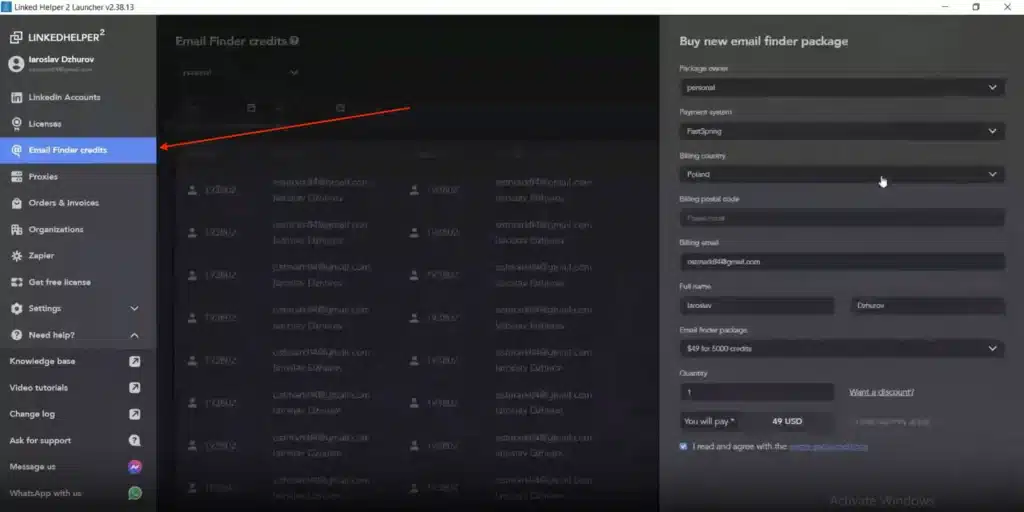
Linked Helper also offers an email finder feature.
The application automatically links profile IDs with its internal database to find the email addresses of your leads. Plus, users can contribute data from their 1st-degree network, which helps improve the availability of information for wider connections across the platform.
The data enrichment action pulls contact info (emails and phone numbers) from the Linked Helper 2 database without requiring a profile visit. You get monthly credits: 620 for the Standard plan, 3,100 for the Pro plan. This works decently for finding email addresses of 2nd and 3rd-degree connections.
That said, the process is not always seamless. Often, you need to run separate actions to find emails, and the success rate varies. Sometimes you get generic company addresses.
LinkedIn Profile and Company Page Data Scraping
The scraping tool collects data from LinkedIn and Sales Navigator profiles as well as company pages. You can then export everything to a CSV file or pass it directly to external tools and services.
This feature can also help you visit competitor pages, review their headlines, summaries, keywords, skills, visuals, and company details such as websites and contact information. Then use the insights to improve your own profile and messaging.
But deeper insights, like company growth signals or recent activity triggers, aren’t part of the package. The analysis is just data extraction, with no AI scoring or intent detection.
Optimizing Lead Generation and Performance Tracking
Users can identify leads, review past interactions, and simplify Ideal Customer Profile (ICP) analysis through the Visit and Extract feature. You can also apply filters and stop words to keep campaigns more targeted and relevant.
The dashboard shows connection acceptance rates, reply rates, campaign performance, and sequence progress.
Linked Helper Price and Subscription Plans
Pricing follows a tiered model based on features and usage limits. The entry/free plan works for testing, but as you unlock higher volumes or advanced features, costs climb.
The Standard plan starts at $15/month when paid monthly, dropping to $8.25/month on annual billing. The Pro plan is $45/month ($24.75/month annual billing).
Below is an overview of Linked Helper pricing.
| Plan | Monthly Price (Billed Monthly) | Key Features |
|---|---|---|
| Standard | $15/month | Basic automation, CRM, messaging, lower limits. |
| Pro | $45/month | Advanced automation, integrations, higher limits for LinkedIn actions. |
The Standard plan is very restrictive, with only 20 daily actions. If you send 20 connection requests, your automation stops for the day. If you want to scale, you are forced to upgrade.
Best Alternative to Linked Helper
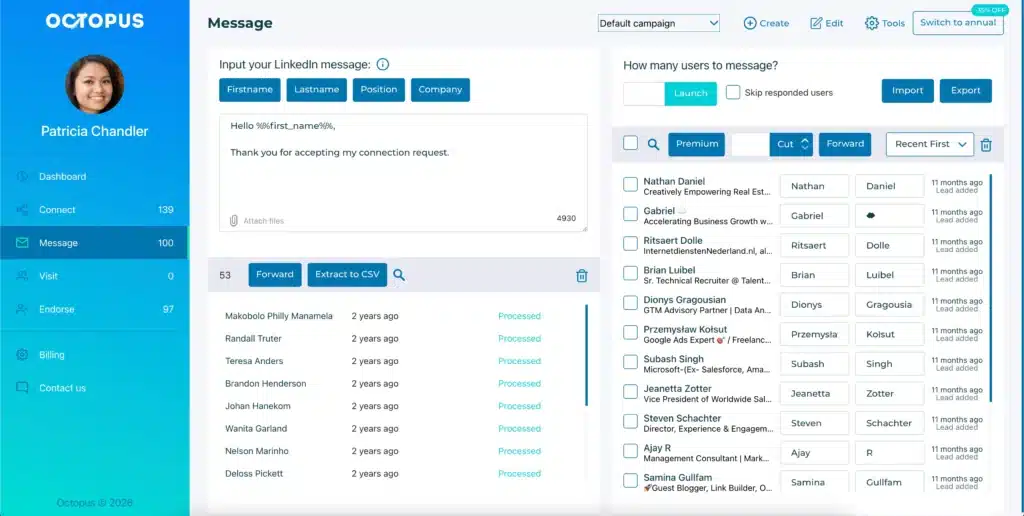
If you’ve read this far and think that Linked Helper might not fully fit your workflow, you’re not alone. Many professionals looking for a Linked Helper alternative often choose Octopus CRM LinkedIn automation tool because it addresses the very gaps we just discussed.
Among the many Linked Helper alternatives, Octopus CRM stands out for its exceptionally clean, easy, and simple user interface. It’s not a clunky desktop app but a light Chrome extension that does everything Linked Helper 2 does but without any complexity and at a higher speed.
You don’t install a heavy app, just a LinkedIn automation Chrome extension. Once installed, you can log in, build campaigns, and start your outreach right away.
- Automatically send personalized LinkedIn connection requests;
- Bulk message your 1st-degree LinkedIn connections;
- Endorse up to 7 skills on your contacts’ profiles automatically;
- Auto-visit large volumes of LinkedIn profiles;
- Send connection requests via email;
- Get insights to analyze campaign performance;
- Import/export data.
These features remove major barriers. But there’s more. With Octopus CRM you can:
- Create a LinkedIn lead generation funnel in minutes;
- Adjust steps easily;
- Add, remove, or combine features in just a few clicks;
- See the full flow at a glance;
- Get a personal CRM with stats;
- Receive instant alerts when unusual or excessive behavior is detected;
- Connect Octopus CRM to Zapier or HubSpot.
Octopus CRM starts at just $6.99 per month. Even the higher tiers are affordable. You get real value without breaking the bank. It is an excellent choice for bootstrapped startups and individuals.