
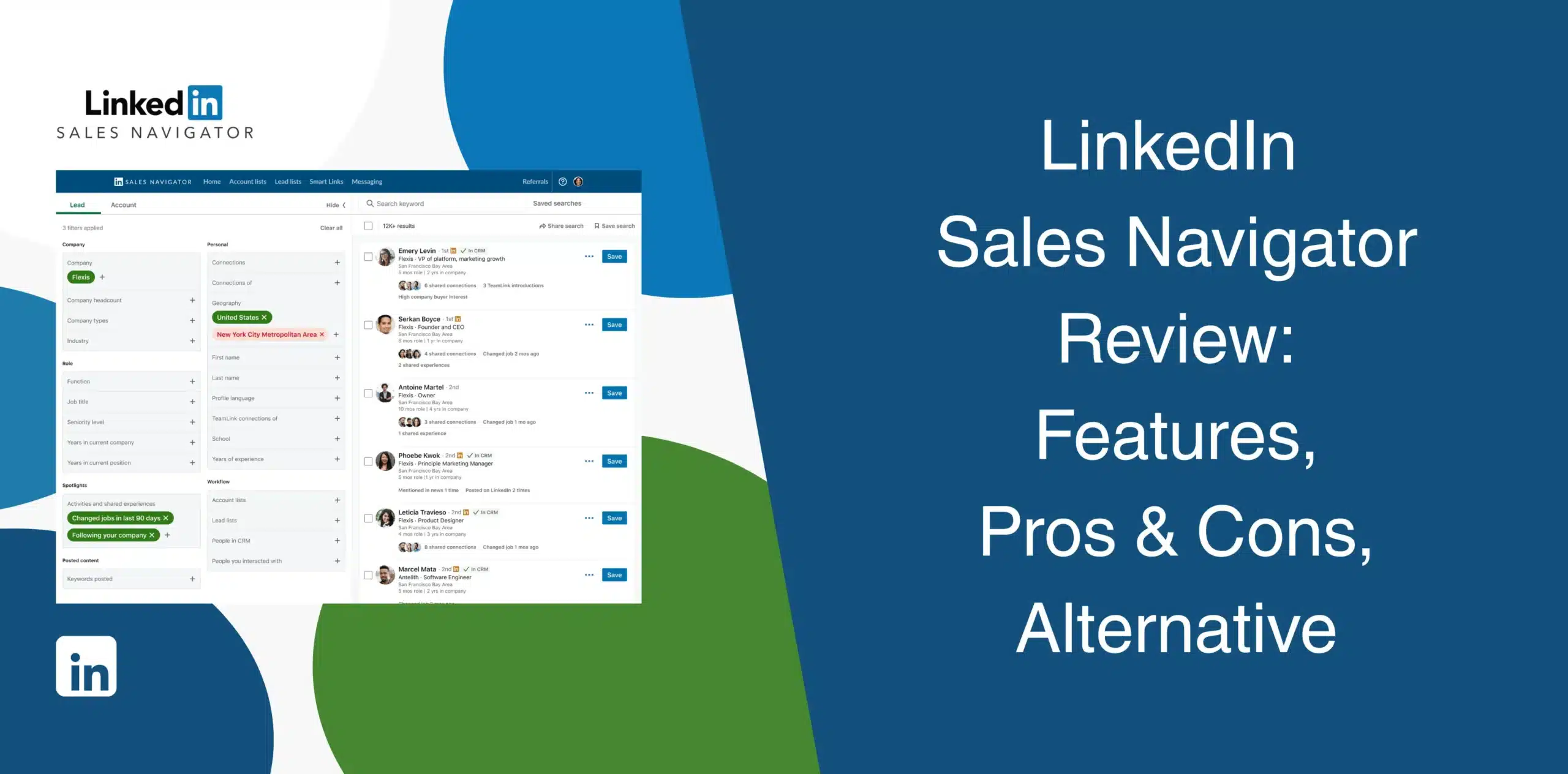
When you read LinkedIn Sales Navigator reviews online, you’ll notice they all agree that the data and features are strong, but the price is huge. Its advanced search, lead recommendations, InMail, account insights, and CRM features can help sales teams build more targeted prospect lists.
But does the tool actually help you turn prospect research into consistent outreach and closed deals? This LinkedIn Sales Navigator review will answer your question. We’ll cover Sales Navigator’s pros and cons, real user feedback, features, pricing, and best alternative.
LinkedIn Sales Navigator Overview
LinkedIn Sales Navigator is LinkedIn’s paid prospecting layer built on top of the regular platform. Users get access to advanced search filters, lead tracking, and outreach features that are not available in a free account.
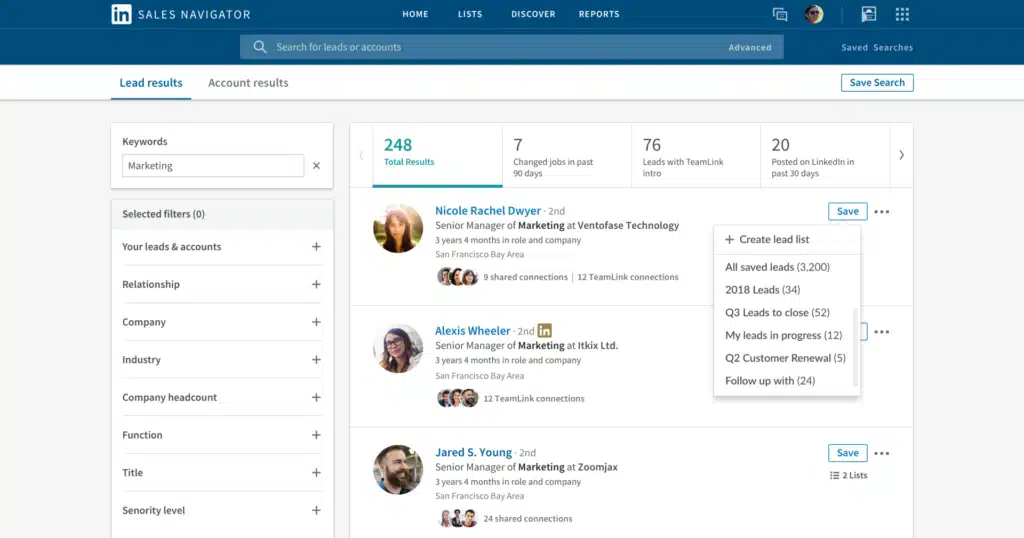
While Sales Navigator gives you solid data, it doesn’t allow you to automate outreach. You still have to manually send connection requests, track prospects, and manage follow-ups.
LinkedIn Sales Navigator Pros
- Advanced search filters help you target exact decision-makers. You can apply filters like function, seniority, years at company, recent activity, job changes, and more;
- Real-time alerts flag job changes, buyer intent, and content engagement, giving you a reason to reach out at the right moment;
- InMail lets you message people outside your network;
- Account IQ and Lead IQ summarize a company or contact in seconds, cutting prep time before a call;
- Data comes straight from LinkedIn profiles, so it tends to be more current than a purchased list.
LinkedIn Sales Navigator Cons
- Pricing is high, especially for solo practitioners or small startups;
- No built-in automation. Users must manually visit every profile, send connection requests, and follow up with leads;
- No CSV export and no “select all.” Building a list of hundreds means paging through 25 results at a time;
- You’ll burn InMail credits fast because the typical InMail response rates run 10-25%;
- You don’t get contact data as Sales Navigator deliberately withholds emails and phone numbers;
- Deeper CRM integration requires Advanced Plus.
LinkedIn Sales Navigator Reviews
Sales Navigator reviews on g2 has a 4.4/5 rating based on over 2,200+ reviews.
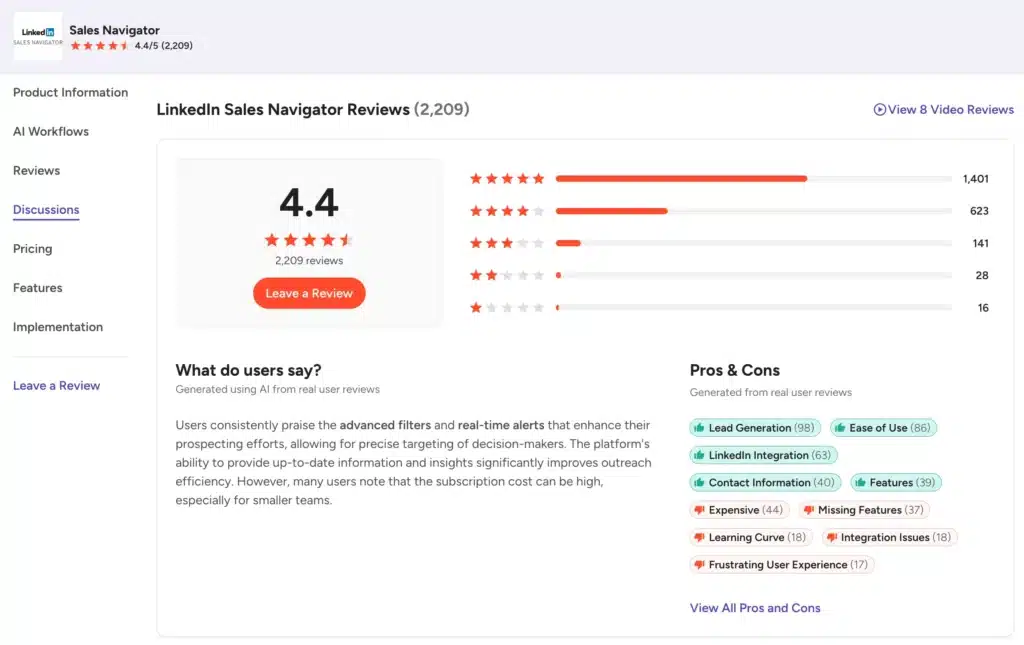
Users praise the advanced filters, real-time alerts, and relationship insights. However, we saw complaints about the high cost and occasional data accuracy issues when people switch roles.
LinkedIn Sales Navigator reviews on Capterra score 4.4/5 from 179 users.
Reviewers appreciate the targeted lead generation capabilities. The main dislikes center on the complex interface and the fact that it is overpriced for small businesses.
Trustpilot doesn’t run a separate listing for Sales Navigator. The LinkedIn.com page, though, sits at 1.2 out of 5 from 3800+ reviews.
Nearly all reviews on Truspilot are about account restrictions and refund disputes on the free platform, not the sales tool.
LinkedIn Sales Navigator Features
Sales Navigator’s feature list has grown every year, and most of the newer additions sit behind the Advanced or Advanced Plus tiers.
Advanced Lead & Account Search
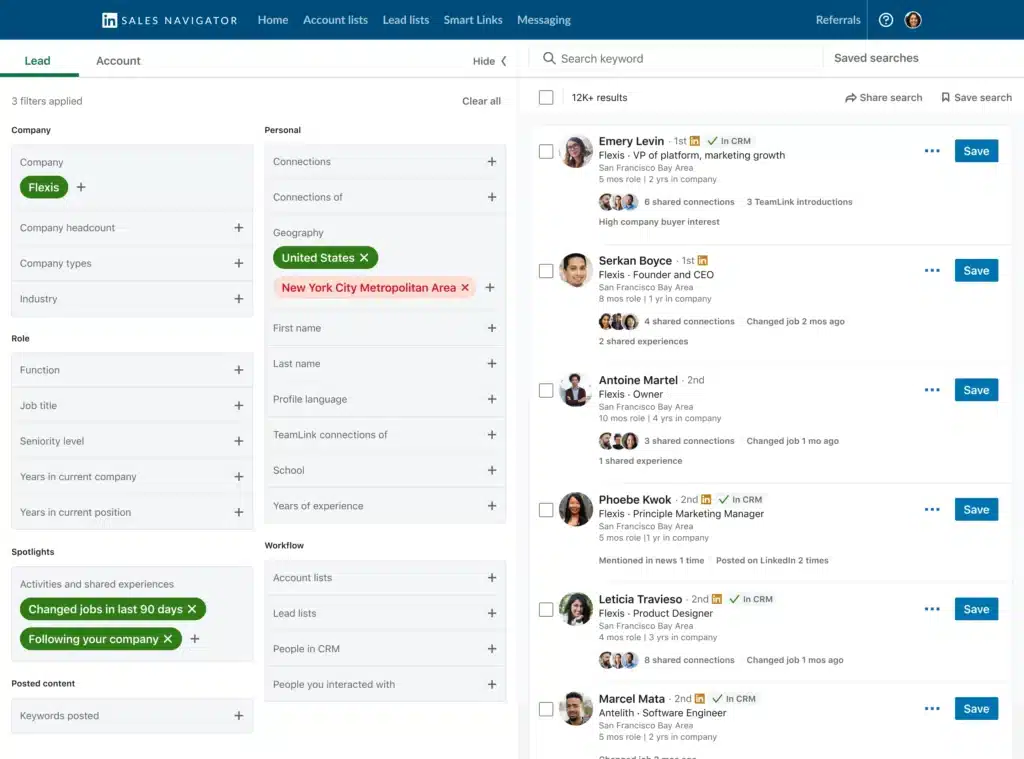
Users get 50+ advanced filters for finding leads and accounts. You can narrow results using filters such as function, seniority, location, industry, experience, company, and more. Boolean search logic lets you combine keywords for precise targeting.
Since the search results are pulled directly from LinkedIn’s 950M+ profiles, you can confidently build a precise prospect list and save searches for later.
However, you’ll need another tool for reaching out to your prospects at scale because Sales Navigator doesn’t support automated outreach.
Lead Recommendations
Sales Navigator automatically recommends leads based on your activity, saved leads, mutual connections, and other signals. You get additional suggestions without building every search manually.
This saves time when you repeatedly target similar prospects. But user feedback suggests that the recommendations can sometimes be generic. You still need to vet each suggestion manually.
Account Search & Account Lists
This feature is similar to lead search but built for finding target companies and organizing them into proper lists. You can build custom lists of target accounts, save them, and track activity across your entire book of business.
Account lists are where you’ll spend most of your time if you’re doing account-based selling. For example, you can monitor those accounts, identify relevant people, and connect prospect research with your wider sales process.
Real-Time Alerts
The system notifies you immediately when a saved lead changes jobs, gets promoted, or shares content. These triggers give you a natural reason to reach out. After all, a job change is a perfect icebreaker. But you have to be ready to act on these alerts immediately.
InMail
InMail lets you contact people outside your first-degree network. This feature is great for bypassing the need for a connection request.
LinkedIn currently advertises 50 monthly InMail credits for Sales Navigator. Credits roll over up to 3 months. Yet, InMail response rates are often low because people get too many messages daily and tend to ignore most of them.
Relationship Map
The built-in Relationship Map provides dynamic org charts showing who reports to whom within a target account. Sales teams get a visual view of important stakeholders, helping them understand the entire buying committee rather than relying on one contact.
Account IQ
Account IQ provides a snapshot of a company’s recent news, funding, and growth metrics. You get context for personalizing your outreach. But the data is only as good as LinkedIn’s public updates. And this feature is limited to Advanced and Advanced Plus in select languages.
Lead IQ
Similar to Account IQ but built for individual leads. Lead IQ provides AI-generated summaries of individual prospects. The information can include a prospect’s role, background, common interests, and other useful context.
Personas
Define your ideal customer profile once, and let Sales Navigator identify and prioritize leads that match it (based on their roles or buying stages). Then segment the leads and tailor your messaging for each group. Useful for teams with multiple ICPs.
Integrations
Connects to Salesforce, HubSpot Smart CRM, Microsoft Dynamics 365, and Oracle Sales through 15+ SNAP partners on supported plans. Advanced Plus adds two-way sync with your CRM. Core plan has no CRM integration.
LinkedIn Sales Navigator Price & Subscription Plans
Check the Sales Navigator pricing table below.
| Plan | Monthly Price | Yearly Price (annual billing) |
|---|---|---|
| Core | $119.99/license | $1,079.88/license |
| Advanced | $159.99/license | $1,799.88/license |
| Advanced Plus | Custom pricing | Custom pricing |
Prices can vary by taxes, promotions, device, currency, and other factors.
If you need CRM integration or advanced analytics, you must upgrade to Advanced or Advanced Plus. Those extra costs add up quickly for growing teams.
Best Alternative to LinkedIn Sales Navigator
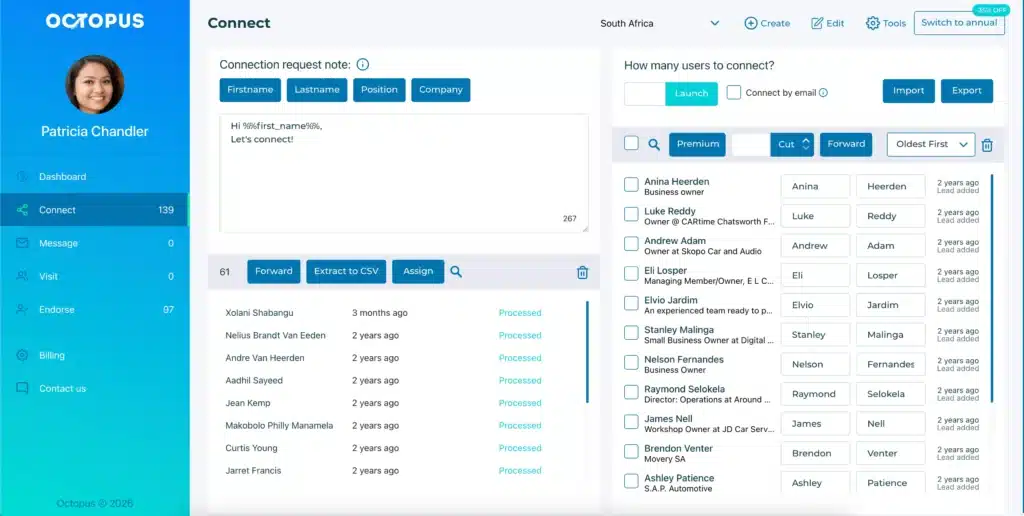
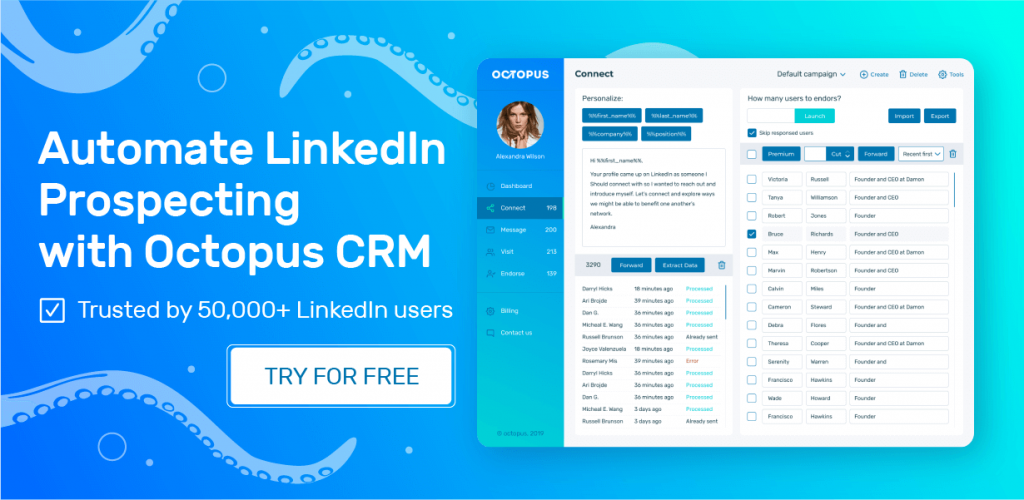
Sales Navigator has no match when it comes to finding prospects. But it does not support automated outreach. You must still manually visit every profile, send a connection request, and follow up. And that’s where Octopus CRM emerges as the best LinkedIn Sales Navigator alternative.
Octopus CRM LinkedIn automation tool fully supports LinkedIn bulk outreach. Simply install the Octopus CRM LinkedIn automation Chrome extension and let it handle the repetitive parts of LinkedIn prospecting.
While not a replacement for Sales Navigator, Octopus CRM works great alongside it. You can build a filtered lead list in Sales Navigator, export it to Octopus CRM, and let the automation run. Or you can use Octopus CRM with a standard LinkedIn account.
With Octopus CRM you can:
- Send automated yet personalized connection requests at scale;
- Automatic profile visits, which often trigger a return visit;
- Bulk message hundreds of your 1st-level connections;
- Automatically endorse skills of your contacts to warm them up before outreach;
- Bypass LinkedIn’s strict weekly invite limits safely by sending requests via email;
- Build sequences of automated actions, such as profile visit, connection request, thank-you message, skill endorsement, and follow-up;
- CSV import and export for prospect lists and campaign data;
- Native CRM dashboard for storing leads and watching campaign statistics;
- LinkedIn analytics, including profile views, search appearances, Social Selling Index, acceptance rates, and response rates;
- Zapier and HubSpot integrations;
- Activity Control alerts that notify you when excessive activity is detected;
- Compatibility with every LinkedIn account type: Free, Premium, Sales Navigator, and Recruiter;
- Plans start at $6.99/month billed annually, or $9.99/month billed monthly.