
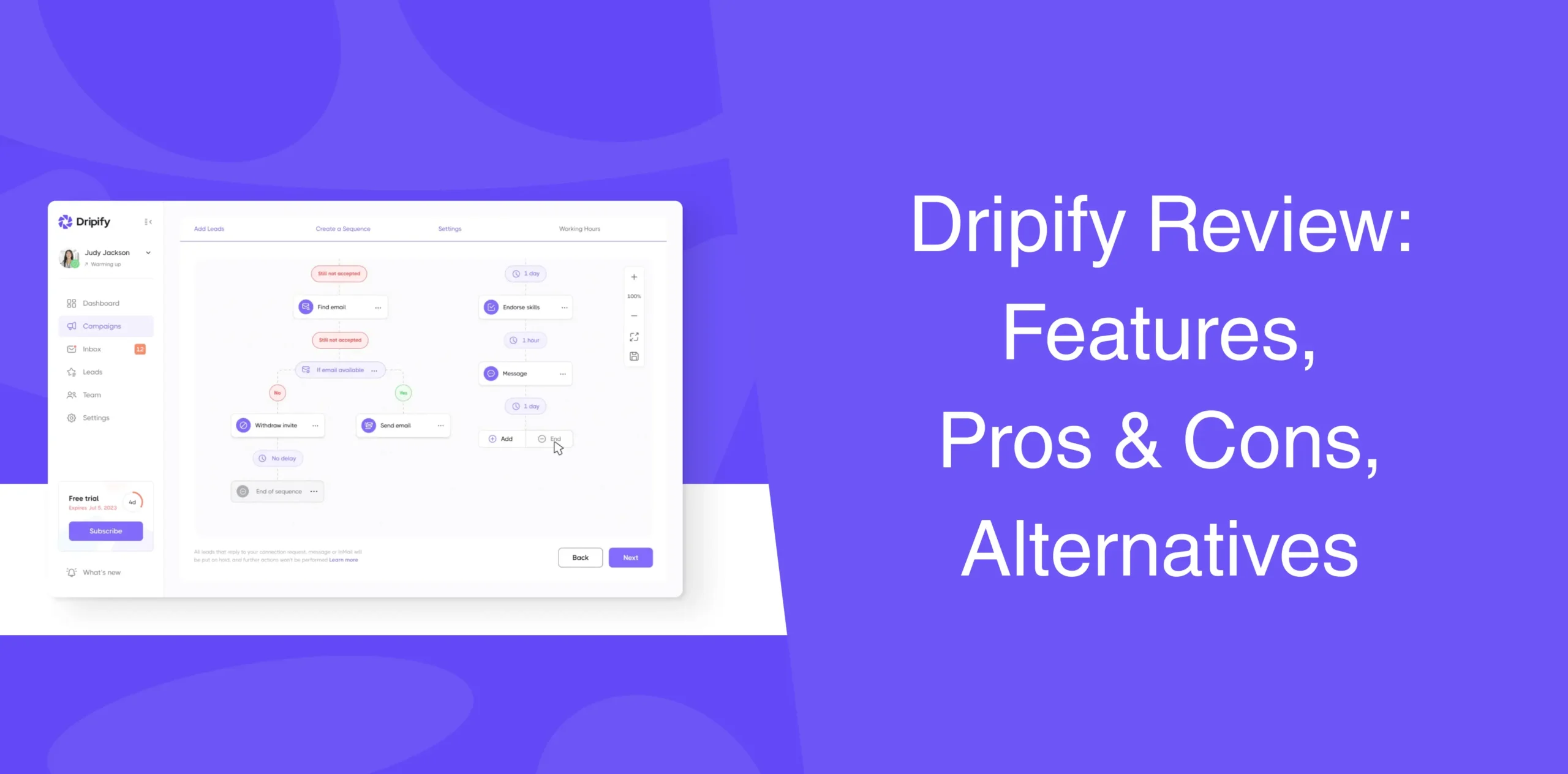
You’re probably reading through this Dripify review because manual LinkedIn outreach is starting to wear on you. You want to automate the process, and in your research, Dripify came up as one of the best LinkedIn automation tools. It shows up in comparisons, demos, and of course, countless Dripify reviews.
Does it actually help you automate repetitive LinkedIn actions, generate leads, and improve sales, as it promises?
In this Dripify review, you will find its core strengths and shortcomings to its features, pricing, best alternatives, and much more.
Dripify Highlights
Dripify positions itself as one of the best LinkedIn automation tools that runs your prospecting campaigns 24/7. You import leads, build multi-step sequences, and let the system handle connection requests, messages, and follow-ups at scale.
The core features of Dripify include:
- Cloud-based automation (runs 24/7);
- Multi-step outreach campaigns;
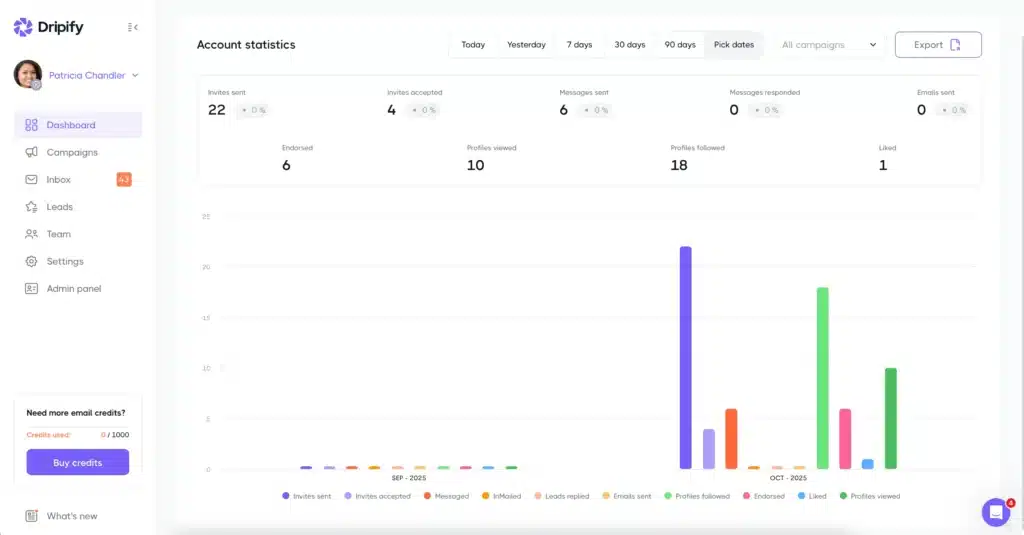
- Built-in analytics and reporting;
- Team collaboration features;
- CRM and webhook integrations.
Dripify promises to handle the entire outreach process, from finding leads to sending follow-ups, without violating LinkedIn’s safety rules.
Dripify Pros
- Clean, intuitive dashboard that makes it simple to set up and manage campaigns;
- Build multi-step outreach sequences that run automatically;
- Activity controls mimic natural behavior to ensure account safety;
- Stats and insights to gauge your campaign performance;
- Runs in the cloud so your campaigns continue working even when your device is off;
- Capable of managing multiple LinkedIn accounts and collaborating with team members.
- Built-in integrations and webhooks make it simple to integrate Dripify with other tools in your stack.
Dripify Cons
- The basics are simple, but more complex campaign setups can take some time;
- Per-account pricing gets expensive when managing multiple LinkedIn profiles;
- Doesn’t include advanced image personalization options;
- The tool may get slow when performing some specific operations.
So, keep these pros and cons in mind if you want to use Dripify for LinkedIn automation.
Dripify Reviews
Dripify reviews on g2 show 4.5 form 5 based on 349 user reviews.
Users point that Dripify LinkedIn automation tools is easy to use and it’s good for lead generation on LinkedIn.
Dripify reviews on Capterra show 4.7 from 5 based on 477 reviews.
Key Dripify Capabilities
Dripify is packed with features, but the value of those features depends on your strategy and how well you use the software.
Here are the core features of Dripify:
End-to-End LinkedIn Outreach Solution
Dripify claims to be a full-stack solution for LinkedIn outreach. From prospecting to messaging to tracking replies, everything sits inside a single dashboard. That sounds convenient (and it is), but only if you create the workflows properly.
Drip Campaigns – Automated Outreach Sequences
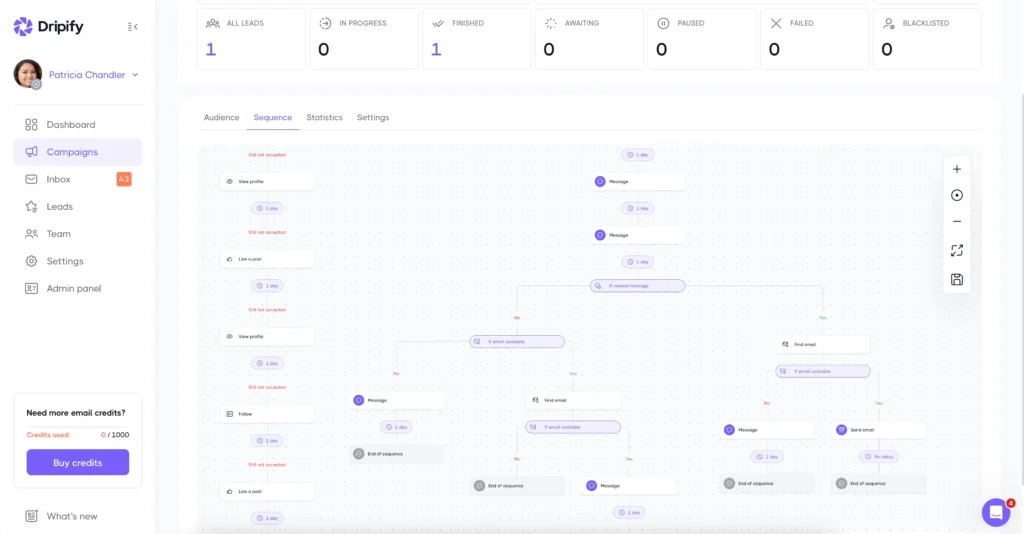
Dripify is known for building advanced drip campaigns.
You can create multi-step sequences that combine profile views, connection requests, messages, and even skill endorsements. The drag-and-drop builder is intuitive. You set delays between actions, so it looks like a human is doing the work.
It works. No doubt.
However, the Basic subscription comes with limited daily quotas and a dedicated inbox.
Data-Driven Insights
The analytics dashboard shows acceptance rates, reply rates, and overall campaign performance. The software shows how your leads are distributed across each stage of your outreach funnel, such as “In Progress,” “Completed all steps,” “Awaiting,” “Paused,” “Failed,” and “Blacklisted.”
A color-coded system represents each stage of your outreach sequence. For example, green for “Profile followed,” pink for “Accepted,” yellow for “Responded,” and others.
Unified Messaging Inbox
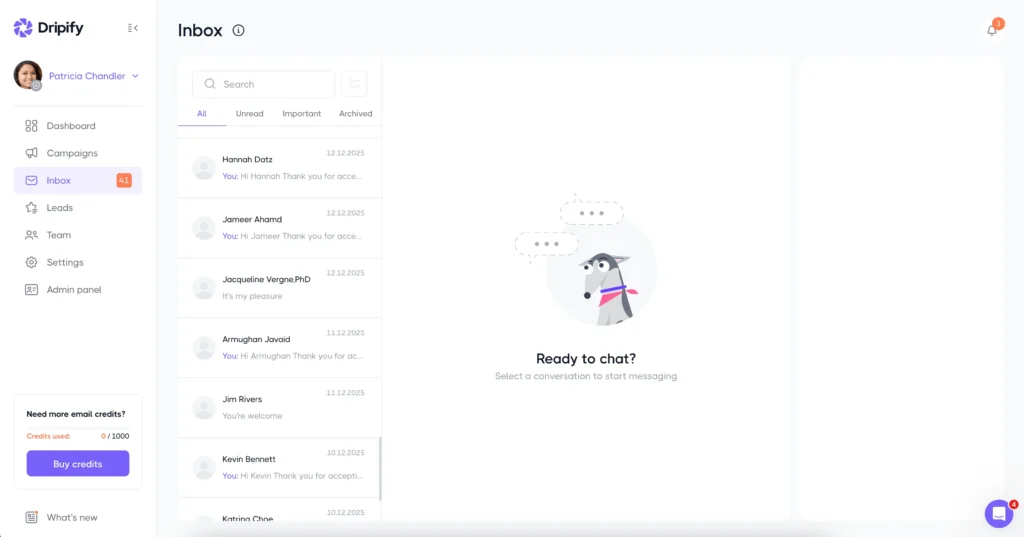
Dripify’s smart inbox pulls all your LinkedIn conversations into one place. Unread messages highlight automatically so you can quickly spot and take action. Plus, you can reply, tag leads, and track engagement without switching tabs or leaving the software.
The Inbox feature is great, especially when campaigns scale. However, the Basic plan doesn’t come with a dedicated Inbox.
LinkedIn Data Scraping
When you import leads, Dripify extracts visible profile fields such as name, title, company, location, and sometimes email addresses via enrichment. You can export this data as CSV for use in other systems.
The scraper respects LinkedIn’s visible data only, meaning it won’t bypass privacy settings or pull hidden contact details.
Team & Account Management
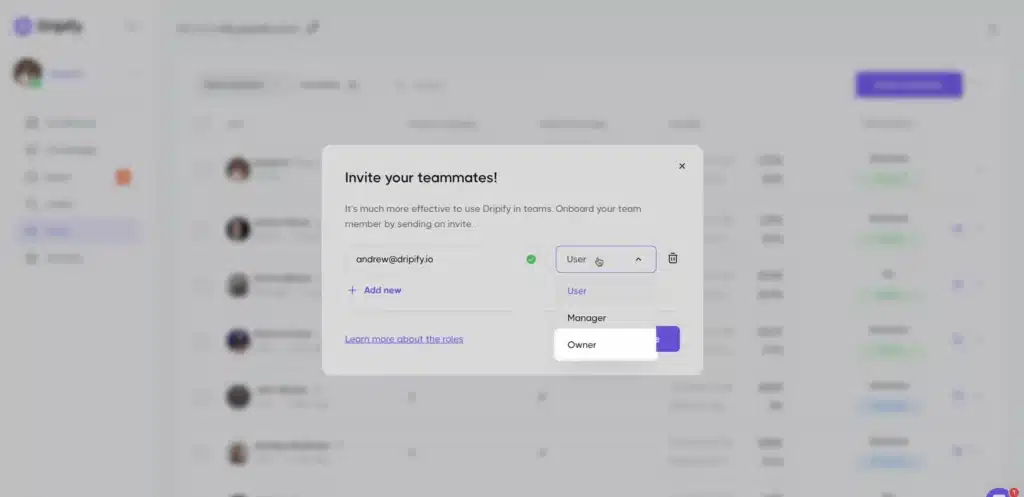
For agencies and enterprises, team and account features are vital.
Dripify’s higher-tier plans allow you to add team members with role-based permissions. You can assign campaigns, review performance, and manage billing centrally. But adding additional LinkedIn accounts can get tricky since each one requires a separate subscription, which quickly increases costs.
Multi-Step LinkedIn Automation
We touched on this earlier, but let’s beef it up. The multi-step automation with conditional branching is Dripify’s standout feature.
For example:
- If a user accepts a connection request → Send a message;
- If no reply → Follow up.
Plus, you can create complex “if-this-then-that” logics.
For example: If the prospect accepts the connection, send message A. If they reply, stop the sequence. If they don’t, send a follow-up in 3 days.
But building complex logic takes testing. A misconfigured branch can send the wrong message to the wrong person, and undoing mistakes isn’t always easy.
Third-Party Integrations
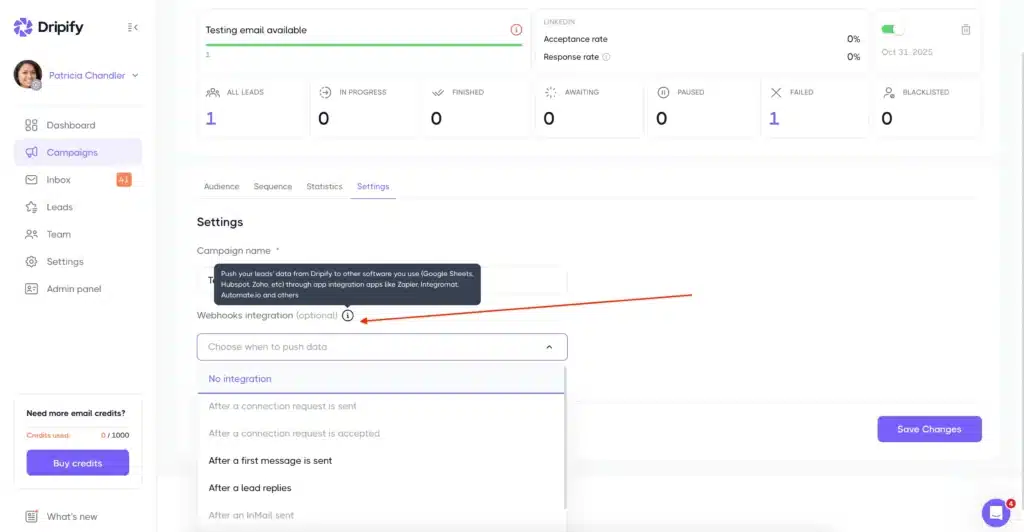
Dripify connects to CRMs like HubSpot and Salesforce via Zapier, Make, or webhooks. You can push lead data or trigger actions in external tools. Native integrations exist for Google Sheets and a few sales platforms.
However, there’s no public API for custom builds. If your workflow requires bespoke data syncs or real-time triggers, you’ll hit a wall.
User-Friendly Interface & Help Center
Dripify’s dashboard has a clean and neat layout with well-structured sections. Key details like the user’s name, campaign status, and recent activity appear at the top of the screen. A left-hand navigation bar makes it easy to switch between all the main features.
Campaign setup is also straightforward, following a linear, step-by-step flow. Even beginners can get started without much trouble. There’s also a help center with guides and tutorials. Videos and written articles cover onboarding, sequence building, and much more.
Dripify Pricing & Subscription Options
The pricing sits in the mid-to-premium range compared to other tools. The Dripify subscription plans follow a per-user, per-month model with four tiers:
- Basic Plan (limited features): $39/month billed annually or $59/month billed monthly;
- Pro Plan (unlimited campaigns & higher quotas): $59 billed annually or $79/month billed monthly;
- Advanced Plan (full features): $79/month billed annually or $99/month billed monthly;
- Enterprise ( additional premium features): Custom pricing.
Since the Dripify pricing follows the per-user model, it can get expensive pretty fast as you scale.
Dripify Alternative Worth Considering
Dripify checks most boxes but misses one critical need, like cost-effective multi-account management or simpler pricing. Maybe you don’t want to pay $79 a month to manage a team, or perhaps you need a tool that works differently.
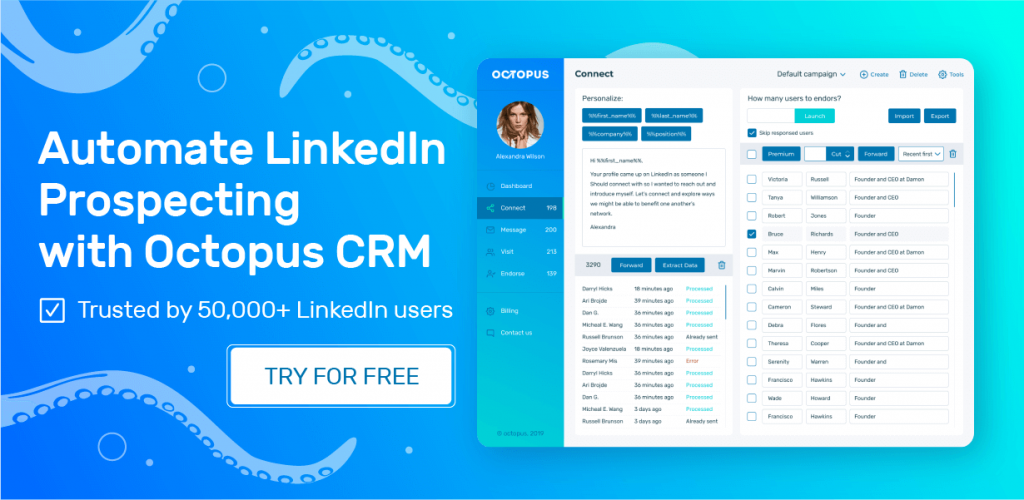
If that’s you, you may want to check out one Dripify alternative: Octopus CRM.
Octopus CRM – A Cost-Effective Dripify Alternative
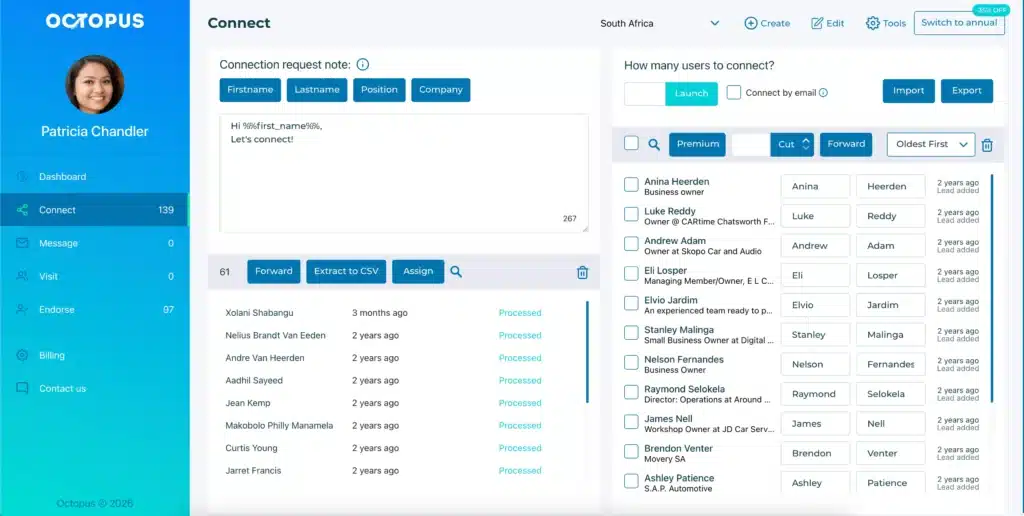
Where Dripify focuses on cloud complexity, Octopus CRM focuses on direct, browser-based efficiency. And instead of locking features behind tiered plans, Octopus offers a straightforward subscription model to automate LinkedIn actions, create drip campaigns, and build funnels.
Octopus CRM LinkedIn automation tool allows you to automate quickly without overthinking the setup, right from a Chrome browser.
- Visit hundreds of profiles automatically;
- Send automated, personalized connection requests;
- Message prospects at scale;
- Endorse up to seven skills.
Octopus CRM starts at roughly $9.99 a month, with the Unlimited plan costing just $24.99 per month (billed annually). Compare that to Dripify’s $39 entry point or $79 per month per user for the Advanced subscription. That’s a massive difference.
Because the actions mimic your actual typing and clicking patterns in real-time, the software is exceptionally safe. Plus, the interface prioritizes speed: import leads, select a template, and launch.
Other features available in Octopus CRM include:
- Valuable stats and insights to evaluate your campaign performance;
- Importing/exporting lead data;
- Sending connection requests via email;
- Zapier and HubSpot integration.
Though Dripify for sales teams offers advanced features, Octopus CRM works better for smaller setups. For freelancers, small sales teams, recruiters, and entrepreneurs, Octopus does everything Dripify does, but without the bloated pricing.
These are the reasons that position Octopus CRM as one of the best Dripify alternatives.