
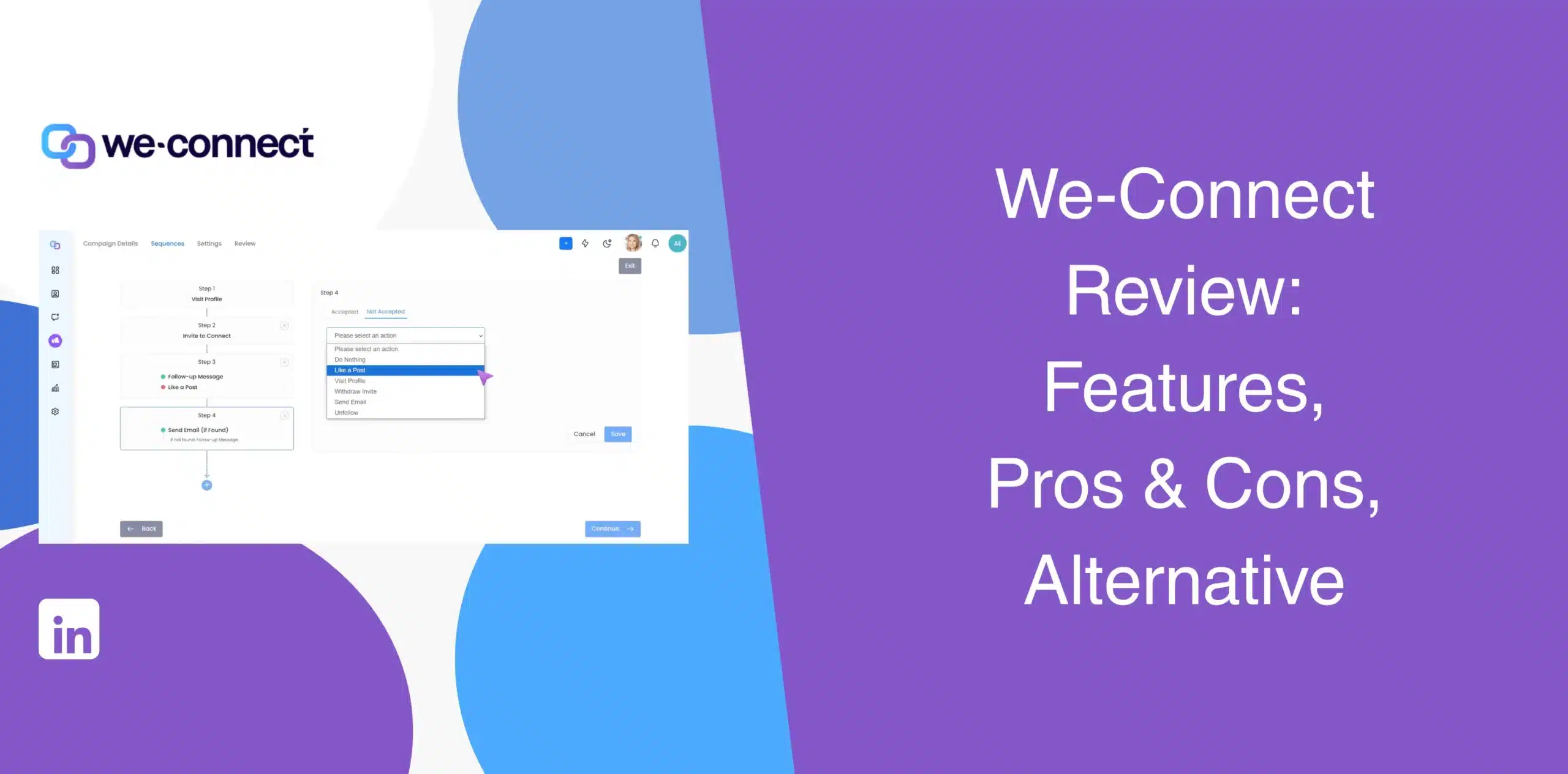
There’s no shortage of We-Connect reviews online; however, many are outdated or lack the insights you need to decide whether the tool fits your workflow. After all, choosing a LinkedIn automation tool is important. Get it wrong, and you waste time and money, besides losing prospects and potentially risking your LinkedIn account.
This We-Connect review 2026 has everything you want to know about the LinkedIn automation software, from its features to pros and cons and real user feedback to the latest pricing. We’ll also introduce a simpler alternative worth considering.
We-Connect Overview
We-Connect is a cloud-based LinkedIn automation platform built for sales teams, recruiters, and agencies. The platform has grown well beyond basic LinkedIn automation. It now includes advanced multichannel sequencing, AI capabilities, and a visual workflow builder.
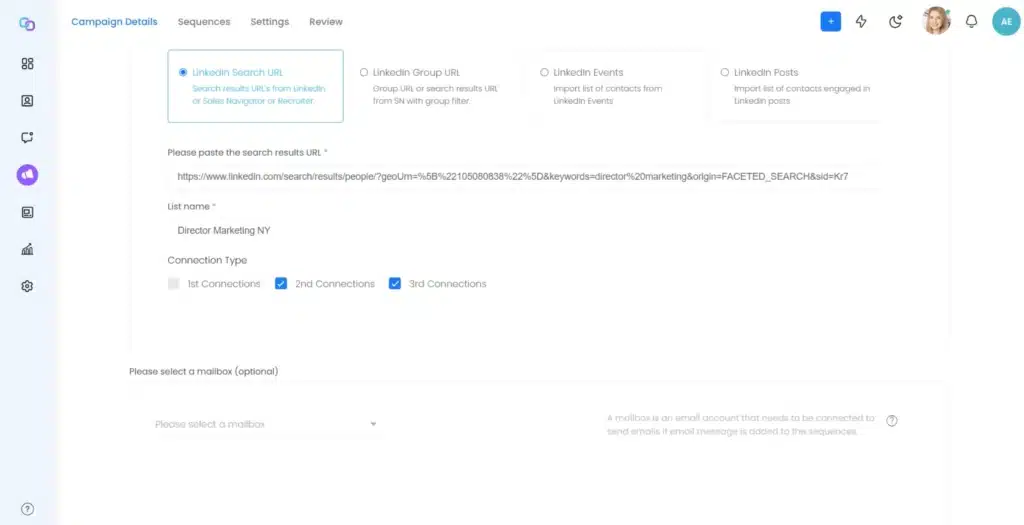
But does We-Connect actually fit your daily workflow?
The interface presents so many options that it becomes overwhelming at first. You may find yourself staring at the dashboard and wondering if you really need all these complex features at a premium price. Or if a simpler, more affordable We-Connect alternative would make more sense?
We-Connect Pros
- Cloud infrastructure runs continuously even if you close your computer;
- The built-in AI Assist reads each prospect’s LinkedIn profile to build personalized outreach;
- The Lead Engine replaces fixed sequences with workflows that branch on replies and engagement;
- Brings LinkedIn outreach and email automation together in a single tool;
- A Lead Scoring Agent evaluates each contact against your ideal customer profile and returns a score from 0 to 100.
We-Connect Cons
- The long list of features can be an overkill for anyone looking for basic LinkedIn outreach or automation;
- Many of the advanced features sit on the high-priced plans;
- Higher monthly cost than simpler LinkedIn automation tools;
- If you’re a small agency managing multiple client accounts, you need to purchase at least 10 seats;
- Extra features like Post Remix and Profile Optimizer are priced separately;
- The visual workflow builder is powerful, but it’s not something you’ll master in five minutes;
- Feedback from many users highlight occasional syncing and campaign-loading issues.
We-Connect Reviews
We-Connect reviews on g2 has a 4.6/5 rating from 84.
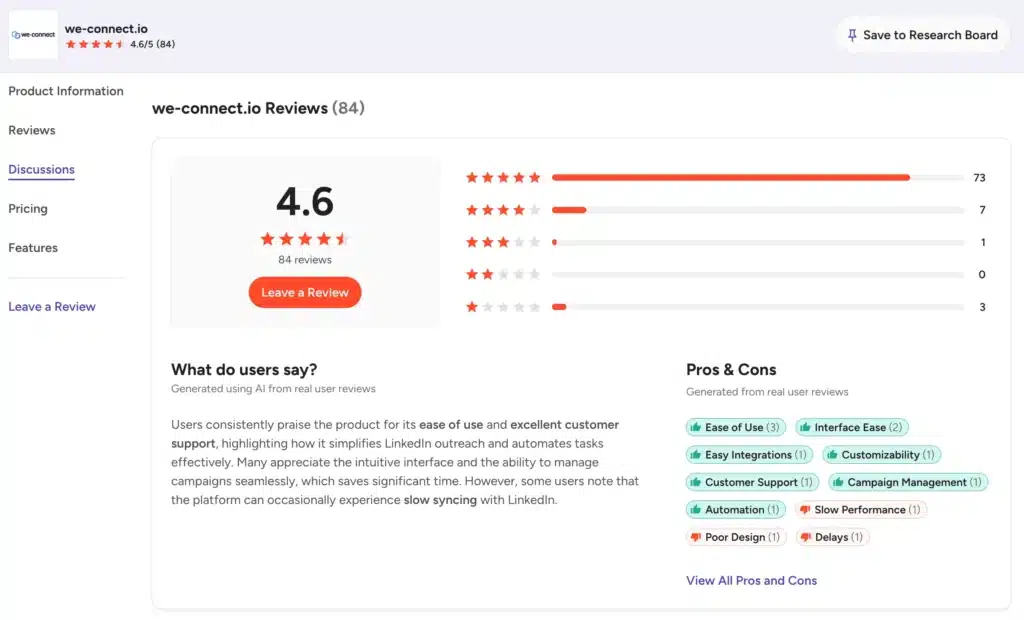
Users like the automation capabilities, customer support, and ease of campaign management. Some reviewers mention slow syncing, campaign-loading delays, and occasional account connection issues.
We-Connect reviews on Capterra show a rating of 4.7/5 from 70 reviews.
Users particularly like its campaign automation, ease of use, customer service, and value for money. Some users report that the software can occasionally become slow and that connecting multiple LinkedIn accounts can be tricky.
Trustpilot doesn’t currently host an active, meaningfully reviewed profile for We-Connect, so it’s not a reliable third data point.
We-Connect Features
We-Connect has a comprehensive feature set. We’ll look at each major feature in detail so you can decide if it is the right fit for your workflow or business needs:
LinkedIn Automation
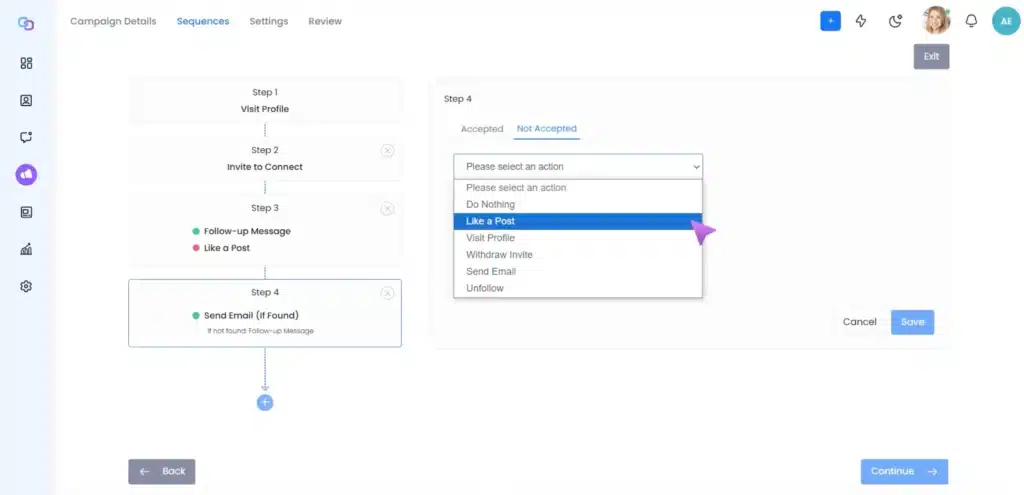
This is the foundation. We-Connect automates over 14 LinkedIn actions: connection requests, follow-ups, profile visits, skill endorsements, InMails, and automated greetings for anniversaries or new roles.
You can combine these actions into self-executing sequences and run multiple campaigns at the same time.
Everything runs from the cloud with a dedicated IP and configurable daily limits, which matters since LinkedIn’s terms prohibit automated activity regardless of how a tool is built. Campaigns launch from search, Sales Navigator, or CSV upload.
Drag-and-Drop Workflow Builder
Using a drag-and-drop workflow builder, users can create different paths depending on whether a lead accepts a connection, responds to a message, or meets another condition. It also supports conditional logic, enrichment steps, AI agent nodes, and separate paths for connected and unconnected prospects.
AI Agents
We-Connect provides three AI agents that work inside the LinkedIn Lead Engine.
- The Lead Scoring Agent evaluates each contact against your ideal customer profile using LinkedIn profile data. Set criteria for job titles, industry, location, and company size. The agent calculates a fit score from 0 to 100 for every contact;
- The Sentiment Analysis Agent reads comments and reactions on LinkedIn posts and automatically segments your audience into positive, neutral, and negative paths;
- The Intent Agent continuously watches for buying signals across profiles and competitor pages, feeding them into a live, automated campaign.
Email Workflows
Multichannel campaigns combine LinkedIn actions with email, triggered by behavior on either channel. A prospect who ignores your connection request can automatically get an email instead.
Open, click, and bounce tracking come standard, along with A/B testing. This layer sits behind the Professional plan and above, so budget for the upgrade if multichannel matters to your strategy.
Outreach Personalization
AI Assist helps create personalized connection requests, follow-ups, and replies. It can use information from a prospect’s LinkedIn profile and conversation history instead of relying on basic variables such as first name or company.
You also get AI-generated icebreakers, profile and conversation summaries, spintax, business snapshots, and AI auto-replies.
LinkedIn Post Scheduler
Post Remix is a content scheduling tool inside We-Connect. You can queue up text posts, images, videos, and PDFs from a visual content calendar. Set your posting schedule once, and Post Remix keeps you consistent.
The tool surfaces high-performing posts from your industry and uses AI to rewrite them in your voice. You can even use AI to generate multiple posts at once and schedule them all in one go.
Integrations
Native two-way sync connects to Salesforce, HubSpot, Pipedrive, and Zoho on Professional and above. Webhooks and Zapier are available broadly, and Gmail or Outlook connect with one click. If your stack lives in one of those four CRMs, sync happens without a Zapier layer in between.
We-Connect Price & Subscription Plans
Check the We-Connect pricing table below:
| Plan | Monthly Price (per seat, monthly billing) | What’s Included |
|---|---|---|
| Growth | $69 | Unlimited campaigns, Lead Engine, AI Assist, AI auto-reply |
| Professional | $79 | Everything in Growth, plus email multichannel, CRM sync |
| Scale (coming soon) | $99 | Everything in Professional, plus Watchlist, Intent Agents |
| Agency | Custom | 10+ LinkedIn accounts, dedicated CSM, custom integrations |
Annual billing is available at discounted prices for all plans. Post Remix and LinkedIn profile optimizer are separate add-ons, so they’re billed separately. Agencies managing multiple clients face high costs since they must buy a seat for every team member.
Best Alternative to We-Connect
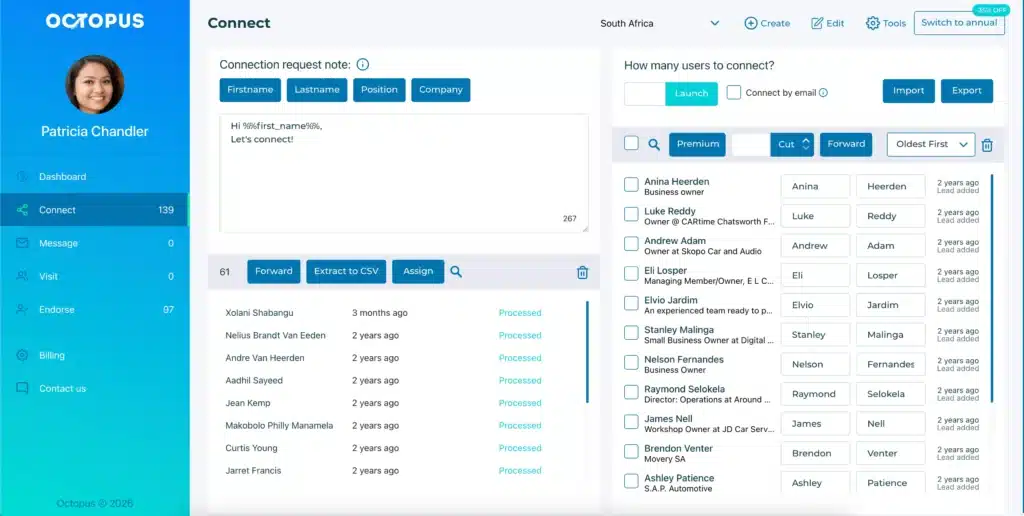
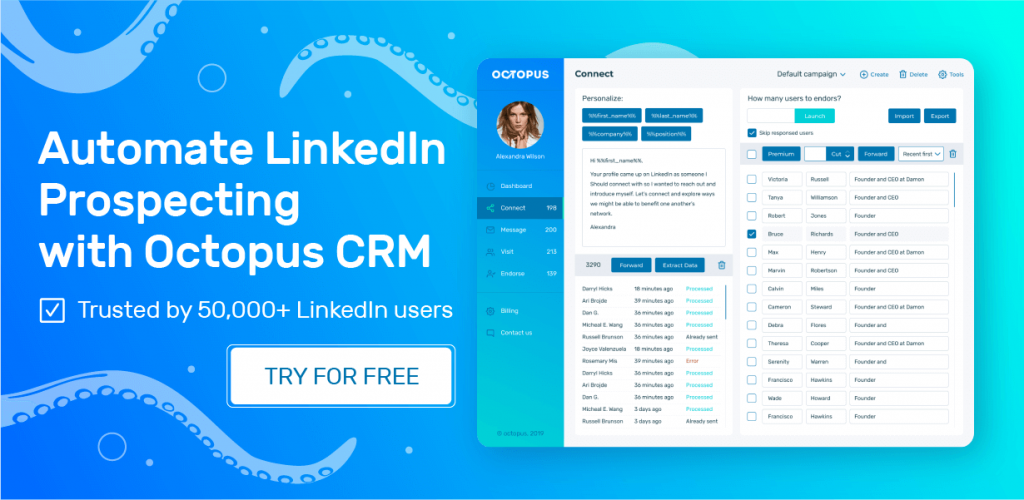
We-Connect packs a lot of features, from AI agents and intent detection to email workflows and multiple integrations. But if you need simple, automated LinkedIn outreach, all those extras may be more than you need. Among the many We-Connect alternatives, Octopus CRM LinkedIn automation tool is a simpler and more affordable.
Being the best We-Connect alternative, Octopus CRM has a simple, direct interface. And since it is a LinkedIn automation Chrome extension, it lives directly in your browser and skips the infrastructure overhead that We-Connect carries.
Octopus CRM automates the core LinkedIn actions, including connection requests, profile visits, skill endorsements, and follow-ups.
Other features in Octopus CRM include:
- Personalized outreach – Personalizes automated connection requests and messaging using a lead’s name, company, and job title;
- Mass messaging – You can send bulk messages to hundreds of first-degree connections;
- Lead warm-up – Automated profile visits and skill endorsements warm up prospects before you reach out;
- Simple funnel builder – Build and manage a simple funnel comprising profile visit, connection request, thank you message upon acceptance, skill endorsement, and follow-up;
- Insights – Users can track the number of profile views, search appearance, SSI, and campaign analytics;
- Email-based connection requests – Switch to sending connection requests through email after hitting LinkedIn’s weekly cap;
- Import-export – Import LinkedIn profile lists into campaigns or export LinkedIn data to CSV;
- Integrations – Connect Octopus CRM campaigns with Zapier to send LinkedIn data and actions to HubSpot, Google Docs, and other apps;
- Compatibility – Works seamlessly with all LinkedIn account types, including Free, Premium, Sales Navigator, and Recruiter Lite;
- Activity Control – Monitor LinkedIn activity and get instant alerts when Octopus CRM detects excessive activity.
Octopus CRM’s pricing starts at $6.99/month (billed annually), which is a fraction of We-Connect’s $69/month entry point.
For individuals and small teams who need basic LinkedIn automation without complexity, Octopus CRM is the best We-Connect alternative.