
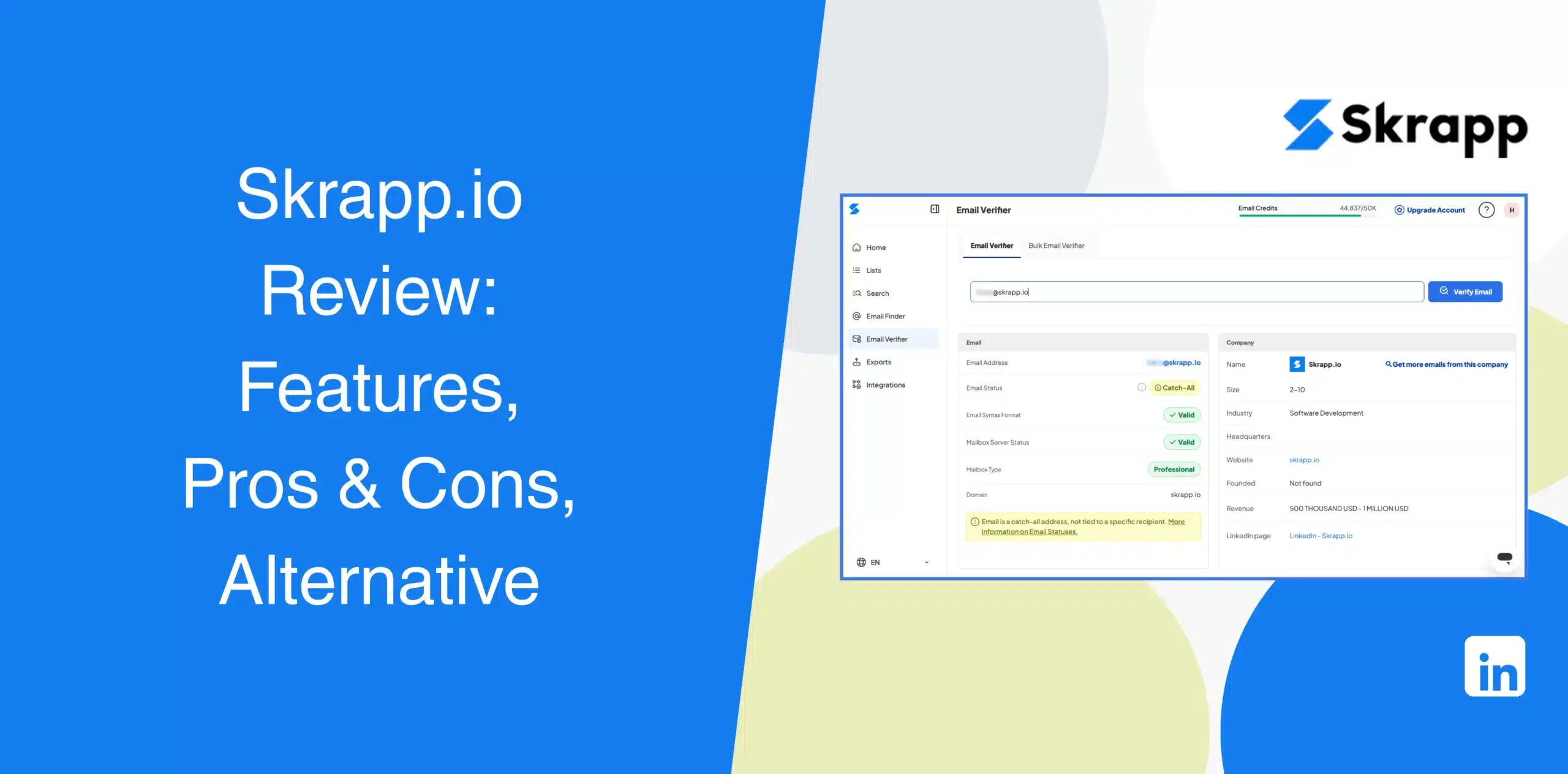
There’s no shortage of Skrapp.io reviews out there, but most of them are either outdated or provide shallow information about the tool.
Our latest Skrapp.io review will help you determine whether it is a reliable tool for your daily outreach. We’ll cover its pros and cons, features, real user feedback, and best alternative.
Skrapp.io Overview
Skrapp.io is a B2B email finder and data enrichment tool. It pulls verified email addresses from LinkedIn profiles, Sales Navigator, and company websites using a Chrome extension. You can also verify emails, enrich contact records, search companies, and export leads for use elsewhere.
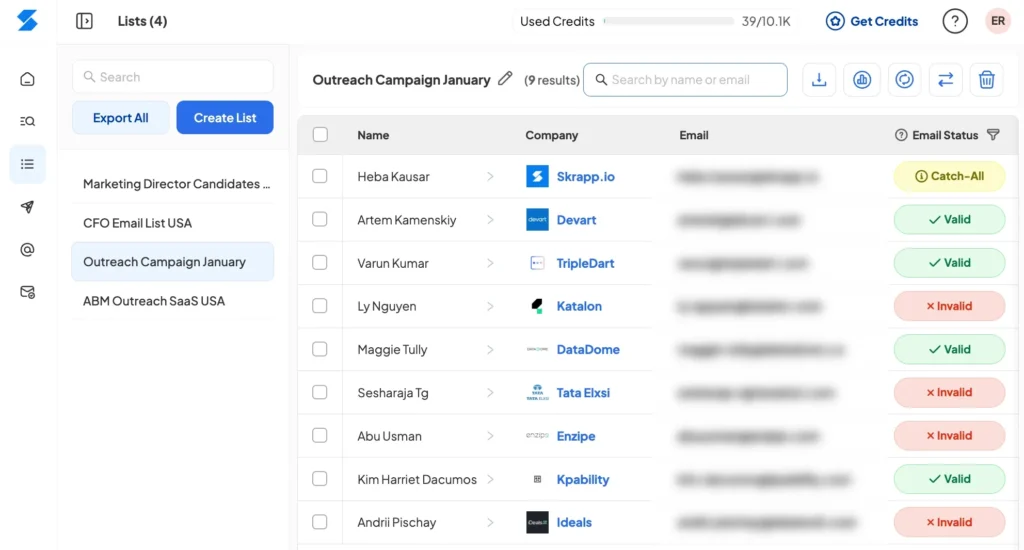
Many SDRs and founders use Skrapp to create targeted lists for cold email campaigns. But email alone isn’t always enough to close deals. Prospects often need multiple touchpoints across different channels before converting.
Skrapp.io Pros
- Large B2B contact database with 200M+ professional profiles;
- Extracts email addresses directly from LinkedIn and Sales Navigator;
- Email verification helps reduce invalid addresses;
- Bulk enrichment and CSV exports save hours of manual data entry for growing lists;
- A free plan for testing the platform.
Skrapp.io Cons
- Credits can run out quickly with regular prospecting;
- Email accuracy can vary depending on the prospect and company;
- No complete LinkedIn outreach automation workflow;
- API access is limited to paid accounts.
Skrapp.io Reviews
Skrapp.io reviews on g2 show a rating of 4.5/5 based on 350+ reviews.
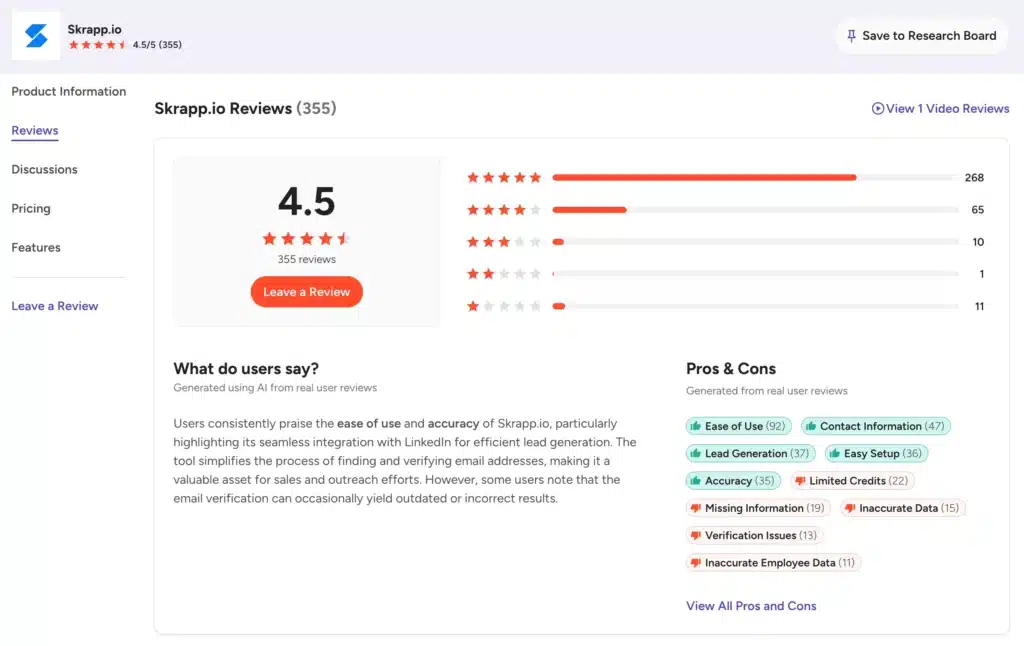
Reviewers praise the tool’s ease of use and the Chrome extension’s convenience for finding emails. The main complaints are about the accuracy of the email verification and fast-burning credits.
We also examined Skrapp reviews on Capterra, where it has a rating of 4.5/5 from 57 users.
While many users highlight the clean dashboard and straightforward bulk email finding, the accuracy of the “verified” status remains the main issue here as well. Some users report high bounce rates despite the verification tag.
On Trustpilot, Skrapp.io has a rating of 3.2/5 based on only one user’s feedback, so we can’t draw any conclusions here.
Skrapp.io Features
We’ll go over the core features of Skrapp:
B2B Lead Finder With Filters
Skrapp’s B2B Lead Finder lets you search its database for potential customers and decision-makers. You can narrow searches using filters such as company size, industry, location, funding status, and other criteria. Its AI-powered search also helps users find leads based on natural-language queries.
Once you find the right prospects, you can export the data as CSV or XLSX files. Users can even sync contacts with supported CRM platforms.
The feature works well when your priority is building a targeted database. If your next step is automated LinkedIn outreach, you’ll need another tool.
LinkedIn Email Finder & Verifier
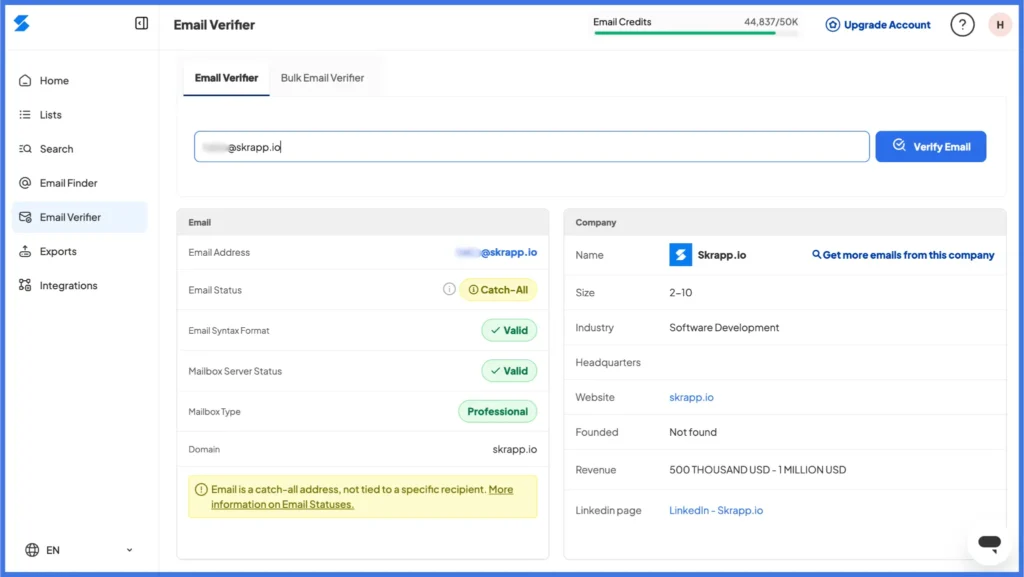
Using Skrapp’s Chrome extension, you can find professional email addresses directly from LinkedIn and Sales Navigator. Open a prospect’s profile and use the extension to search for available business contact information.
The platform also verifies email addresses, which is important because finding an address is only half the job. You don’t want to fill your outreach list with addresses that bounce.
While Skrapp says its verification system checks email quality before returning results, we came across dozens of user reviews with complaints about inaccurate email addresses.
Bulk Lead Enrichment
Upload a CSV containing names and company details, and Skrapp.io can enrich the list with missing contact information. It helps turn basic prospect data into an enriched list with the names linked to LinkedIn profiles, verified emails, job titles, and company firmographics.
This feature saves days of manual research for sales teams preparing for large outbound pushes. Just remember that data decays quickly. People change jobs constantly, so always verify the enriched data right before you launch your campaign.
Company Search
Beyond individual LinkedIn lookups, you can search by company domain. Enter a company name or domain, and the platform returns verified business emails for people at that organization.
This feature works independently of LinkedIn, which is helpful when you know the company but don’t have specific employee profiles.
Email Finder API
For larger teams with custom tech stacks, the API allows you to integrate Skrapp.io’s search capabilities directly into your own applications. You can trigger email searches programmatically when a new lead enters your system.
Integrating the API requires developer knowledge, though, and it is locked behind the higher-tier Enterprise plans. If you just run standard outbound campaigns, you probably won’t need this feature.
Integrations
Native connections to Salesforce and HubSpot push verified contacts into your pipeline. CSV export works on every plan. Higher tiers add CRM sync and API access while free users get the core finder, verifier, and basic exports only.
These integrations let you sync enriched contacts instead of manually copying lead data between systems.
Skrapp.io Price & Subscription Plans
Check the Skrapp.io pricing table below.
| Plan | Monthly Price (Billed Yearly) | Monthly Price (Billed Monthly) | Credits/Month | Users |
|---|---|---|---|---|
| Free | $0 | $0 | 50 | 1 |
| Professional | $29 | $39 | 2,000 | 2 |
| Enterprise | $262 | $349 | 50,000 | 15 |
Skrapp operates on a credit-based system. Each credit lets you find one professional email address or verify a single email. Credits roll over with the Professional and Enterprise plans.
Credits can roll over on paid plans, and Skrapp says invalid or unknown results aren’t charged. But if you’re doing heavy prospecting, you’ll burn credits faster than you might expect. Plus, your total software cost can increase once you add a separate platform for LinkedIn or email outreach and campaign automation.
Best Alternative to Skrapp.io
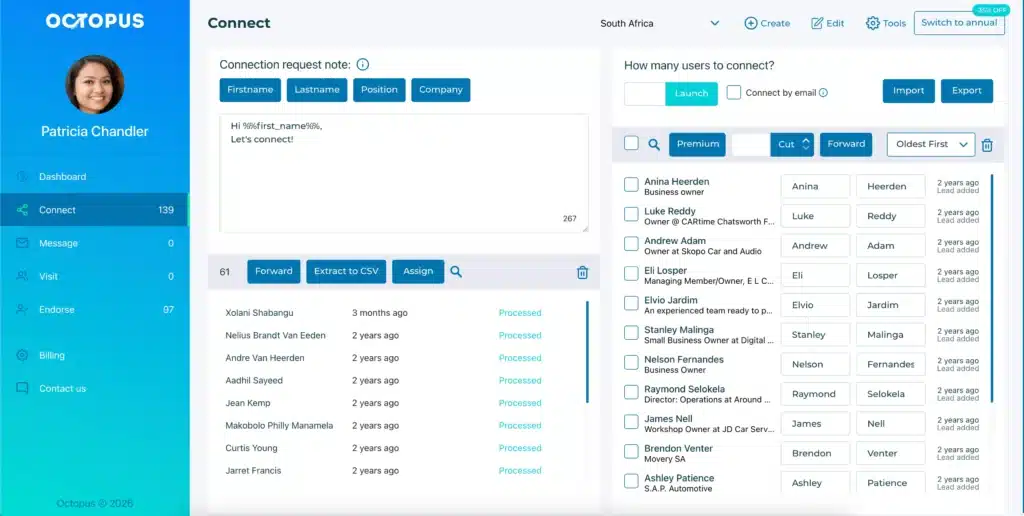
If you’ve read this far, you’ve probably noticed a gap. Skrapp.io finds emails, but it doesn’t help you reach out to those prospects. You still need to write the copy and use another tool for sending emails.
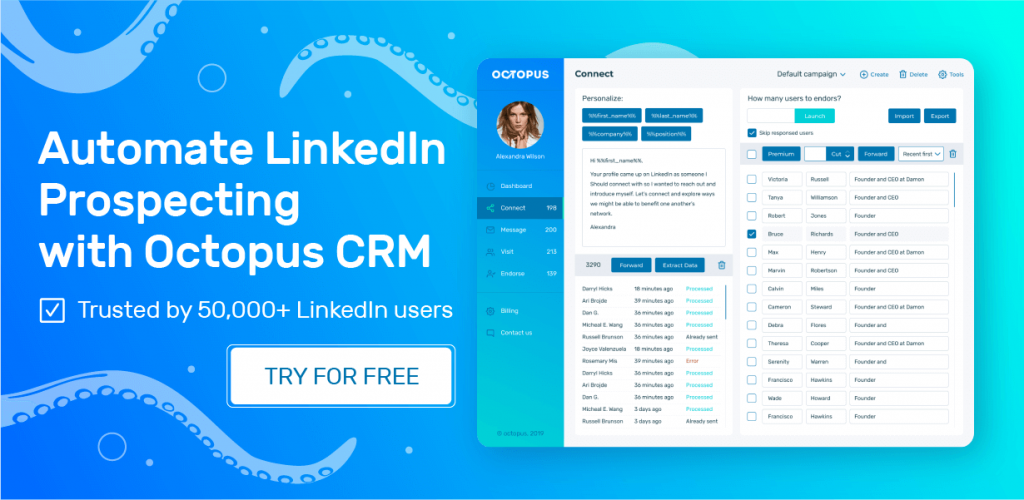
So, if your prospects are already on LinkedIn, why extract their email just to reach them somewhere else? That’s where Octopus CRM becomes a more practical Skrapp.io alternative since it allows you to reach your prospects directly on LinkedIn.
Octopus CRM is a LinkedIn automation tool that handles prospecting and outreach from one place. Instead of finding a prospect’s email and then moving to another platform to contact them, you can automate LinkedIn connection requests, personalized messages, follow-ups, profile visits, and skill endorsements.
Plus, the Octopus CRM LinkedIn automation Chrome extension allows users to find publicly available email addresses by exporting LinkedIn profiles in CSV in bulk. And you can even create simple yet effective outreach sequences comprising various LinkedIn actions, such as profile visits, connection invites, and skill endorsements.
Under the hood:
- Send automated, personalized connection requests to your target audience;
- Message hundreds of 1st-level connections in bulk to scale your follow-ups;
- Automatically endorse up to 7 skills on profiles to warm up cold leads before pitching;
- Combine connecting, messaging, endorsing, and visiting into one sequence instead of running one-off actions;
- Visit hundreds of profiles automatically to trigger curiosity and profile views;
- Connect by email to bypass LinkedIn’s weekly invite limits safely;
- Import and export data seamlessly to manage your campaigns via CSV;
- Integrate with Zapier and HubSpot to push LinkedIn actions into your existing tech stack;
- Activity control monitors your account safety and alerts you to excessive behavior;
- Compatibility with free LinkedIn, Premium, Sales Navigator, and Recruiter Lite accounts.
The Chrome extension works directly in your browser alongside LinkedIn. You don’t have to learn a complicated sales engagement platform just to automate basic LinkedIn actions.
So, when you use Octopus CRM for LinkedIn automation, you get lead discovery, email export, and full outreach automation under one subscription.
Pricing backs that up too.
Octopus CRM starts at $6.99/month on the annual plan, topping out at $24.99 for the Unlimited tier. This price is well below what sales automation costs when you stack a data tool and an outreach tool separately.