
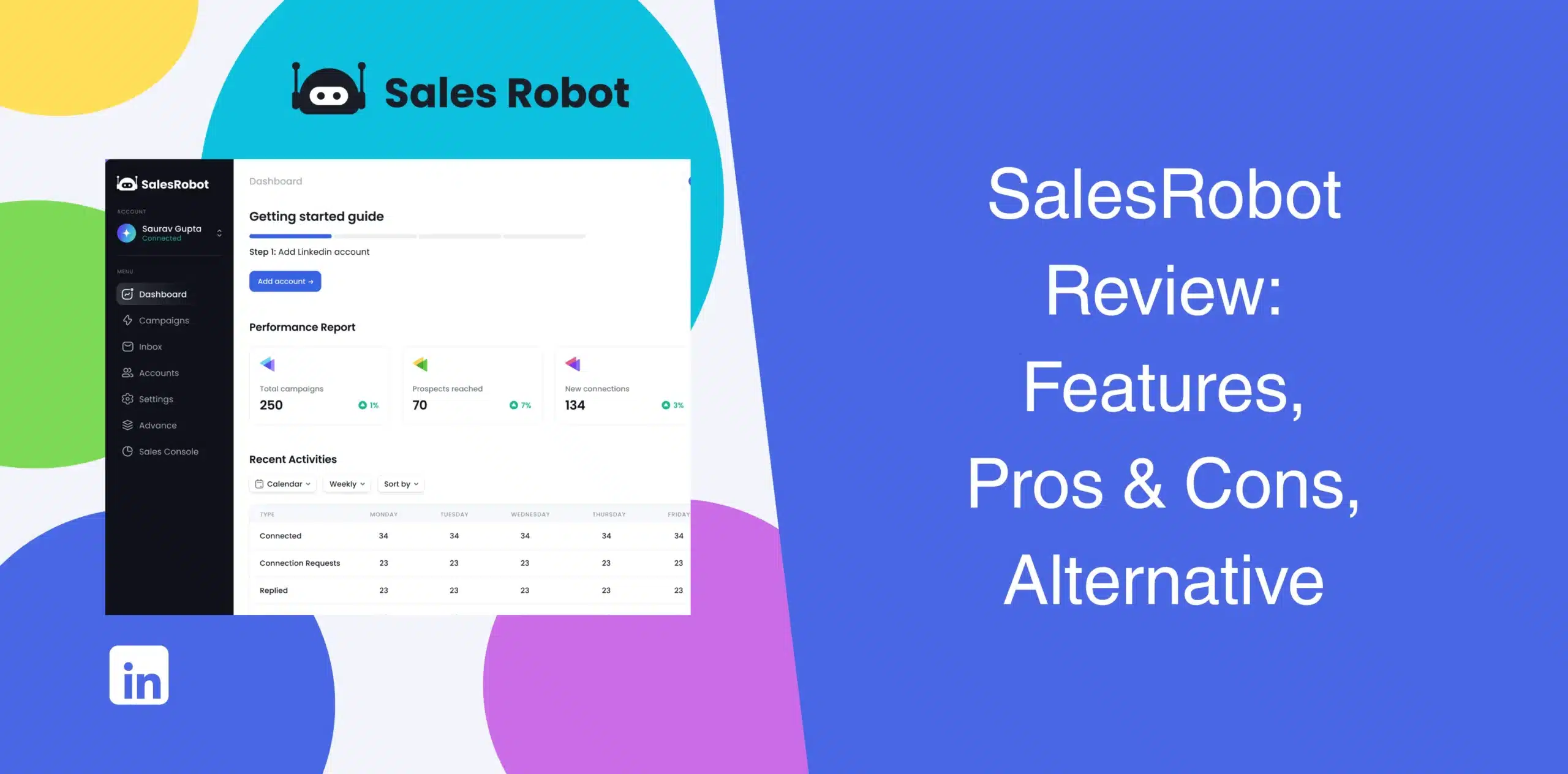
SalesRobot is one of the leading tools in the LinkedIn automation space. We conducted some research, read SalesRobot reviews from real users, and tested the capabilities and features of the software to determine whether it lives up to its promise.
This SalesRobot review is based on our findings and our experience testing the tool. Explore SalesRobot’s strengths and weaknesses, features, pricing, user feedback, and best alternatives.
SalesRobot Overview
SalesRobot is a cloud-based sales automation software built to streamline cold outreach on LinkedIn and email. You can use it to automate LinkedIn connection requests, follow-ups, email sequences, and omnichannel outreach sequences.
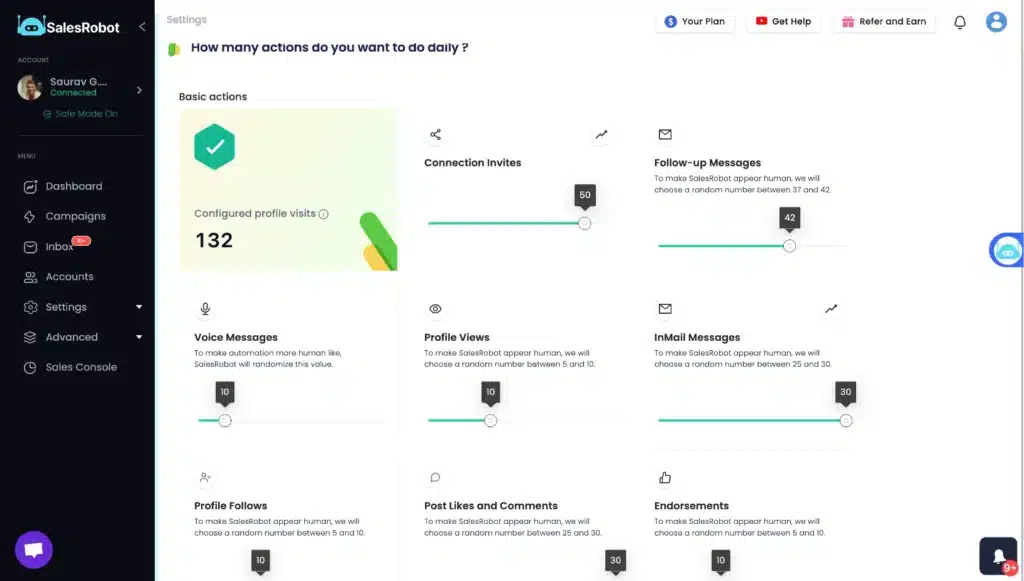
The platform seemingly covers most core outreach needs. You can build workflows, connect LinkedIn and email sequences, personalize messages, track campaign metrics, and manage inbox replies from one dashboard.
The real experience depends on how much complexity you’re willing to manage inside the tool. Plus, reliability issues and a pricing model that scales per LinkedIn account have turned some users off. We’ll get into that. But first, let’s show you the upsides and downsides of SalesRobot.
SalesRobot Pros
- The platform lets you sequence actions across email and LinkedIn in one campaign, which is a vital element for modern prospecting;
- Automates repetitive LinkedIn actions, like profile visits, connection requests, and follow-ups, run without manual intervention;
- Cloud-based automation keeps campaigns active around the clock;
- Includes AI-powered reply management and appointment setting;
- Users can add voice notes and video messages in campaigns;
- Team collaboration features work well for agencies;
- Intuitive dashboard for campaign setup and monitoring;
- Native integrations with HubSpot, Zapier, and CRMs.
SalesRobot Cons
- Users report malfunctions and automations failing without warning. Imagine waking up to find your campaign has been stalled for days;
- The interface is not very user-friendly. Beginners often find it overwhelming;
- Many users report delayed analytics or sync issues with CRMs;
- Some people say SalesRobot added fees (like per-LinkedIn-account charges) after they had already signed up. That’s a lot of work to deal with when you’re just trying to run your business;
- Campaign setup takes time compared to simpler tools;
- The pricing is steep for users who don’t need enterprise-level volume.
SalesRobot Reviews
What do real users say about their experience with this multichannel outreach tool? On G2, SalesRobot reviews show a 4.8/5 rating, based on 56+ reviews. Users praise the customization capability, AI inbox management, and integration with other tools.
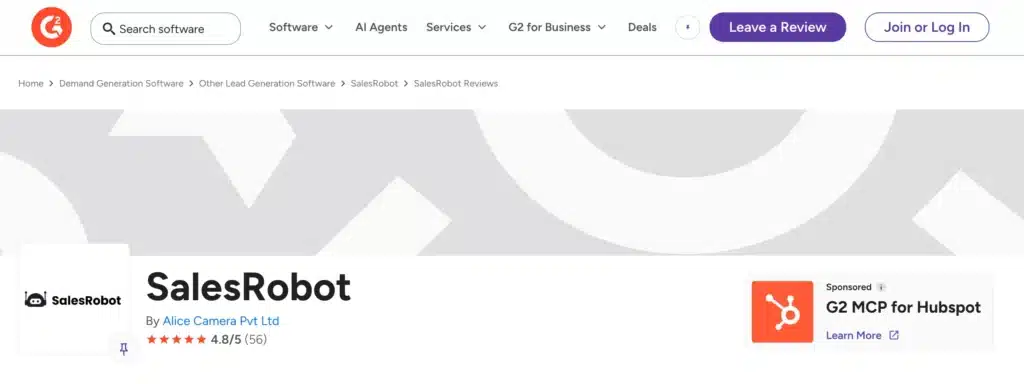
However, we also saw many users complaining about the non-intuitive interface, software bugs, and slow performance.
On TrustPilot, many reviewers say they purchased the lifetime deal specifically for long-term access and feel frustrated that the agreement changed after the company introduced V2.
Several explicitly accuse the company of misleading customers or moving promised features behind a paywall later on.
Reviews on Capterra based on only 1 review, so it is not what you should follow.
SalesRobot Features
SalesRobot includes most features you would expect from modern sales automation software. But does every feature improve results? That depends on your workflow, team size, and how much control you want over campaigns.
LinkedIn + Email Outreach
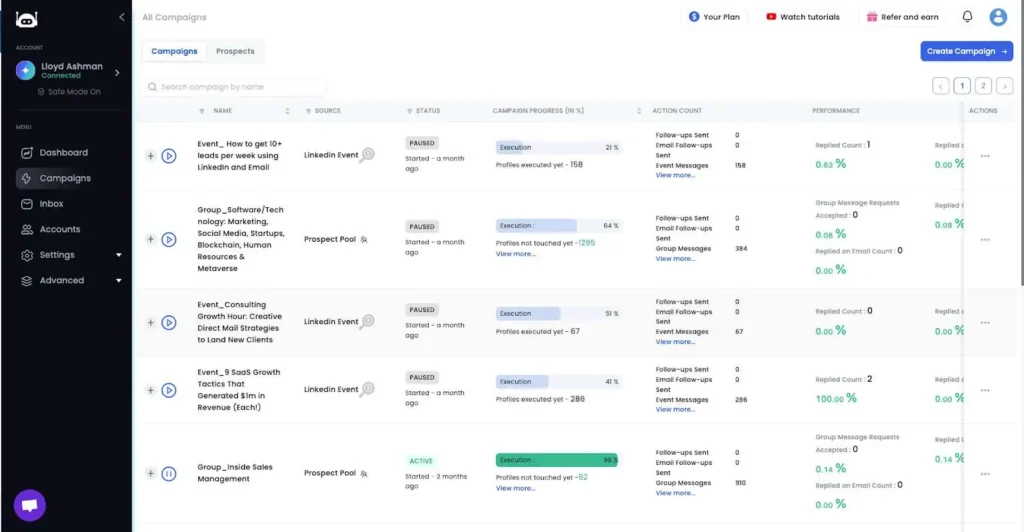
SalesRobot allows you to build multichannel campaigns using LinkedIn actions and email sequences together.
For example, you can:
- Send a LinkedIn connection request;
- Follow up automatically after acceptance;
- Trigger email outreach if prospects don’t respond;
- Continue follow-ups across multiple touchpoints.
This workflow flexibility helps sales teams avoid relying on a single outreach channel. More often than not, prospects ignore the first message. Combining LinkedIn and email creates additional chances to start conversations.
The platform also supports automated delays, conditional logic, and drip-style sequencing.
Still, building these workflows can take time for newer users. If you prefer simple campaign creation, you may find the setup process heavier than expected.
Advanced Personalization & Media Insertion in Messages
SalesRobot allows users to insert AI-generated voice notes and video messages directly into LinkedIn chats. You can also pull in company data, mutual connections, or recent posts to personalize your outreach.
In theory, this is a wonderful way to rise above the noise. In practice, users complain that the AI often sounds robotic or the media fails to send. That’s fair. If the personalized media feels stale, it does the talking for you (and not in a good way).
And managing custom fields and media rendering across platforms at scale adds complexity. Users must test thoroughly before launching campaigns.
Analytics With Filtering Capability
The Outreach Control Center shows connection rates, reply rates, and geographic breakdowns. You can visualize which campaigns are gaining traction and which are falling flat.
Even though you can use filters like campaign, date, or segment, many users say the filtering options are not as deep as those of other platforms. Also, some customers complain that the analytics area contains too much information packed into one interface. You get detailed visibility, yes, but not always the simplest experience.
Robust Account Security
LinkedIn automation always raises safety concerns. Nobody wants account restrictions after running campaigns for weeks.
SalesRobot tries to address this through:
- Human-like activity delays;
- Cloud-based infrastructure;
- Daily activity limits;
- Smart sequencing behavior;
On top of these, SalesRobot uses residential IPs and LinkedIn’s mobile APIs to mimic human behavior. Throttling, safe modes, and activity windows help stay under LinkedIn’s algorithm.
While these tight safety settings have their benefits, they can restrict growth since they slow down automated activities to avoid being detected by LinkedIn.
Native CRM With Centralized Inbox
You get a mini-CRM where all conversations (LinkedIn and email) are logged. You can tag leads, filter by status, and auto-stop sequences on reply. This prevents awkward double-touches.
That said, the native CRM lacks the flexibility of external platforms. It’s fine for an individual, but for sales teams needing robust reporting, it often falls short.
And if your company already uses a dedicated CRM like HubSpot or Pipedrive, you may end up splitting activities between systems unless integrations are configured properly.
Third-Party Integrations
SalesRobot supports integrations with:
- Zapier;
- HubSpot;
- Webhooks;
- External CRMs;
- Sales tools.
The integrations help teams move prospect data between systems automatically.
This is especially useful for businesses running complex outbound workflows involving LinkedIn, email, CRM syncing, and reporting tools.
But many users report that the integration requires a lot of manual work and often breaks after updates. For agencies running 50+ accounts, this is critical.
SalesRobot Price & Subscription Plans
SalesRobot offers three main tiers, billed monthly or annually. Prices scale per LinkedIn account, with discounts after 10 or 20 accounts. It can get expensive fast if you run multiple profiles. Check the SalesRobot pricing table below:
| Plan | Price/account/month (billed monthly) | Key features |
|---|---|---|
| Basic | $59 | 1 active campaign, limited quota, cloud automation |
| Advanced | $79 | Unlimited campaigns, analytics, Zapier integration |
| Professional | $99 | Smart inbox, advanced reporting, AI appointment setter, team management |
| Enterprise | Custom pricing | Dedicated customer success manager, Premium onboarding |
Email automation starts at $15/account/month. Credit packs for lead enrichment range from $43 (3,000 credits) to $406 (150,000 credits).
According to pricing references, larger account packages receive reduced per-account pricing. The costs can add up quickly for agencies or companies managing many LinkedIn accounts simultaneously.
Best Alternative to SalesRobot
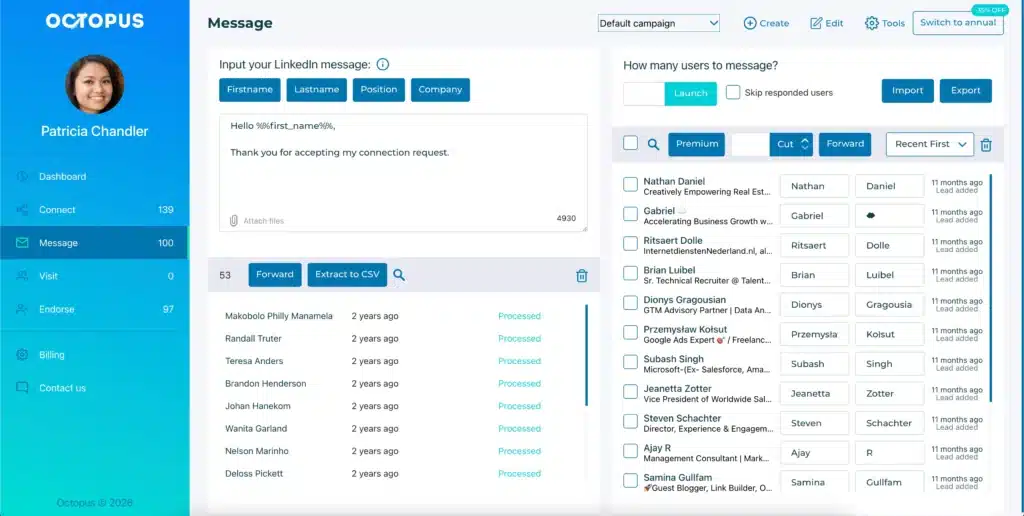
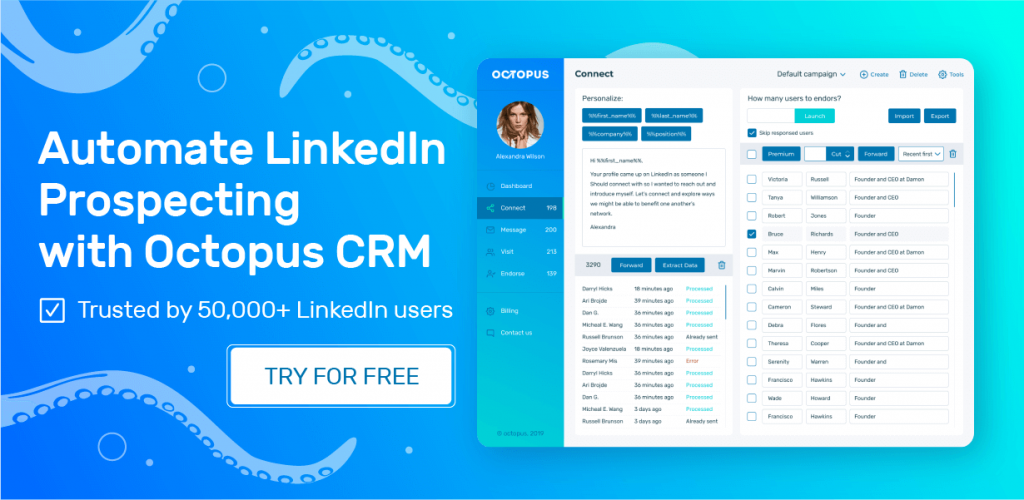
If you want a simpler LinkedIn automation experience with strong functionality and easier campaign management, Octopus CRM stands out as one of the best SalesRobot alternatives.
SalesRobot focuses heavily on multichannel complexity, whereas Octopus CRM LinkedIn automation tool makes LinkedIn outreach straightforward, efficient, and easier to control. For many users, especially smaller sales teams and agencies, ease of use and control matter more than having endless workflow layers.
Here’s why Octopus CRM is the strongest SalesRobot alternative:
- Octopus automates LinkedIn connection requests, bulk messaging, profile visits, and skill endorsements, all from a clean and intuitive dashboard;
- You don’t need to provide your LinkedIn credentials to use Octopus CRM. Octopus CRM LinkedIn automation Chrome extension operates via your Chrome browser with activity controls that alert you to unusual patterns;
- Plans start at $6.99 per month (paid annually). There’s no per-LinkedIn-account fee or forced add-ons for basic functionality;
- You can build specific LinkedIn lead funnels, store leads, and export data easily. Unlike SalesRobot’s clunky inbox, Octopus CRM centralizes everything in a clean interface;
- Octopus CRM connects natively with Zapier and HubSpot. When a lead connects on LinkedIn, you can automatically push that data to your main CRM or Google Sheets;
- Send connection requests via email to exceed LinkedIn’s weekly invite caps without risking your account;
- The tool is compatible with all sorts of LinkedIn accounts, including Free, Premium, and Sales Navigator.
Octopus CRM doesn’t try to be a bloated all-in-one solution but a simple, safe, reliable, and affordable LinkedIn automation tool.