
If you’re reading this Salesflow review, you’re probably weighing your options for LinkedIn or email outreach. The existing Salesflow reviews present a mixed picture of the tool, with some users commending its automation capabilities while others expressing their frustration about certain aspects of the platform.
Can Salesflow consistently generate leads without creating extra manual work for your team? Does it deliver on its promises?
Explore the features, real user feedback, pros and cons, and the best alternative to Salesflow.
Salesflow Overview
Salesflow is a cloud-based sales automation platform that helps automate LinkedIn and email outreach. It is built for sales teams, agencies, recruiters, and startups.
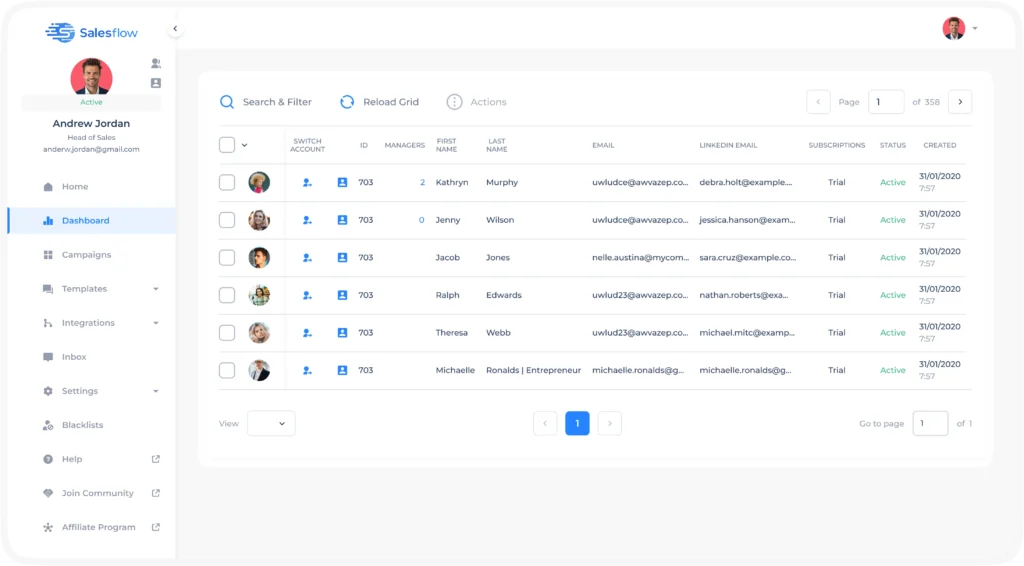
You can use Salesflow to automate connection requests on LinkedIn, messaging, follow-ups, and InMails. Plus, it lets you create prospecting workflows that run on their own.
Salesflow Pros
- Saves time on repetitive LinkedIn tasks like sending connection requests and follow-ups;
- You can combine LinkedIn and email in a single campaign;
- A unified inbox lets users view LinkedIn conversations in one place;
- Auto-withdrawal of pending invites, randomized delays, and daily limits reduce the risk of LinkedIn restrictions;
- Supports CSV imports and exports for lead list management.
Salesflow Cons
- Users report occasional instability, LinkedIn account disconnects, and bugs that interrupt campaigns;
- While the basic setup is simple, the conditional logic and multi-step workflows require technical expertise;
- Limited deep segmentation in analytics makes scaling results harder;
- Multi-account management requires switching between accounts, meaning there’s no true unified inbox for teams;
- The pricing page looks straightforward, but the minimum seat counts jump quickly;
- On G2 and Capterra, a few users mention the dashboard freezing or not syncing properly.
Salesflow Reviews
When you go through different feedback from actual Salesflow users, you’ll notice a pattern. Most people generally like the automation capabilities, but frustrations appear once campaigns scale.
Salesflow reviews on g2 shows a 4.3/5 rating based on over 141 reviews. Many users appreciate the intuitive interface and time savings. One user said that at first it seems like a great automation software, but constant disconnection of LinkedIn accounts quickly creeps in.
Another reviewer appreciated the integration and sequence creation features while noting that setting up multichannel outreach is not easy.
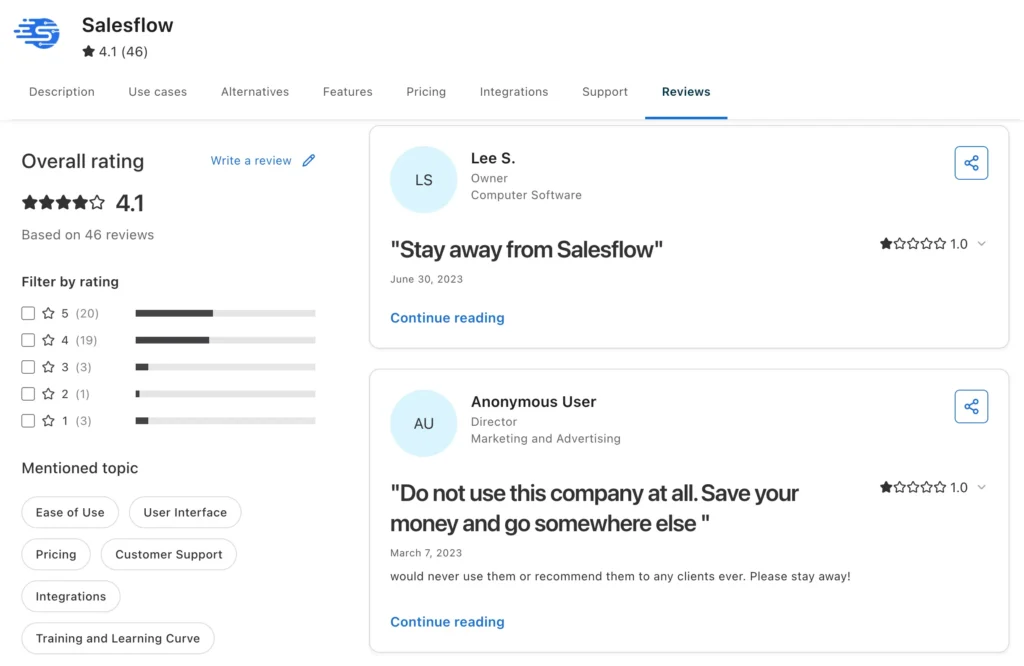
On Capterra Salesflow got a 4.1/5 rating based on over 46 reviews. Users are satisfied on average with Salesflow, but again, we saw a pattern where customers complain about the software being clunky and slow at times.
One reviewer wrote that the platform struggles to deliver the expected number of InMails within campaigns.
Salesflow Features
Salesflow comes with all the essential features we expect in a decent LinkedIn automation platform. But many of the features come with caveats. Others work well for simple outreach campaigns, but you’ll soon hit limits once you require advanced workflows.
We’ll walk you through the core features of Salesflow:
LinkedIn Automation and Prospecting
With Salesflow, you can automate these LinkedIn prospecting actions:
- Profile visits;
- Connection requests;
- Follow-up messages;
- Skill endorsements;
- Post likes;
- LinkedIn messaging sequences;
- InMail campaigns.
You can create drip-style outreach campaigns directly from Sales Navigator searches and automate prospect communication over time. Or you can pull leads from CSVs.
Though it’s functional, the lack of advanced filtering options means you might spend extra time curating lists manually.
The system includes condition-based branching, meaning your campaign adapts based on connection status or email availability. For example, if a prospect connects, you can send a custom follow-up. If not, the system tries another channel.
The setup process is also relatively straightforward for basic automation, which helps beginners. You don’t need technical skills to launch campaigns. But as you scale, you’ll need the expertise for setting up complex sequences.
Email Outreach
Salesflow layers email on top of LinkedIn. You can create sequences that switch between channels and trigger emails based on things like connection status or engagement.
With this feature, sales teams are able to maintain contact across multiple channels instead of relying only on LinkedIn messages.
You can:
- Add email follow-ups to campaigns;
- Create outreach sequences;
- Schedule emails automatically;
- Track campaign engagement.
However, the email capabilities are basic compared to dedicated email outreach platforms. You won’t find advanced A/B testing, complex sequences, or dynamic content insertion in email outreach.
Centralized Inbox
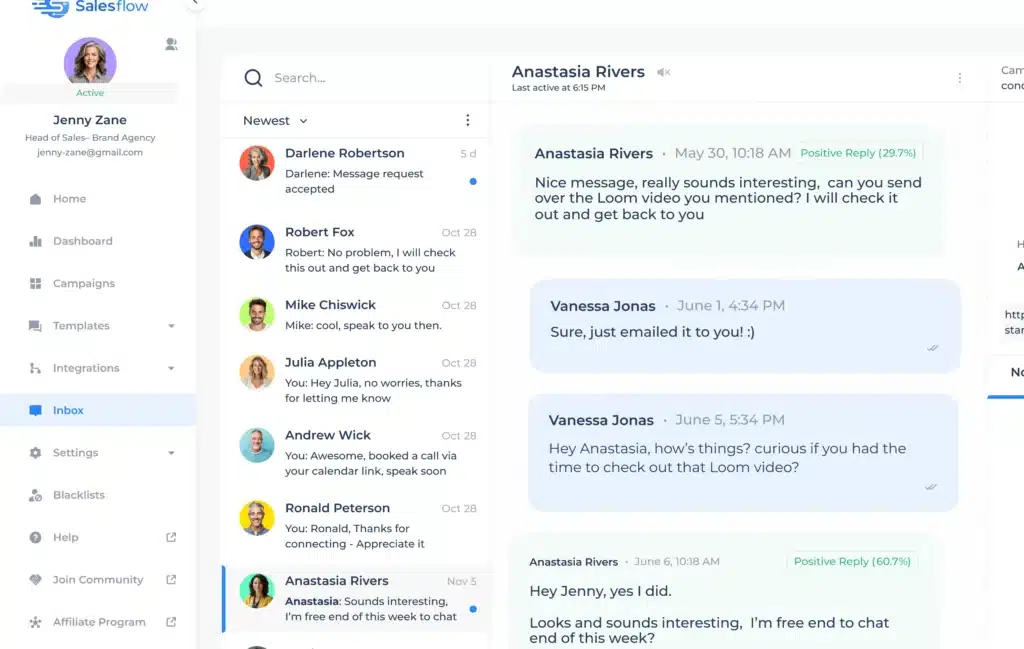
The unified inbox for individual accounts (not multiple accounts) organizes all of your conversations with prospects in one place, where you can even tag leads, snooze chats, set reminders, and schedule send messages.
This comes as a great time saver when you’re managing multiple prospects. Instead of jumping between LinkedIn and email tabs, you get to handle conversations inside a centralized dashboard.
But if you manage multiple LinkedIn accounts, you still need to switch contexts. There’s no true cross-account inbox view, which adds friction for agencies. Plus, campaign visibility and response tracking sometimes lack depth.
Managing Multiple Accounts
Salesflow supports multi-account management for agencies and sales organizations.
You can connect several LinkedIn accounts to Salesflow and assign managers to oversee team campaigns, monitor activity, and review outreach performance from one dashboard.
While this works for small teams, the experience isn’t seamless. You can’t easily delegate responses across accounts or view all activity in a single dashboard.
Some users also mention account connection issues and occasional instability when handling multiple LinkedIn accounts. If your outreach process depends on consistency, interruptions become frustrating very quickly.
Done For You Service
Salesflow offers a managed DFY service where their team handles your campaign activities like strategy, copywriting, lead sourcing, and reporting.
For busy founders or small businesses without an internal outbound team, this may sound appealing at first glance. But outsourcing core outreach means less control over messaging and brand voice. And if the tool itself has quirks, those issues don’t disappear just because someone else is pressing the buttons.
Campaign Metrics
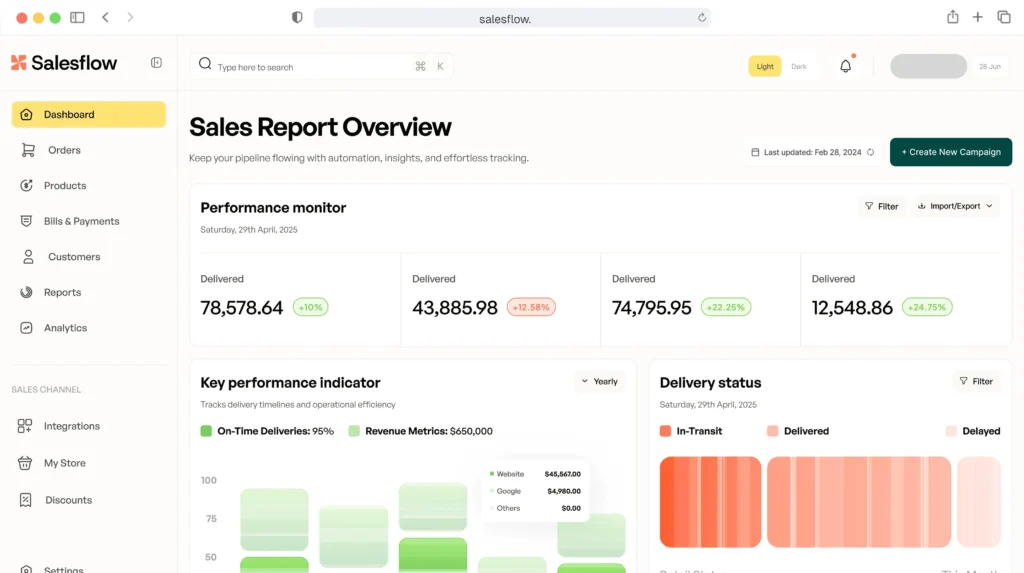
You get analytics on campaign performance, including connection acceptance rates, reply rates, email opens, and funnel progression. The reports help you optimize sequences.
However, the metrics are basic.
You won’t find deep funnel analysis or ROI tracking because the platform focuses on outreach metrics, not full-funnel sales data. Advanced users often export data to build custom reports elsewhere.
Third-Party Integrations
Salesflow connects with HubSpot, Salesforce, Pipedrive, and Zapier. You can push leads and activity data to your CRM.
Yet, native integration coverage is not particularly extensive. This becomes an issue for companies heavily dependent on CRMs and sales engagement ecosystems.
The two-way Zapier integration adds flexibility. But you’ll need a Zapier plan if you exceed the free tier’s limits. That adds cost.
Salesflow Price & Subscription Plans
Salesflow’s pricing is based on seats and commitment length. You can pay monthly, or save 15% with 6-month billing, or 30% with 12-month billing. Check the Salesflow pricing table below:
| Plan | Price/seat/month | Minimum seats |
|---|---|---|
| Basic | $99 | 1 |
| Starter | $70 | 5 |
| Pro | $39.95 | 20 |
| Agency | $28.98 | 50 |
| Enterprise | $24.99 | 100 |
The per-seat price drops as you add more seats. But you need 20 seats to get the Pro plan. That’s a big jump. For small teams of 2–5 people, you’re stuck on Basic or Starter, which are expensive per seat.
Best Alternative to Salesflow
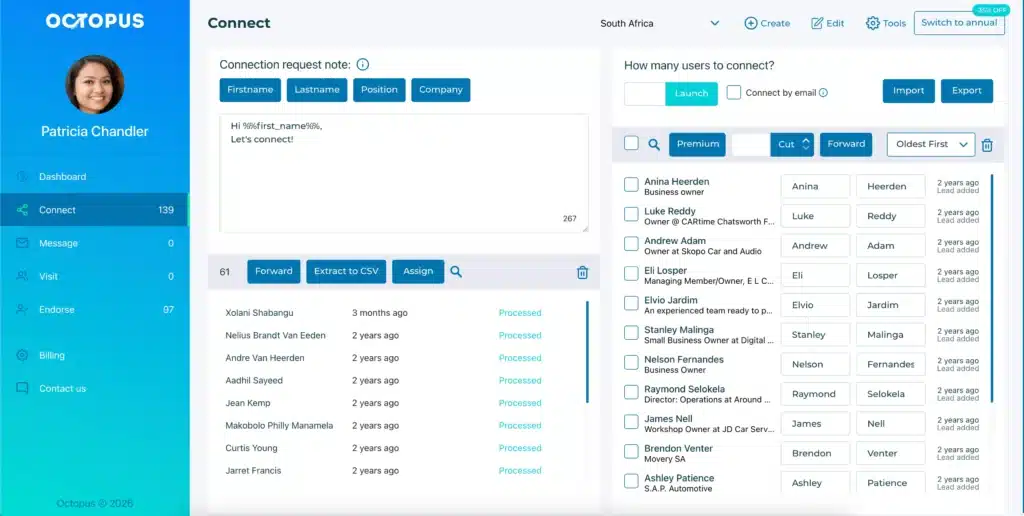
If you want a more affordable, flexible LinkedIn automation tool, Octopus CRM is the cheapest Salesflow alternative.
Octopus CRM is built specifically for LinkedIn automation with a focus on account safety. It runs as a browser extension, so you maintain full control over your LinkedIn session.
Feature-wise, Octopus CRM LinkedIn automation tool covers the essentials:
- Plans start at $9.99 per month. That’s a fraction of Salesflow’s cost;
- Automated, personalized connection requests with email bypass to overcome LinkedIn’s weekly limits;
- Bulk messaging to 1st-degree connections;
- Profile visits and skill endorsements to increase visibility;
- Campaign funnels that combine multiple actions in a single workflow;
- Activity control alerts that notify you of unusual account behavior;
- Zapier and HubSpot integrations for workflow automation;
- Import/export functionality for lead management.
Salesflow is more advanced in some areas. Its conditional branching and multi-channel workflows are powerful. But if you’re a small team or individual, you likely don’t need that complexity (at extra cost).
For teams evaluating Salesflow alternatives, Octopus CRM LinkedIn automation Chrome extension offers a compelling balance of functionality, safety, and affordability.