
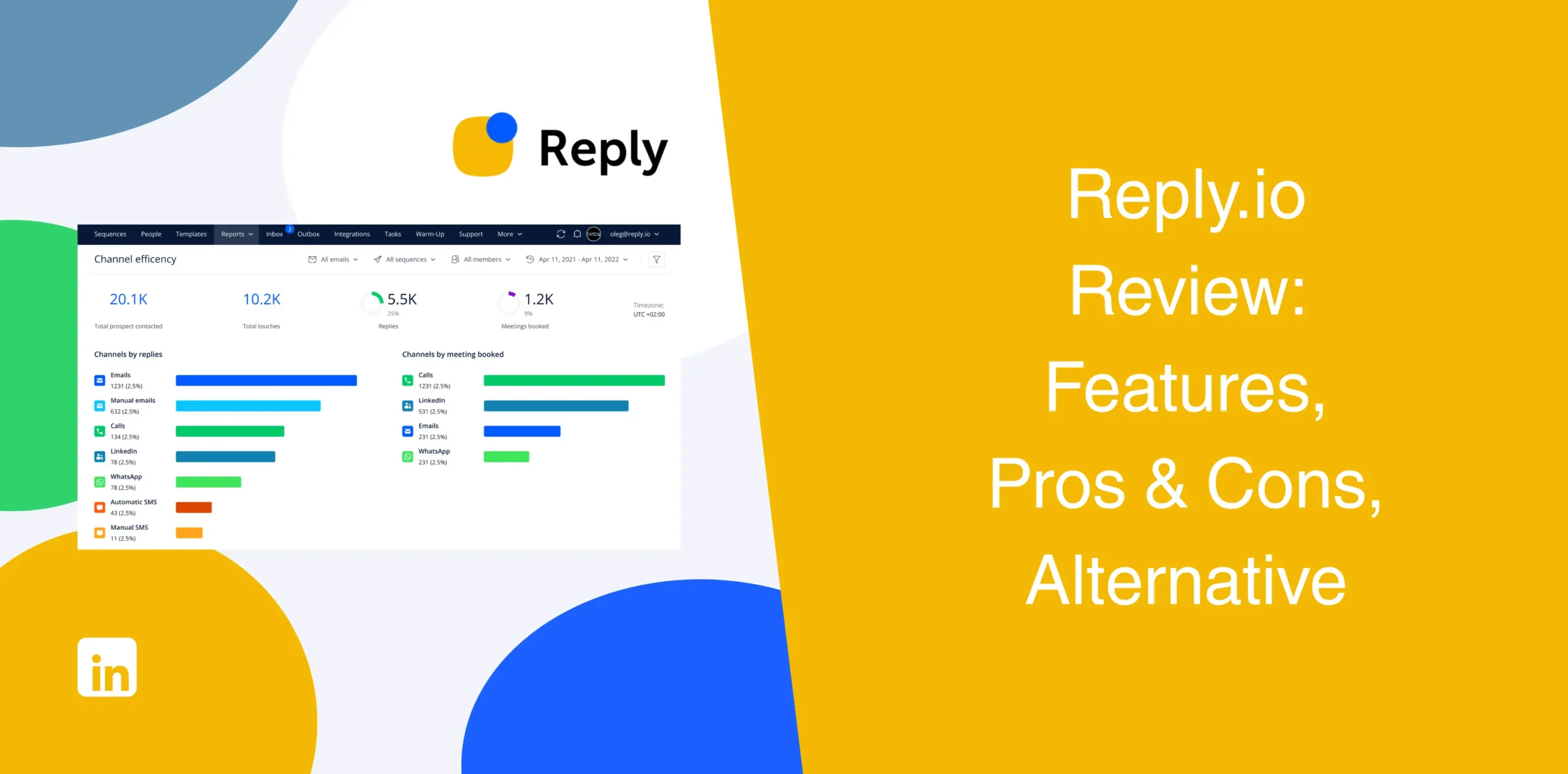
Reply.io has built a strong reputation in the sales engagement space. It combines email outreach, multichannel automation, AI features, and analytics into one platform.
At first glance, it looks like an all-in-one system built for modern outbound teams. But once you dig deeper and read the existing Reply.io reviews from real users, a few limitations start showing up.
Most tools either focus heavily on email or provide weak LinkedIn automation. So where does Reply.io actually perform well? And where does it struggle?
Reply.io Overview
Reply.io is a multichannel sales engagement tool that allows users to run outbound campaigns across email, LinkedIn, calls, SMS, and WhatsApp within a single sequence.
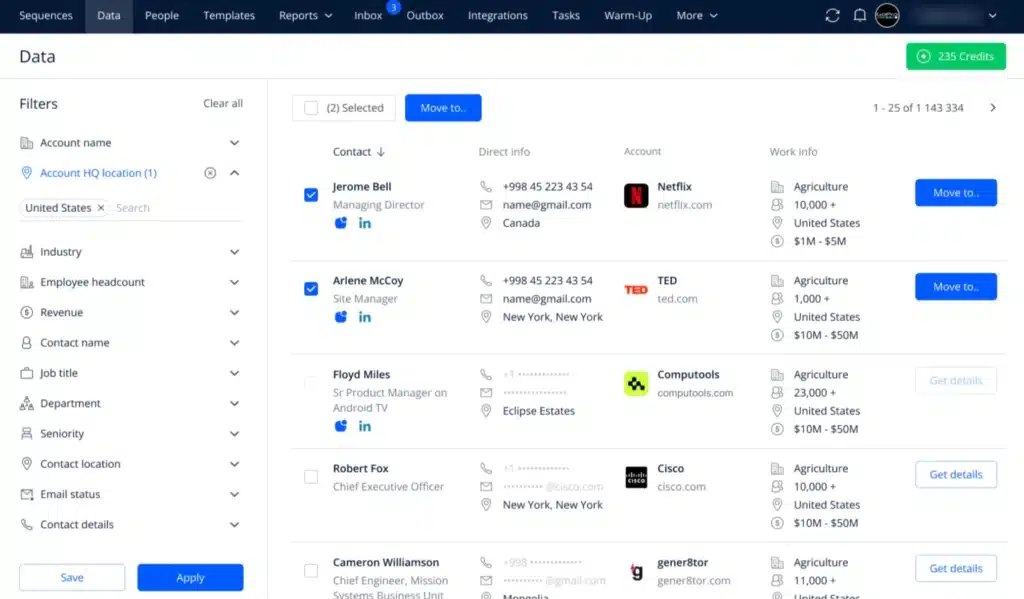
The company presents its software as an AI-powered sales automation platform helping teams generate meetings faster and increase sales. And to be fair, Reply does cover a lot of ground. You can build sequences, warm up inboxes, personalize campaigns, monitor deliverability, and even use its AI SDR assistant called Jason AI.
But the question is: does having everything in one place actually make outreach easier or more complicated? And is Reply worth it for LinkedIn-only outreach campaigns?
Some teams get real value from Reply.io as an outbound tool. But most LinkedIn-focused users find it overbuilt and expensive, as is clear in many Reply.io reviews.
Reply.io Pros
- Robust multichannel outreach capabilities. You can run email, LinkedIn, calls, WhatsApp, and SMS from the same campaign;
- Email warm-up, SPF/DKIM monitoring, and inbox rotation help your messages land where they belong;
- Jason AI SDR handles lead research, message drafting, and follow-ups;
- Built-in B2B database with live data credits for prospect discovery;
- Conditional sequences adapt to prospect behavior on the fly;
- Impressive personalization logic.
Reply.io Cons
- The platform has a learning curve, especially for new users;
- Setting up workflows is overwhelming for most people at first;
- Many powerful features are locked behind higher-tier plans or sold as paid add-ons;
- User reviews clearly point to occasional UI friction and bugs;
- LinkedIn automation requires a separate $69/month add-on per account;
- Reply.io is an overkill for LinkedIn-only users;
- Occasional deliverability concerns despite email warm-up tools.
Many sales teams don’t actually need an overloaded outbound suite. Instead, they want a system that helps them consistently start conversations on LinkedIn without spending hours managing workflows.
Reply.io Reviews
Reply reviews on g2 show a 4.6/5 rating based on over 1542 reviews. Users often praise Reply.io for its automation depth and multichannel sequences. Many SDR teams mention that the platform saves time once workflows are fully configured.
But negative reviews appear repeatedly around pricing, onboarding complexity, and feature limitations tied to lower-tier plans. Several users also mention that LinkedIn automation is less polished than dedicated LinkedIn outreach platforms.
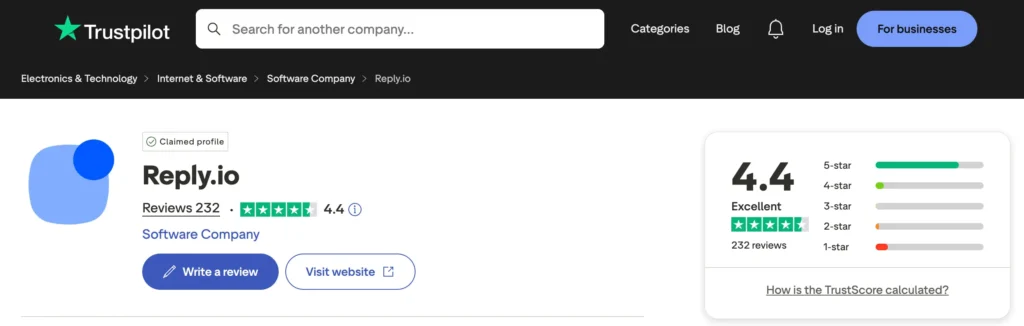
On Trustpilot, reviews show 4.4/5 based on 232 and they are more divided. Some customers appreciate the automation capabilities, while others report billing concerns, technical issues, and campaign setup difficulties.
Customers also noted issues with long wait times for human support and a lack of response to emails. A few other people also find issues with third-party tools integration.
On Capterra they got a 4.6/5 rating based on over 95 reviews.
Reply.io Features
Reply.io covers a lot of ground. From prospecting to analytics, it aims to be a one-stop shop for outbound sales. Sure, some features are genuinely useful. But having multiple functions doesn’t always make a tool great, especially if you don’t need those features.
Omnichannel Outreach
You can build sequences that span email, LinkedIn, WhatsApp, SMS, and calls, all within a single workflow. Steps adapt based on prospect behavior. Plus, the platform adjusts timing and messaging based on channel performance.
For example, you might send an email on day one, a LinkedIn connection request on day three, and a call reminder on day five.
That said, LinkedIn automation inside Reply.io is limited compared to platforms built specifically for LinkedIn prospecting.
Multi-step Email Sequence Builder
The sequence builder supports conditional logic. Users can create detailed workflows with delays, conditions, triggers, and branching logic.
For instance, you can set triggers based on opens, clicks, replies, or even bounces. If a prospect replies positively, the sequence can pause and notify your salesperson. If they don’t engage, the sequence can escalate.
You can start from scratch, use a template, or let AI generate a draft. The builder is visual but dense, with each step having many options. That’s flexible but also complex.
Advanced Variable Logic for Personalization
Reply.io supports standard merge fields for personalization. You can insert details like first name, company name, job title, and custom fields imported through your CRM. The platform also supports advanced variable logic, which is useful when certain prospect data is missing or when campaigns require fallback conditions.
For example, if a company name field is empty, the sequence can automatically replace it with another variable instead of breaking the message flow.
Email Warm-up & Deliverability Toolkits
Every mailbox gets automatic warm-up via a peer-to-peer network. You also get SPF/DKIM/DMARC setup help, inbox rotation, and spam testing. These tools matter because poor deliverability kills outreach before it starts.
Reply.io takes this seriously. The company emphasizes that its tool protects sender reputation while improving inbox placement rates.
But does it completely solve deliverability issues? No platform can promise that anymore. But the toolkit is still useful for teams managing large outbound campaigns.
Campaign Analytics
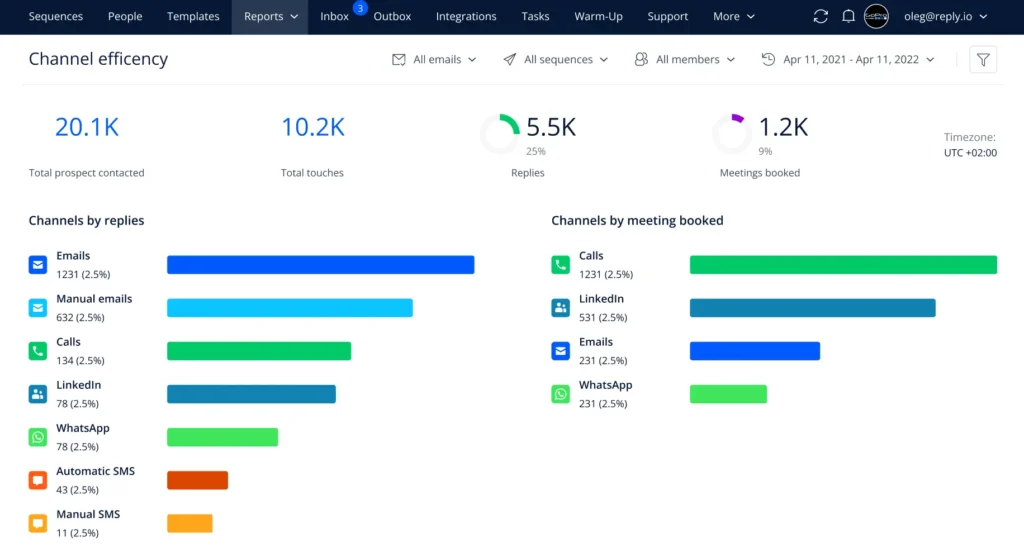
Reply.io includes reporting dashboards that show:
- Open rates;
- Reply rates;
- Meetings booked;
- Bounce rates;
- Sequence performance;
- Team activity.
But don’t expect real-time alerts for every metric, as some reporting features take time to update.
AI Sales Agent (Jason AI SDR)
Jason AI is Reply.io’s flagship AI feature. It helps users research leads, generate email copy, draft replies, and assist with prospect engagement. The AI agent can even book meetings on your calendar.
That’s impressive and expensive at the same time. Starting at $500/month, it becomes a big commitment for small teams.
Integrations
Reply.io connects with multiple CRMs, including Salesforce, HubSpot, Pipedrive, and Zoho. It also offers native integrations with Zapier and webhooks, so you can move data between tools.
This capability allows users to sync and organize their sales stack. That’s fair, but many Reply.io alternatives offer similar integrations without the premium price tag.
Reply.io Price & Subscription Plans
Check the Reply pricing table below:
| Plan | Starting Price (Monthly) | Key Channels |
|---|---|---|
| Email Volume | $59/user | Email only |
| Multichannel | $99/user | Email + LinkedIn + Calls/SMS |
| Jason AI SDR | $500+/user | All channels + AI automation |
| Agency Core | $210/user | Email + optional LinkedIn add-on |
LinkedIn, Calls, and SMS require paid add-ons on lower tiers. LinkedIn automation costs $69/month per account; Calls/SMS cost $29/month per user.
Additional AI features and deliverability add-ons may increase total costs further. This is where some businesses begin reconsidering their options. Especially if LinkedIn outreach is their main priority rather than full multichannel complexity.
Best Alternative to Reply.io
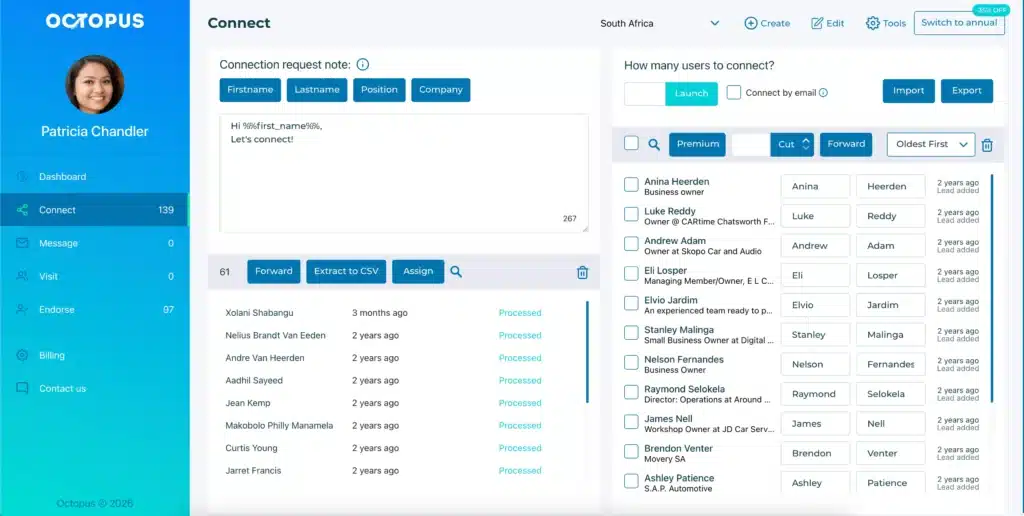
Octopus CRM is the best Reply.io alternative for individuals or teams having LinkedIn at the core of their outbound strategy.
Unlike Reply.io, which focuses broadly on multichannel outreach, Octopus CRM specializes purely in LinkedIn automation. And honestly, that specialization matters.
Many sales professionals don’t want a complicated outbound ecosystem. Octopus CRM LinkedIn automation tool is a simple and cost-effective solution that helps users connect with LinkedIn prospects, send follow-ups, manage campaigns, and generate conversations consistently.
Using Octopus CRM for sales teams means less setup time and more conversations. Campaigns run on autopilot with built-in safety controls.
Octopus CRM LinkedIn automation Chrome extension key features include:
- Automated connection requests. Users can send personalized invites to their target audience without manual work;
- Auto-endorse skills to engage your network;
- Automated profile visits increase visibility and trigger notifications;
- Build a LinkedIn marketing funnel that automates connection requests, follow-ups, and light engagement to warm up prospects;
- Manage and customize your lead generation workflow in one dashboard. Add, remove, and combine steps to turn connections into clients;
- Push lead data to HubSpot, Salesforce, or Zapier;
- Track connection rates, reply rates, and campaign performance in the analytics dashboard;
- Safety controls monitor your activity and warn you if you’re approaching LinkedIn’s limits;
- Skip LinkedIn invite limits. Reaching prospects through email and scale outreach safely without risking your account;
- Import your own LinkedIn profile lists into Octopus CRM campaigns for follow-up actions, or export LinkedIn data as a CSV file.
Octopus CRM is way more affordable than many Reply.io alternatives. Pricing starts at only $6.99/month.