
If you’ve been checking Meet Alfred reviews, you’ve probably seen mixed opinions. Some users like its multi-channel approach, while others hit limits sooner than expected. So, where does it really stand? And, more importantly, is it still worth using as newer tools step in with cleaner workflows and better control?
In this Meet Alfred review, you will find all about this LinkedIn automation tool, including its pros, cons, features, and best alternative.
Meet Alfred Overview
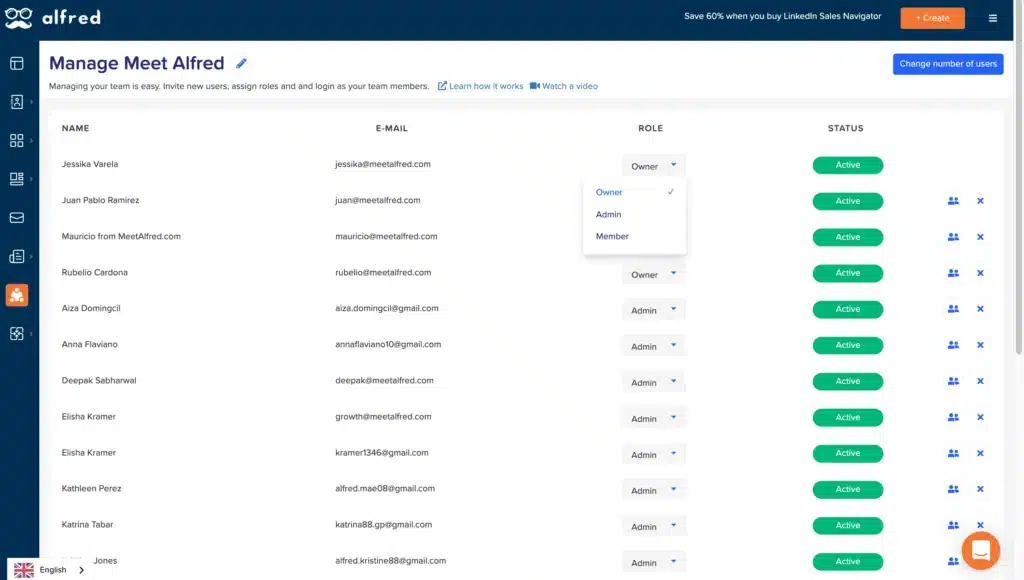
Meet Alfred is a sales automation software that combines LinkedIn outreach, email campaigns, and basic CRM features into one platform. Launched in 2016, it brands itself as an “AI-Personal Assistant” that can turn any LinkedIn profile into a lead generation machine. The platform claims to have over 150,000 registered users.
Meet Alfred comes with a feature-heavy dashboard. When you look closely, though, you might wonder if it’s too much to handle. After all, automation tools live or die by execution, which depends on your workflow, your audience, and your risk tolerance.
Meet Alfred Pros
- Supports multi-channel campaigns (LinkedIn + email + Twitter/X);
- Cloud-based platform, so no need to keep your browser running;
- Proprietary AI search engine crawls the web to build lists based on your ideal customer profile;
- Includes basic analytics and reporting;
- Offers team collaboration features for shared campaigns;
- Built-in CRM for lead organization without extra tools.
Meet Alfred Cons
- Limited depth in LinkedIn automation compared to specialized tools;
- Campaign personalization can feel restricted;
- Performance can be inconsistent during large-scale outreach;
- UI feels dated and slightly clunky in places;
- Pricing increases quickly as you scale;
- Not the strongest option for pure LinkedIn-focused workflows;
- In shared campaigns, you cannot reply on behalf of other senders;
- Users have reported connection drops and account limitations;
- Aggressive automation settings may trigger LinkedIn safety flags.
Meet Alfred Reviews
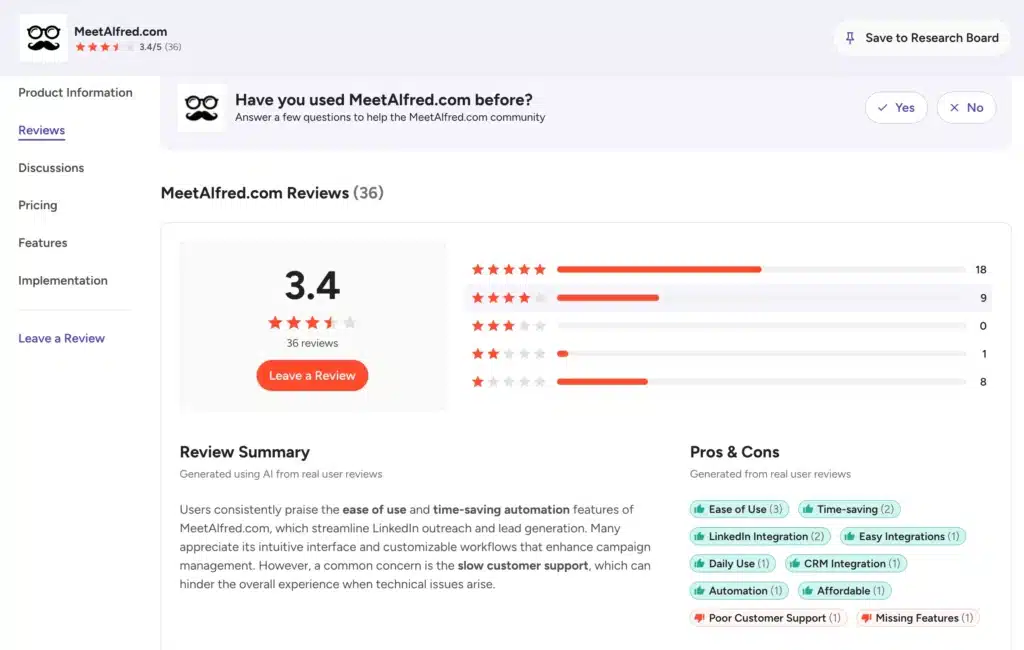
So, what do actual users say about Meet Alfred? We saw mixed feedback on review sites.
Meet Alfred reviews on g2, the tool holds a 3.4-star rating from 36 verified reviews. And reviews on Capterra shows the tool holds a 2.8-star rating from 13 verified reviews.
One user praised its ease of use and time-saving automation features for LinkedIn outreach. Another noted that the platform streamlines staying in touch and turns automated outreach into real human interactions.
On Trustpilot, Meet Alfred scores a 4.4 from 923 reviews. Many users said it is a good tool to build a meaningful network, while others like the ability to run multi-channel outreach.
However, the pain points are hard to ignore.
Several reviews highlight the risk of connection drops. Others complained about slow support and high pricing in the context of usage limits. We also came across Meet Alfred reviews where users vent about LinkedIn red flags after aggressive campaigns and account blocks when managing multiple profiles.
The mixed feedback suggests Meet Alfred works well for some workflows but not all.
Meet Alfred Features
Meet Alfred bundles together a suite of features under one dashboard. But does “all-in-one” mean “best-in-class” for each function? Let’s check out the core features and where they might fall short for your needs.
Lead Acquisition, Screening & Handling
Meet Alfred allows you to import leads manually or via LinkedIn searches and apply filtering. You can then enrich the data and export the lists or organize them into campaigns. Plus, it uses AI to search the web for leads based on your ICP.
The platform removes duplicates and lets you create segments according to job title, company, or location. Then you can layer in light engagement, such as profile views or follows, before messaging. It’s logical.
But the filtering isn’t as granular as dedicated scraping tools, and you’ll still need to clean data manually sometimes.
Cross-Channel Outreach
This feature is Meet Alfred’s main selling point. You can build sequences that start with a LinkedIn connection request, follow with an email if no reply, then add an X message. Plus, you can send follow-ups across these channels.
However, maintaining a consistent tone across three channels is difficult. You could argue that managing this in one dashboard is nice, but the complexity of the sequences often includes bugs or dropped connections. And the experience is fragmented.
If you’re specifically looking for a LinkedIn prospecting tool, the extra layers in Meet Alfred are unnecessary.
LinkedIn Lead Generation
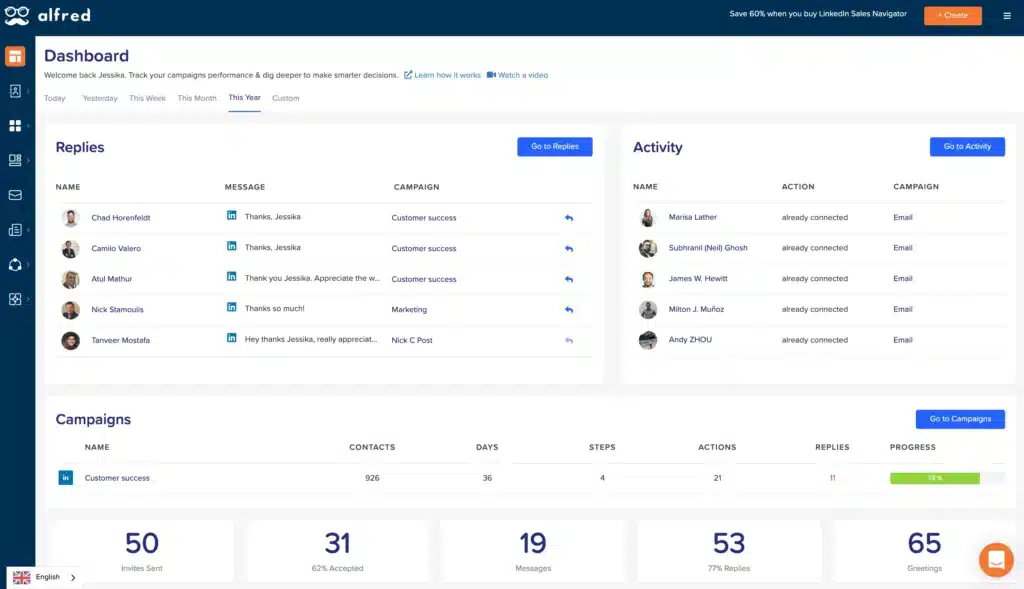
Meet Alfred comes with basic lead generation capability. You can use it to automate connection requests, follow-ups, and InMails. It offers unlimited campaigns on the higher tiers.
Yet, the risk remains.
Because the tool is cloud-based but requires heavy interaction, you won’t help but notice that your account safety depends on how well you set the delays. And user control over timing, personalization, and scaling isn’t as precise as you might want.
Campaigns can feel rigid, especially when you try to optimize performance. Advanced users might miss A/B testing for message variants or dynamic content insertion beyond basic merge tags. These are usually the shortcomings that many people start looking for Meet Alfred alternatives.
Native LinkedIn CRM Integration
Alfred has a built-in CRM. You can tag leads, add notes, and manage conversations. Bulk actions help you update multiple leads at once. Team plans allow role-based access and shared inboxes.
While this feature is attractive, it is not as robust as dedicated CRMs. You won’t find deeper pipeline management, detailed reporting layers, or advanced automation tied to CRM actions.
For most people, it serves as a simple repository for leads rather than a full-scale sales hub. If you rely on Salesforce or HubSpot for pipeline management, you’ll likely keep using them alongside Meet Alfred via Zapier.
Social Media Post Automation
Meet Alfred can automate posts on LinkedIn, X, Facebook, and other social media channels. This feature helps you stay active without manual posting. But again, it’s not a specialized feature but more like a supporting tool.
There’s no content calendar view or AI-assisted copy suggestions, and analytics is limited to post performance. For serious content strategy, you’ll probably pick a dedicated social tool anyway.
Meet Alfred Price and Subscription Plans
Meet Alfred offers three tiers, with the costs varying depending on features and team usage. You can choose from monthly, quarterly, or yearly billing.
Check the Meet Alfred pricing plans breakdown below:
| Plan | Price (Monthly Billing) | Price (Annual Billing) | Key Features |
|---|---|---|---|
| Basic | $59/user/month | $29/user/month | 3 active campaigns, basic CRM, smart inbox, templates, auto-greetings, tags, notes |
| Pro | $99/user/month | $49/user/month | Unlimited campaigns, Sales Navigator support, multi-channel automation, advanced CRM, InMail automation, content retargeting, data export |
| Team | $79/user/month | $39/user/month | All Pro features + volume discounts, advanced settings, team inbox management, priority support |
Did you notice the jump? Scaling from one to five users on the Pro plan costs $495/month, billed annually. That adds up fast. And if your team grows, those per-seat fees can eat into margins fast.
Best Alternative to Meet Alfred – Octopus CRM
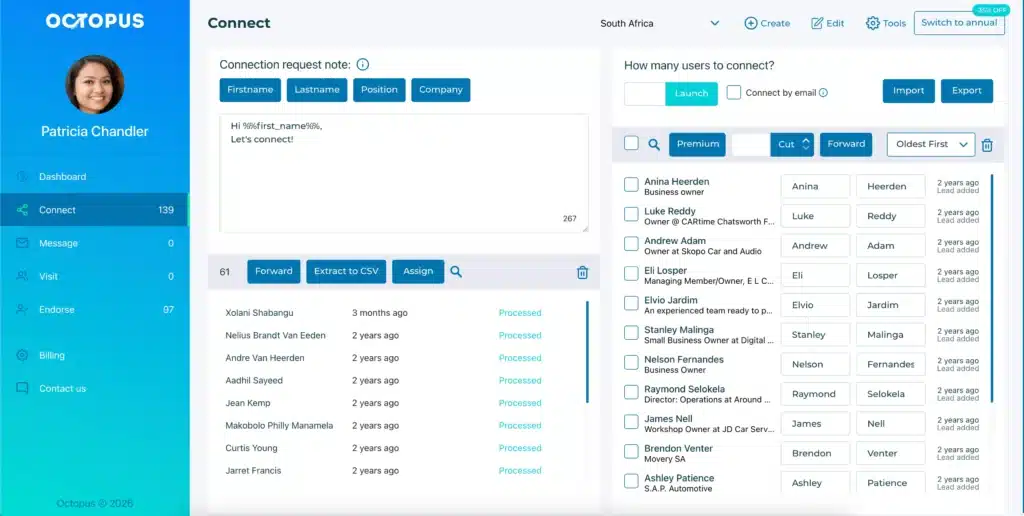
You don’t need to pay $99 a month for a tool that risks your LinkedIn account. The best Meet Alfred alternative right now is Octopus CRM.
Octopus CRM LinkedIn automation tool does its outreach automation tasks really well. There aren’t any unnecessary features to distract you. You get a clean system that handles:
- Connection requests;
- Personalized messaging sequences;
- Profile visits;
- Skill endorsements;
- Data extraction;
- Campaign tracking.
Octopus CRM is a LinkedIn automation Chrome extension so there’s no complex dashboard to learn. You can immediately set up campaigns for connecting, messaging, visiting, or endorsing, and then let them run automatically. The interface is clean, actions are transparent, and you stay in full control.
Octopus CRM never asks for your LinkedIn credentials. It works within LinkedIn’s interface, mimicking human behavior with customizable delays and activity alerts if your account shows unusual patterns.
Pricing is another differentiator.
While Alfred charges $59 to $99 per month, Octopus CRM starts at $9.99/month or $6.99 per month with annual billing. That means you can supercharge your LinkedIn outreach without draining your budget.
And unlike Alfred, Octopus CRM has a specific strategy to bypass LinkedIn limits. You can send 100 regular connection requests and then switch to sending invites by email to continue without stopping.