OctopusCRM / Blog / Mailshake Review 2026: Features, Pros & Cons, Alternative
Last updated: June 16, 2026
86
Published by: Alexander Terez
Reading time: 6minutes
Mailshake Review 2026: Features, Pros & Cons, Alternative
Have you read Mailshake reviews and still felt unsure about the tool’s actual capabilities? We get it. Choosing the right sales automation software creates real stress. This Mailshake review will help you determine whether it is a reliable sales outreach tool. Or should you be looking for a Mailshake alternative?
Most Mailshake reviews cover the software’s basic features but ignore the most important factors. We’ll cover Mailshake’s core functionalities, advantages and disadvantages, pricing, and best alternative.
Mailshake Overview
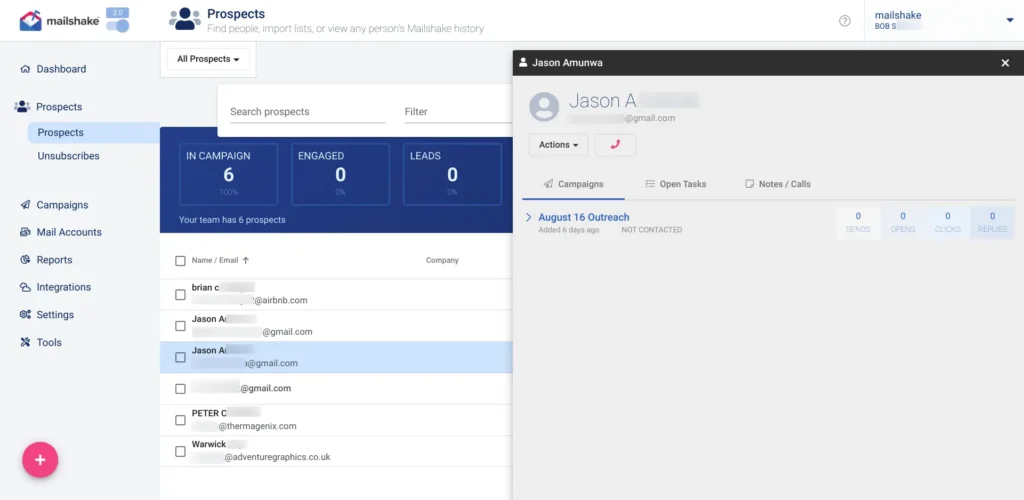
Mailshake is a cold email outreach platform that allows to send automated email sequences, track opens, and manage replies from a single dashboard.
Many SDRs, founders, and small to mid-sized sales teams use it to run structured cold email campaigns without building complex systems. You upload a list to Mailshake, write your copy, set follow-ups, and hit start. That’s the core loop.
Over the years, they’ve also bolted on extra features like a dialer and AI writing.
Mailshake stopped its social selling features years ago. If your strategy relies on direct social engagement, you might hit a wall here.
But now outreach doesn’t just comprise email alone. Most prospects expect multi-touch engagement across channels, especially LinkedIn.
Mailshake Pros
Using the email sequence builder is super simple. Most users can get a campaign live in minutes;
The email sequencing feature is decent. You can set up follow-ups, personalize messages, and run structured outbound campaigns without too much friction;
Built-in email warmup tools help protect your sender reputation right from the start;
The unified inbox also collects replies from multiple connected email accounts into one feed;
Mailshake connects with common CRMs and tools, which helps keep workflows organized.
Mailshake Cons
Mailshake has quietly retired its limited LinkedIn automation feature;
It doesn’t support multichannel sales automation workflows;
Reporting is basic. You get only opens, clicks, and replies. There’s no deep funnel analytics;
You can’t branch follow-ups based on prospect behavior beyond opens or replies;
Customizing email templates is restrictive and clunky;
As your usage grows, pricing can feel less flexible compared to newer tools.
Mailshake Reviews
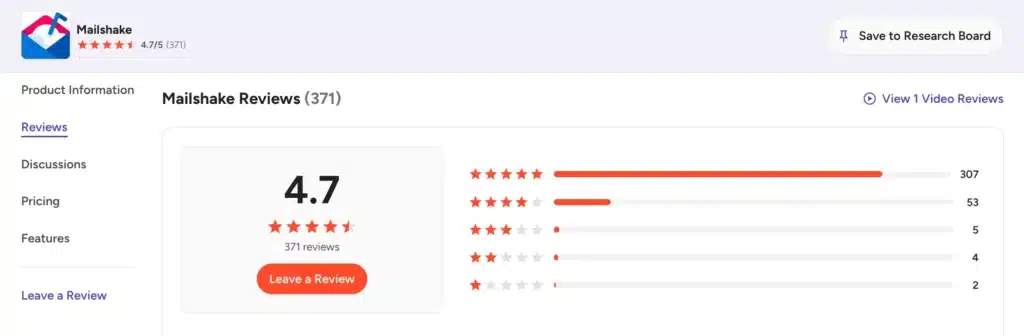
Mailshake reviews on g2 show a score of 4.7/5 from 371 user feedback.
Users often highlight its simplicity and ease of use. Many SDRs like how quickly they can launch campaigns without technical setup. On the downside, reviewers frequently mention limited reporting, lack of advanced customization, and the absence of multichannel capabilities.
Users highlight the clean dashboard and straightforward campaign management. The main complaints here revolve around the lack of bulk editing or deletion, besides the expensive per-seat pricing model.
On Trustpilot, feedback is more mixed, with a rating of 4.8/5.
Some users praise customer support and ease of setup, while others mention limitations in functionality compared to newer tools in the market.
Mailshake Features
Mailshake delivers a set of core outbound features for cold email campaigns and reply management. It’s not feature-rich but does well in some areas.
We’ll cover the core features of Mailshake:
Automated Email Sequences
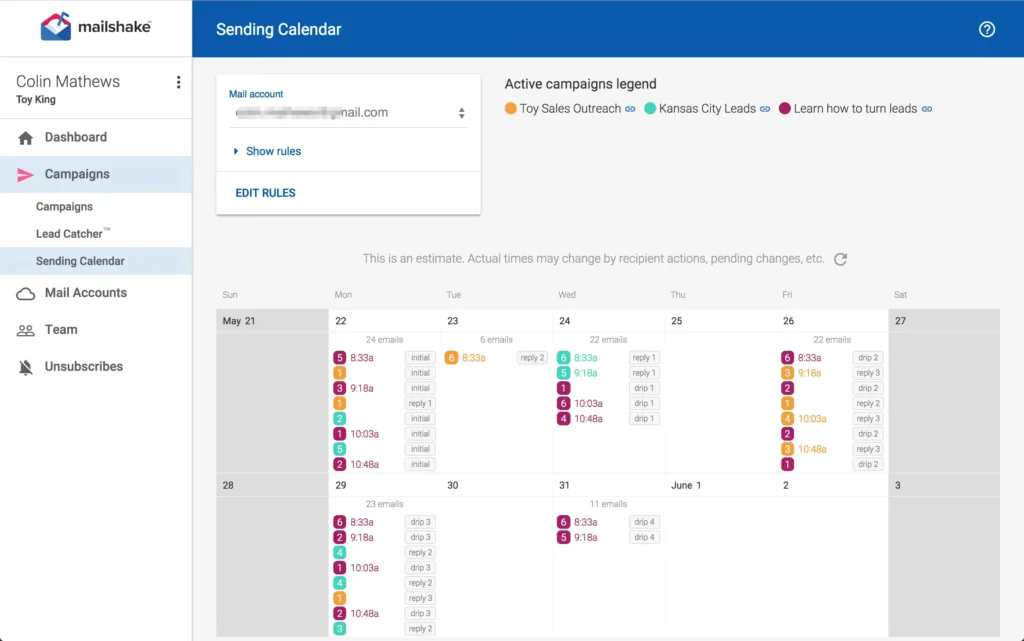
The sequence builder is Mailshake’s main feature. You can create a multi-step email campaign, set delays between each step, and let it run. The system stops sending to anyone who replies, so you don’t annoy engaged leads.
Plus, you can edit active campaigns on the fly, which is handy when you spot a mistake. That said, sequences don’t support conditional branching. It’s linear. If you need complex logic, you’re out of luck.
Mail Merge
The platform pulls data from your uploaded CSV files or CRM to personalize emails at scale. You insert variables for names, companies, and custom fields directly into the email body.
The basic personalization capability helps your messages bypass mental spam filters. And it makes your email look like individual attention, even when you’re sending to thousands.
Email Address Finder
Mailshake includes Data Finder, a tool to locate business emails using filters like role, location, or company. Mailshake claims it reduces bounce rates and improves campaign deliverability. Also, it eliminates the need to buy separate lead databases.
Starter plans get 50 free credits. Sales Engagement bumps that to 2,500. You can also purchase extra credits for $19/month. It works, but it’s not best-in-class.
AI-Powered Email Writer
The built-in AI generates email copy quickly. You provide a brief prompt, and the tool writes subject lines and body text to speed up your campaign creation. Randomization features like spintax help improve deliverability through subject line variations.
The AI feature helps overcome writer’s block when you stare at a blank screen. But don’t expect a miracle copy. You’ll still need to edit the email.
Reply Management System
The unified inbox pulls all prospect replies into one place. You can see the full conversation history, assign replies to team members, and reply directly from the dashboard. It’s clean, functional, and gets the job done.
Dialer
Higher-tier plans include a power dialer. You make calls to leads directly from your browser using integrated phone numbers and track call outcomes. This adds a voice channel to your primarily text-based outreach efforts.
The power phone dialer includes unlimited minutes to North American numbers. You get five phone numbers per account. For teams making lots of calls, this adds real value. But if you’re LinkedIn-focused, you actually pay for features you won’t use.
Automated Follow Ups
Follow-ups are baked into the sequence builder. You set the number of follow-up steps, the delay between each, and the copy. Mailshake handles the rest.
For example, if a prospect opens an email but fails to reply, the system automatically sends the next message in your sequence. Consistent follow-ups usually drive the majority of cold email conversions.
It’s simple, effective, and one less thing to manage manually.
Email Deliverability
The software connects to warm-up pools to build your sender reputation. It also verifies email addresses before you send campaigns to reduce hard bounces and protect your domain. Good deliverability ensures your messages actually reach the primary inbox.
An in-app copy analyzer flags spammy words before you send. Mailshake also automatically interacts with other warm-up accounts to generate positive engagement signals for internet service providers.
Integration
Native integrations with Salesforce, Pipedrive, and HubSpot. Plus, Zapier opens the door to 1,000+ other apps. You can push leads, update records, and trigger actions across your tech stack.
Mailshake Price & Subscription Plans
Check the Mailshake pricing table below:
Plan
Monthly Price (Billed Monthly)
Key Limits
Starter
$29
1 email address, 1,500 sends/month, 50 data credits
Email Outreach
$49
2 email addresses, unlimited sends, 50 data credits
All plans include unlimited contacts, campaigns, email warmup, and email verification. Annual billing saves roughly 15% across the board.
Best Alternative to Mailshake
If your sales process depends heavily on LinkedIn, then Octopus CRM an affordable Mailshake alternative.
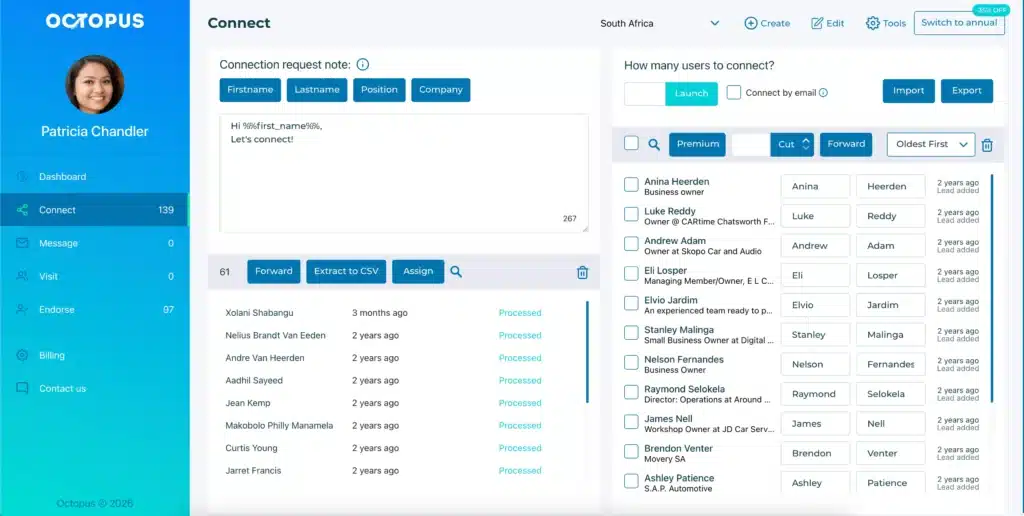
Octopus CRM is a specialized LinkedIn automation tool built for automating LinkedIn actions. You can automatically send personalized connection requests, message first-degree contacts in bulk, visit profiles, and endorse skills to warm up cold leads.
Safety-first design. Octopus CRM never asks for your LinkedIn credentials. You keep full control. Built-in activity monitors warn you if you’re pushing too hard, so your account stays safe;
No Sales Navigator required. Works with free LinkedIn accounts. You don’t need to pay LinkedIn’s premium tax just to automate outreach;
When you hit LinkedIn’s weekly limit (100 invites), Octopus CRM switches to sending invites via email. You keep prospecting without interruption;
The built-in CRM lets you store leads, track campaign performance, and monitor acceptance rates;
With the Zapier + HubSpot integration, users can push LinkedIn data into their existing sales stack without manual entry;
Affordable pricing. Plans start at $6.99/month (billed monthly). No surprise add-ons.
Mailshake has email sequences at its core. Octopus CRM focuses on LinkedIn-based relationship building, which often leads to warmer conversations in B2B environments.
Mailshake is a sales automation software for cold email outreach. You can use it to send automated email sequences, track open rates, and manage prospect replies from a centralized dashboard.
Mailshake starts at $29/month for the Starter plan. Email Outreach is $49/month. Sales Engagement is $99/month. Annual billing offers discounts. Add-ons like Data Finder ($19/month) and Mailboxes ($12/month) cost extra.
Octopus CRM is the best Mailshake alternative for professionals who want to incorporate social selling into their strategy. It provides robust tools to automate LinkedIn outreach and build multi-channel pipelines.
Mailshake is cold email outreach software, while Octopus CRM is a LinkedIn automation Chrome extension built for prospecting, messaging, and automation workflows.
By using this website, you agree to the storing of cookies on your device to
enhance your experience. View our Privacy Policy