OctopusCRM / Blog / LinkHelp Review 2026: Features, Pros & Cons, Alternative
Last updated: June 8, 2026
151
Published by: Alexander Terez
Reading time: 5minutes
LinkHelp Review 2026: Features, Pros & Cons, Alternative
While looking for a reliable LinkedIn automation tool, you’ve probably stumbled upon LinkHelp. You want a software that allows you to automate all the essential LinkedIn actions without getting your account banned, which is why you’re reading LinkHelp reviews before making a decision.
We tested the tool and researched the experience of real users to bring you this critical LinkHelp review. We’ll dissect LinkHelp, analyzing its pros and cons, features, pricing, and best alternative.
LinkHelp Overview
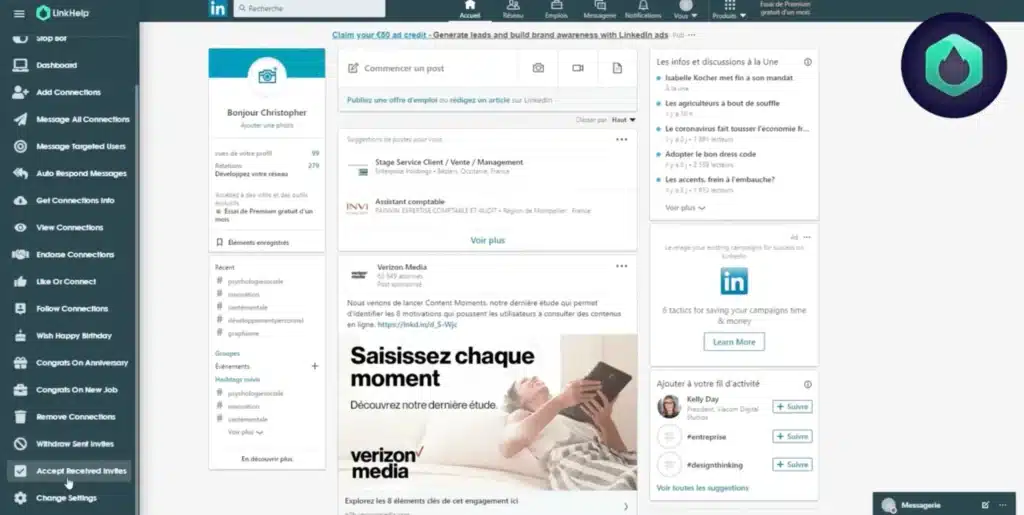
LinkHelp is a Chrome extension that automates repetitive LinkedIn actions. You install the extension, log into LinkedIn, and let it handle repetitive tasks like sending connection requests, messages, and profile views.
In recent years, LinkHelp has also added AI-powered capabilities for message generation, profile summaries, conversation starters, and post engagement.
After testing the tool and reading through actual LinkHelp reviews on Trustpilot and AppSumo, we saw that users praise the low price, UI, and the AI message generator. At the same time, many customers also report bugs, crashes, and LinkedIn account restrictions.
LinkHelp Pros
LinkHelp ranks among the cheapest LinkedIn automation tools available;
Easy setup and clean interface with minimal learning curve;
Includes AI-powered message generation, profile summaries, and conversation starters;
Provides LinkedIn data extraction capabilities;
Automated birthday wishes, job anniversary congratulations, and skill endorsements;
Allows audience segmentation and targeting.
LinkHelp Cons
Multiple users report that the extension contains bugs and keeps crashing;
Pricing can become expensive for users who need AI functionality;
LinkHelp’s in-built safety limits don’t seem to prevent LinkedIn from detecting automation patterns;
There’s no native CRM integration. You’re limited to manual CSV exports or workarounds;
Slow customer support.
LinkHelp Reviews
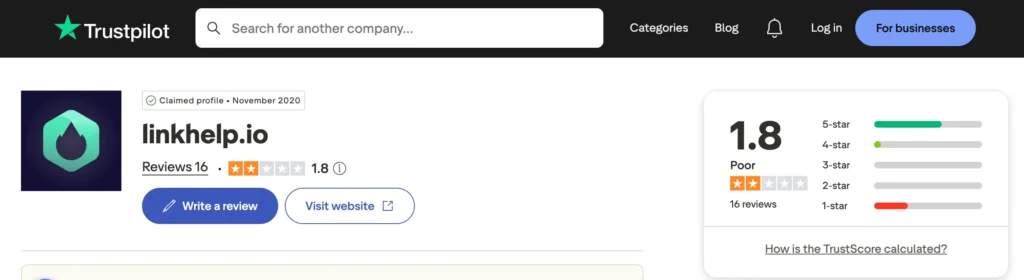
We did find LinkHelp reviews on Trustpilot, where it scores just 1.8/5 based on 18 user reviews. Reviewers appreciate the app’s potential for lead generation, but complaints about bugs, account restrictions, and slow support dominate.
LinkHelp doesn’t have a presence on platforms like g2 or Capterra, which is a bit ironic for a tool in the SaaS and LinkedIn automation space. After all, those are usually the first places users go to validate software credibility and real-world reviews.
LinkHelp reviews on AppSumo present a similar picture. Users generally like its easy-to-use and LinkedIn outreach capabilities. But many users report LinkedIn account bans and unstable performance.
LinkHelp Features
LinkHelp covers most of the core functionality you’d expect from a LinkedIn automation platform.
Automate LinkedIn Actions
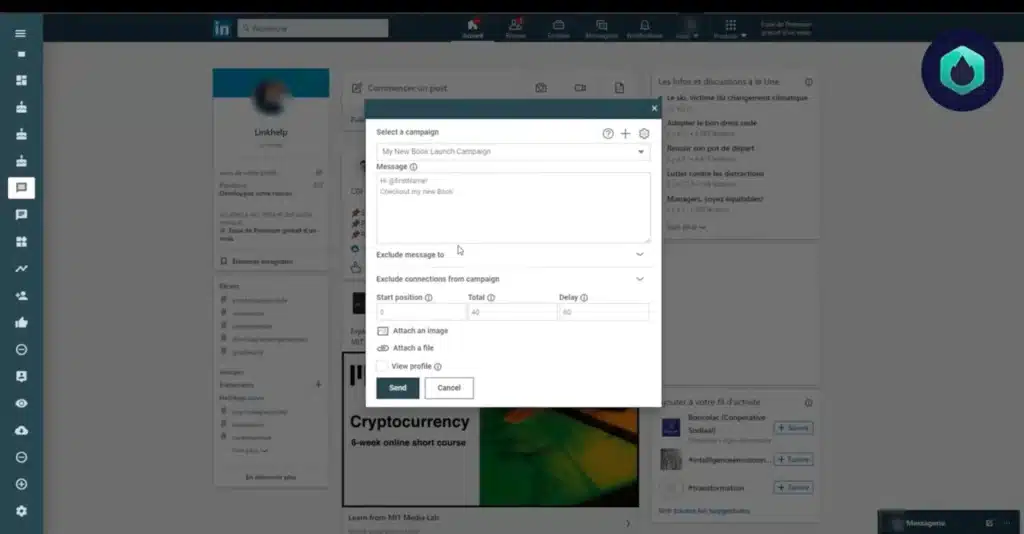
LinkHelp can automate various LinkedIn activities, including connection requests, profile views, invite management, endorsements, follows, and engagement actions. This reduces manual work and helps users maintain consistent activity levels.
Lead Discovery & Audience Targeting
You build custom audiences using LinkedIn’s native filters, including company, location, industry, job title, and keywords. Once you define criteria, LinkHelp imports search results and launches campaigns to target those prospects.
Multistep Outreach Automation
LinkHelp supports basic follow-up sequences.
You can schedule delays between messages and trigger follow-ups based on whether someone responds. But the sequencing feature is fairly basic compared to advanced platforms offering conditional logic and branching paths.
Mass Messaging
Need to communicate with a large group of connections? LinkHelp allows sending personalized messages to multiple connections at scale. It adds variables like [firstName] and [company] for basic personalization en masse.
This feature is useful for announcements, invitations, networking campaigns, and lead nurturing.
LinkHelp uses AI to generate personalized messages and connection invite notes based on your prospect’s LinkedIn profile info. It creates talking points and suggests conversation starters.
However, the AI feature is available in the expensive PRO AI and BIZ AI plans.
Automated Follow-Ups
LinkHelp automates follow-up sequences, allowing users to schedule messages at predefined intervals. This keeps conversations active without requiring constant manual intervention. But the follow-up logic doesn’t include conditional triggers based on engagement signals.
LinkedIn Data Extraction
LinkHelp includes data extraction capabilities that allow users to collect and export information from LinkedIn profiles and connections.
You get names, job titles, companies, locations, and email addresses when available. Users use this feature to build databases or sync contacts to their CRMs, though daily limits apply. Then use it for reporting, prospect research, and lead management activities.
Automated Engagement
The tool allows you to automate low-effort engagement tasks, such as endorsing skills, following profiles, liking posts, and viewing profiles. These actions warm up prospects before you send connection requests. This social warming can improve acceptance rates.
Analytics Dashboard
You get a dashboard for tracking campaign performance with statistics on invitations sent, acceptance rates, messages delivered, and replies received. While basic, it is functional for monitoring outreach at a glance.
AI-Powered Post Engagement
LinkHelp’s AI tools can generate comments and engagement suggestions for LinkedIn posts. The AI analyzes post content and generates relevant responses.
For professionals focused on social selling, this feature helps maintain visibility and participate in conversations without spending significant time writing responses manually. Plus, LinkHelp claims that it makes your interactions look more natural, though the quality varies in practical use.
Everything in Lite + message targeted users, message all connections, auto-respond, get connections info, birthday wishes, anniversary/new job congrats, message follow-up, view connections
BIZ
$69
3
Everything in Pro + 3 users, priority support
PRO AI
$99
1
Everything in Pro + AI message generation (1,000/mo), AI profile summaries (1,000/mo), talking points, engage with post (AI), quick connect (AI)
BIZ AI
$199
3
Everything in PRO AI + 3 users, AI message generation (3,300/mo), AI profile summaries (3,300/mo), priority support
With yearly billing, you get a 30% discount. Also, the AI plans include monthly limits: 1,000 AI message generations on PRO AI and 3,300 on BIZ AI. The same limit applies to AI profile summaries.
Best Alternative to LinkHelp
If you want a safer, stronger, and more user-friendly LinkHelp alternative that also addresses many of the software’s limitations, then the Octopus CRM LinkedIn automation tool is worth serious consideration.
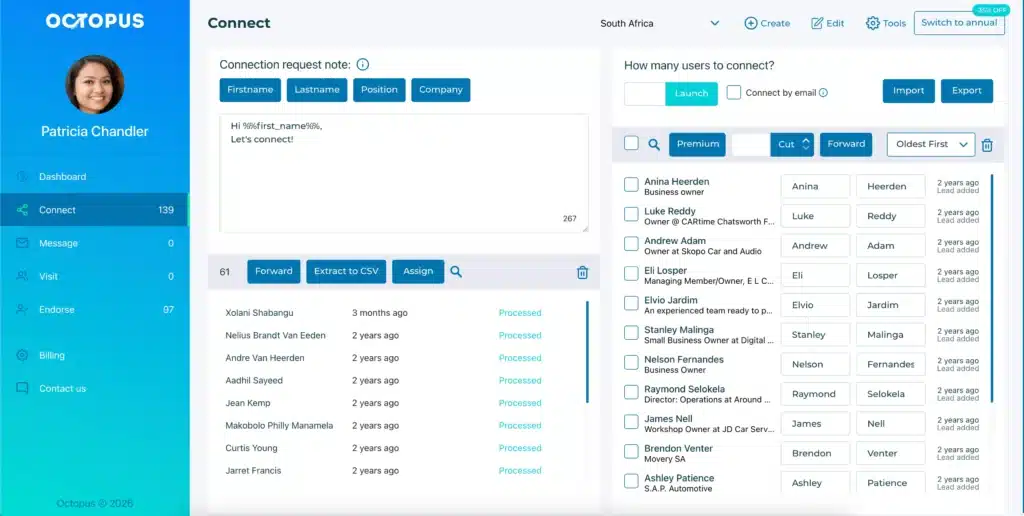
While LinkHelp focuses mainly on LinkedIn task automation, Octopus combines outreach automation, campaign management, lead generation, data export, built-in CRM, and analytics in a more outreach-focused environment.
And unlike LinkHelp, which triggers frequent account bans, Octopus CRM implements extensive safety protocols. It monitors your LinkedIn actions, sending immediate notifications when it detects excessive activity.
Though Octopus CRM also operates as a Chrome extension, it handles automation more reliably than LinkHelp. It doesn’t require constant browser monitoring.
Octopus CRM offers all core LinkedIn automation features plus advanced capabilities, including:
Automated connection requests with personalization;
Bulk messaging to first-level connections;
Automated skill endorsements (up to 7 skills per profile);
Profile visits at scale;
Data import/export functionality;
Zapier and HubSpot integrations;
Compatibility with all LinkedIn account types (Free, Premium, Sales Navigator, Recruiter Lite);
Switch to email-based invites when you hit LinkedIn’s weekly invite cap (100 invites);
Build funnel-style campaign sequences. Combine features like connection requests; thank-you messages, skill endorsements, and follow-ups into cohesive sequences;
Straightforward pricing that doesn’t force you into AI plans for basic automation;
Detailed metrics on profile views, search appearances, social selling index, and campaign performance.
Overall, Octopus CRM for sales teams delivers better value than LinkHelp. The lower account ban risks, focus on safety, robust features, and affordable pricing make it a choice for serious prospecting operations.
LinkHelp is a Chrome extension for automating LinkedIn tasks, including connection requests, messages, follow-ups, skill endorsements, and profile views. It also includes AI features in the high-tier plans.
LinkHelp pricing starts at $0 for the Free plan with very limited features. The Lite plan costs $9/month, whereas the Pro plan is $29/month when billed monthly. Plus, the BIZ plan costs $69/month for 3 users. AI-powered plans range from $99/month to $199/month.
Octopus CRM is the best LinkHelp alternative as it offers good account safety, native CRM, email-based connection requests to bypass weekly limits, and comprehensive analytics. Plus, users can build campaign funnels and integrate the tool with Zapier and HubSpot, not to mention the competitive prices.
LinkHelp claims to include safety limits, but user reviews indicate high risks of LinkedIn account restrictions. Multiple users report permanent account bans even when following recommended limits. The weak security architecture makes it easier for LinkedIn’s detection systems to flag automated behavior.
The main difference is that LinkHelp focuses on automating LinkedIn activities and AI-powered engagement. It doesn’t have strong security measures in place. On the other hand, the Octopus CRM LinkedIn automation Chrome extension places greater emphasis on user security, structured outreach campaigns, seamless performance, and CRM integrations.
By using this website, you agree to the storing of cookies on your device to
enhance your experience. View our Privacy Policy