
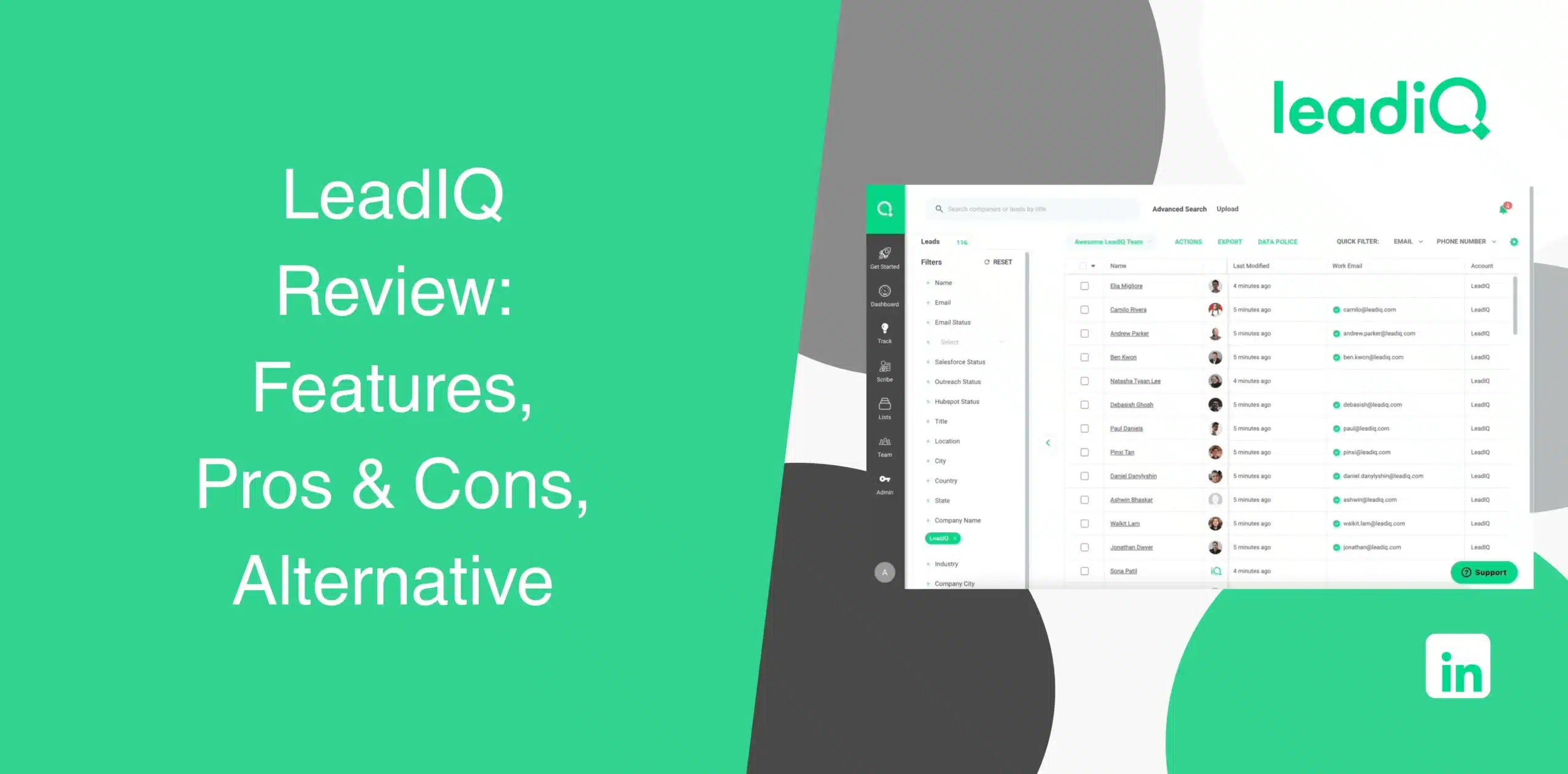
You’re looking for a way to speed up your prospecting without sacrificing quality. And while researching reliable tools to achieve your goal, you’ve probably stumbled upon LeadIQ. And you might already have seen LeadIQ reviews all over the place, with some praising its features and others underlining its shortcomings.
In this LeadIQ review, we’ll examine the software objectively. We’ll see whether it actually fits your workflow, integrates with your tech stack, and helps your team spend more time selling instead of searching for contact information.
LeadIQ Overview
LeadIQ is a B2B sales prospecting platform that helps you identify prospects, capture verified contact information, enrich CRM records, and personalize outreach. The Chrome extension extracts email addresses and phone numbers from LinkedIn and Sales Navigator and other sources in a few clicks.
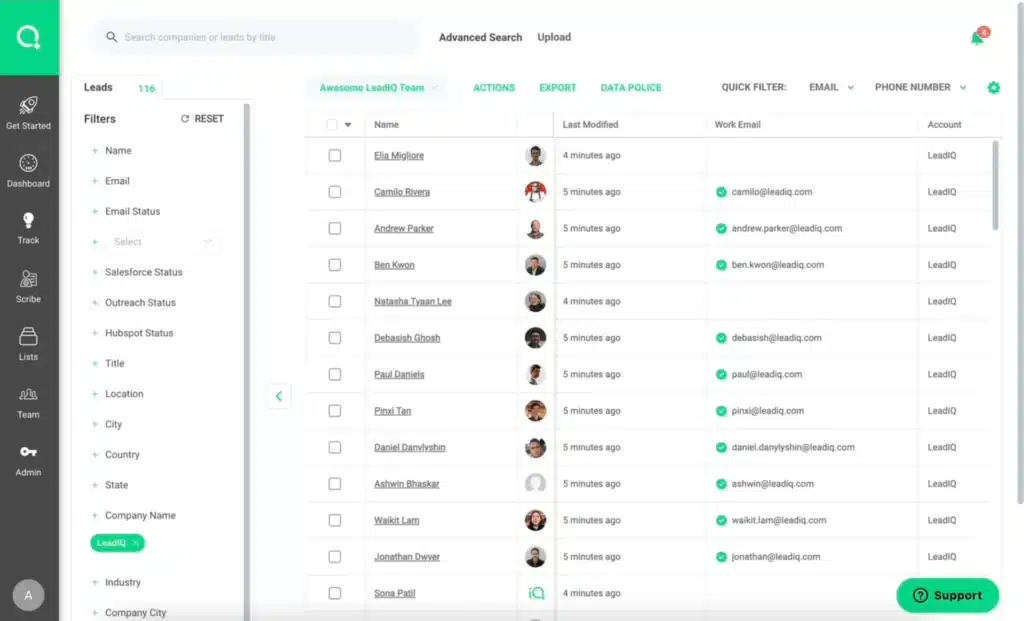
Lately, LeadIQ has added new features, including champion tracking, an AI agent called Lando, and account-level prospecting.
The software is built primarily for prospecting, not complete outreach automation.
We’ll slice and dice the advantages and disadvantages of LeadIQ.
LeadIQ Pros
- Fast, one-click contact capture directly from LinkedIn and Sales Navigator;
- Automatically updates your CRM with fresh contact and company data;
- Multi-source email verification that flags confidence levels before you hit send;
- AI-assisted email personalization;
- Champion tracking alerts you when a past contact changes jobs;
- Clean integrations with Salesforce, HubSpot, Outreach, and Salesloft.
LeadIQ Cons
- The tool does not provide email or LinkedIn outreach automation;
- Phone number data is inconsistent. Personal numbers sometimes show up instead of work lines;
- Credit-based pricing runs out fast;
- Salesforce sync issues are a recurring complaint among users;
- The AI writing assistant, Scribe, needs heavy editing before the copy sounds human.
LeadIQ Reviews
LeadIQ maintains an overall rating of 4.2/5 from more than 1,179+ verified reviews on g2.
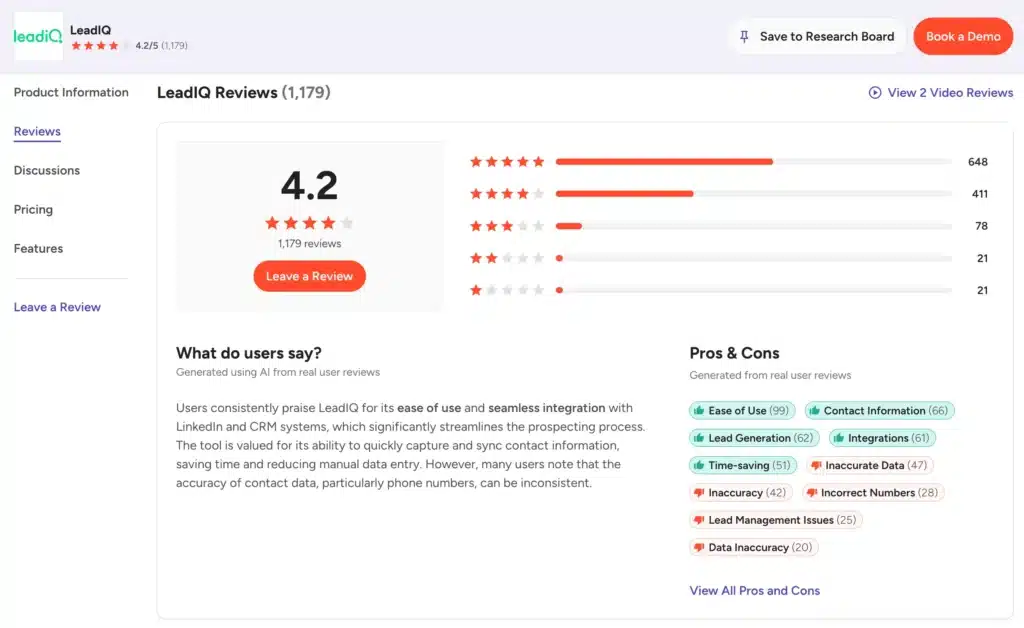
Users like the ease of use and how cleanly it fits into a LinkedIn and CRM workflow. The recurring complaint is inaccurate data, particularly phone numbers.
LeadIQ reviews on Capterra come with a rating of 4.4 out of 5 from around two dozen reviews.
Many users appreciate the Chrome plug-in and call the pricing reasonable. On the downside, some mention a clunky dashboard and inconsistent lead quality for smaller or niche companies.
Trustpilot tells a different story where LeadIQ has a 2.3/5 rating from just 6 reviews.
Complaints include unsolicited emails, data collection without clear consent, and poor customer support.
LeadIQ Features
LeadIQ is a set of modules that work together. How well each one performs depends heavily on your unique use case.
We’ll check out the key features of LeadIQ:
Prospecting Hub
The Prospecting Hub is where reps spend most of their time, as it is LeadIQ’s central workspace for finding and managing prospects. Users can build prospect lists, capture verified contact information, and organize leads before sending them to a CRM or sales engagement platform.
The platform integrates closely with LinkedIn, Sales Navigator, and company websites. That means you can collect contact information while browsing profiles. Instead of switching between multiple applications, your team can capture prospects with just a few clicks.
Chrome Extension
The Chrome Extension is the engine behind the Prospecting Hub. It overlays a capture button on LinkedIn profiles and search results, letting you grab emails, phone numbers, and job titles without leaving the page.
Bulk capture from a Sales Navigator results list works too, though heavy users report occasional lag on long lists. Users can also view CRM sync status, see company insights like industry and funding, and push contacts into their sales stack.
CRM Enrichment via Data Hub
Through the Data Hub, LeadIQ enriches existing CRM records automatically. Salesforce gets a native managed package, HubSpot connects through Workato, and everyone else can use the API.
Sales teams are able to automatically update missing fields such as:
- Email addresses;
- Direct phone numbers;
- Company information;
- Job titles;
- Employee counts;
- Company details.
Champion Tracking
Champion Tracking monitors job changes among your past buyers and contacts. When a past customer moves to a new company, you get an alert. This helps you re-engage warm contacts at their new organizations, which can be more effective than cold prospecting.
The feature sends alerts via email and in-CRM notifications, so reps get real-time updates when a contact changes roles or companies. It’s a useful way to maintain relationships and find new opportunities without starting from scratch.
Agentic AI & Lando
Lando is LeadIQ’s AI prospecting agent built into the Chrome extension.
Click the Lando icon to open a panel and start a conversation. It combines first-party CRM data with third-party intelligence in a conversational interface, helping you research prospects and personalize outreach.
You can ask it questions about accounts, contacts, and buying signals. Though useful, this feature is still early-stage.
Customizable Workflows
LeadIQ supports customizable workflows that allow teams to automatically move prospect data into CRMs, sales engagement platforms, and other connected applications. Users can create workflows that reduce repetitive manual tasks and standardize how prospect information moves throughout the sales pipeline.
Enterprise customers also get governance controls, useful if multiple reps pull from the same account list and you want to avoid duplicate outreach.
Analytics & Reporting
The analytics dashboard tracks prospecting activity, data quality, and team performance. The Enterprise plan unlocks full team analytics. It’s helpful, but not as deep as dedicated revenue intelligence tools.
Integrations
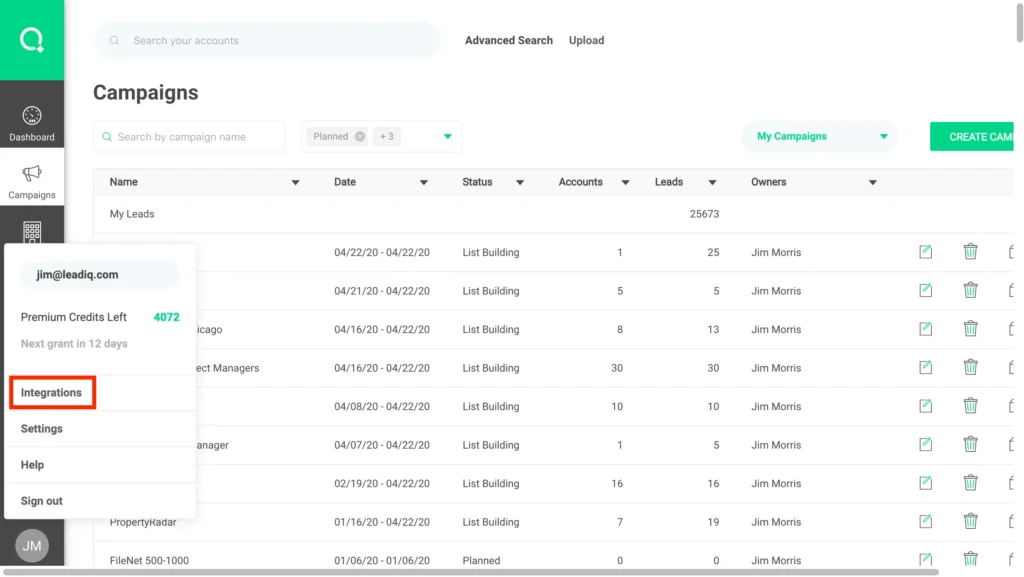
The software connects with Salesforce, HubSpot, Outreach, Salesloft, Gong, Zapier, Workato, and Clay. Coverage is solid for mainstream sales stacks. But if your team runs something niche, you’ll lean on the API or Zapier as a workaround.
LeadIQ Price & Subscription Plans
Check the LeadIQ pricing table below.
| Plan | Price (Monthly Billing) | Users | Credits |
|---|---|---|---|
| Free | $0 | 1 | 50 |
| Pro | $20/month | 1 to 5 | Starts from 200 |
| Enterprise | Custom | Custom | Custom |
LeadIQ uses a credit system. Emails cost 1 credit, phone numbers cost 10 credits, and combined email plus phone costs 11 credits. If you burn through credits fast, you’ll need to top up or upgrade.
Best Alternative to LeadIQ
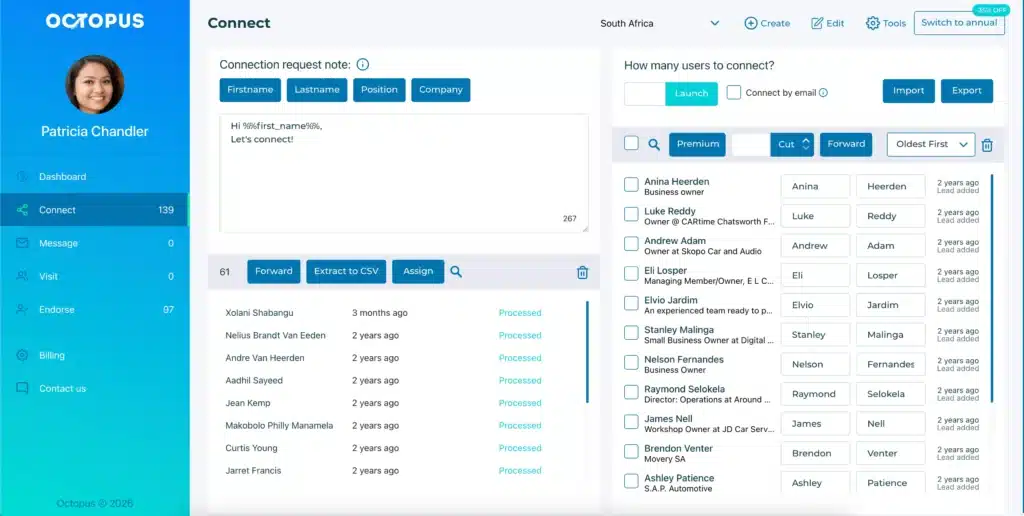
While LeadIQ finds and enriches contact data, it doesn’t send a single message on your behalf. That’s where OctopusCRM takes the spotlight as the best LeadIQ alternative.
Octopus CRM LinkedIn automation tool for automated outreach and lead generation, covering the exact piece LeadIQ leaves out. Instead of stopping at data capture, it automates the full LinkedIn funnel: sending personalized connection requests, following up, endorsing skills, and visiting profiles.
So, should you use Octopus CRM for LinkedIn automation instead of stitching together a data tool and a separate sequencer? For individual users and small teams that want one system to handle both prospecting and outreach, the case is strong.
With the Octopus CRM LinkedIn automation Chrome extension, you can build a campaign, add leads from LinkedIn search or a CSV, and launch in minutes. The platform runs connect, message, endorse, and visit sequences automatically, and you track acceptance and response rates from a personal dashboard.
We’ll cover more reasons why it is a good idea to use Octopus CRM as the LeadIQ alternative:
- Users can send personalized invites and messages at scale without compromising account safety;
- You don’t need Sales Navigator or a premium LinkedIn subscription. Octopus CRM works with basic, premium, Sales Navigator, and Recruiter accounts;
- The built-in safety features monitor your activity and alert you if you’re pushing too hard. This helps you stay within LinkedIn’s safe usage limits;
- Unlike some tools, Octopus CRM never asks for your LinkedIn credentials;
- When you hit LinkedIn’s weekly limit of 100 connection requests, Octopus CRM lets you continue sending invitations via email;
- Users can build structured outreach flows that guide prospects from first touch to follow-up;
- Plans start at $6.99 per month (with annual billing). That’s significantly cheaper than LeadIQ’s Pro plan;
- Octopus CRM connects with HubSpot and Zapier, letting you push LinkedIn data into your existing CRM stack;
- You get an import/export feature for moving lead lists in and out of campaigns as CSV files;
- The built-in CRM allows users to store leads, track campaign performance, and monitor key performance metrics.
So, if you’re looking for LeadIQ alternatives with a stronger LinkedIn-first approach specifically, Octopus CRM is a top contender.