
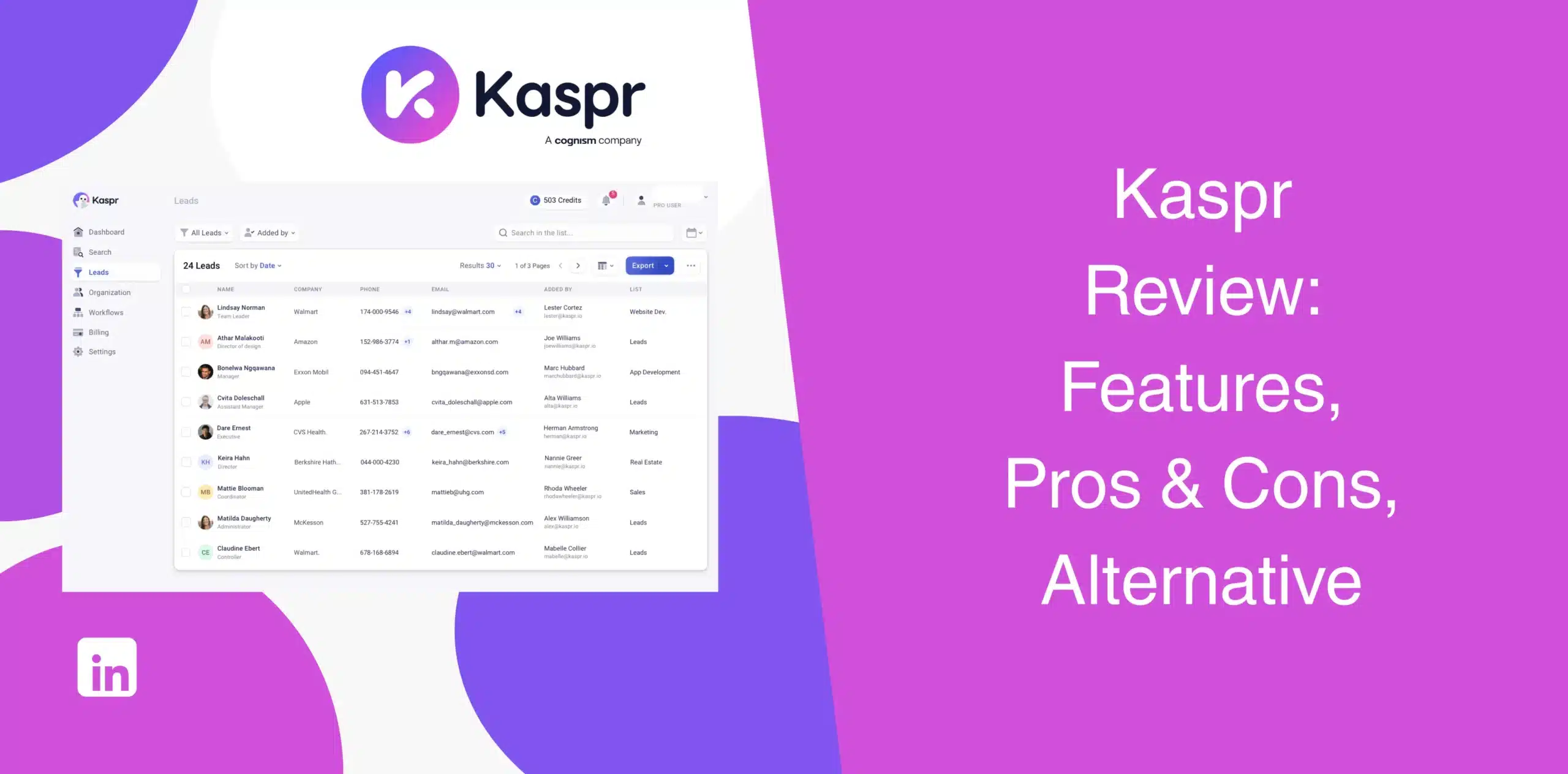
You’re reading this Kaspr review because you want a reliable tool to help you find prospect contact information on LinkedIn without spending hours on manual research. Many individuals and teams hit a wall with tools that promise everything but deliver just enough to keep you subscribed.
So, where does Kaspr stand? Does it deserve a place in your sales stack in 2026, or shall you look for a Kaspr alternative?
Many of the existing Kaspr reviews commend the software for its speed, ease of use, and integration. At the same time, some users raise concerns about limited features, credit limitations, costs, and scalability issues.
We bring you an honest take on Kaspr based on real user feedback and hands-on testing.
Kaspr Overview
Kaspr is a Chrome extension that pulls phone numbers and email addresses directly from LinkedIn profiles. You install the extension, visit a profile, and click a single button to reveal the prospect’s business email address, phone number, and other available details.
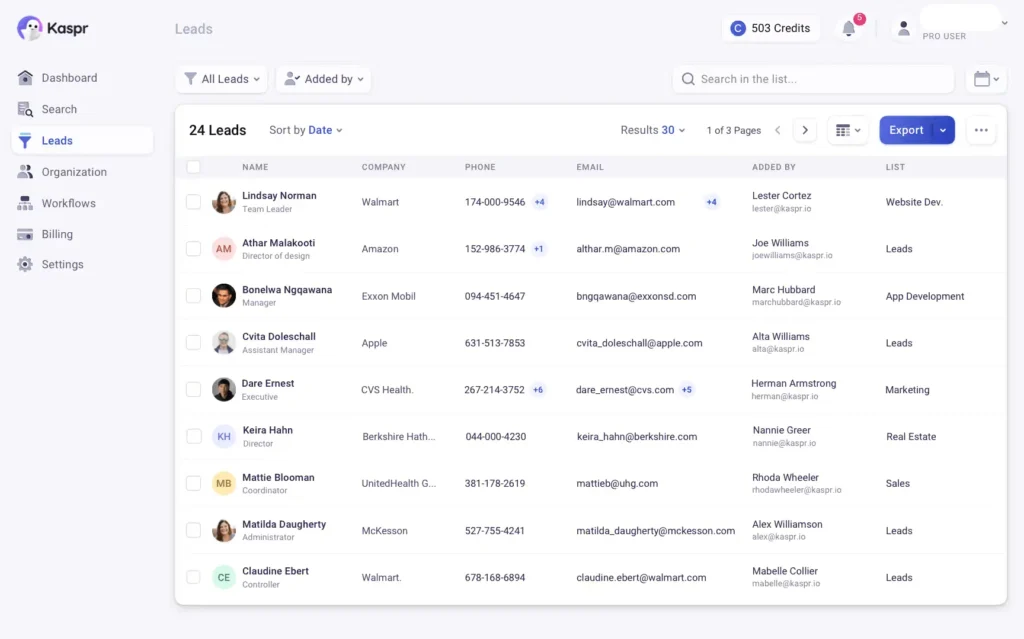
The platform specializes in European B2B contact data, claiming to have access to over 200 million profiles and 500 million verified phone numbers and email addresses. This means if you aim to target North America, you might face significant coverage issues.
On top of that, Kaspr lacks native outreach capabilities. Yes, you do find the prospects’ contact info, but you must use another platform to reach out to and engage those contacts.
Kaspr Pros
- The extension loads contact data within seconds. You won’t waste time jumping between tabs or running manual searches;
- Easy-to-use Chrome extension for LinkedIn prospecting with a super simple interface. You get to learn the dashboard in minutes without any training;
- Works seamlessly with LinkedIn Sales Navigator;
- If your target audience sits in Europe, mainly Germany, France, or the UK, you’ll find solid data;
- Bulk enrichment capabilities;
- Kaspr connects directly with HubSpot and Salesforce.
Kaspr Cons
- Kaspr is limited to contact data extraction. It doesn’t include LinkedIn outreach features;
- Every phone lookup costs a credit. One phone lookup burns one credit, forcing reps to hoard credits instead of prospecting;
- Users report that up to 90% of phone numbers turn out to be personal home numbers rather than direct business lines;
- Since Kaspr is focused on Europe, the moment you prospect in North America or Asia, data accuracy drops noticeably;
- Export limits may affect high-volume teams.
Kaspr Reviews
Kaspr reviews on g2 show a 4.4/5 rating from 835+ reviews. Users love the speed and ease of use.

The Chrome extension workflow and integration capability get consistent praise. The common complaints include credit limitations, pricing concerns, and occasional issues with data verification accuracy.
We checked Capterra reviews of Kaspr, and it scores 4.5/5 based on just 3 user reviews.
With such limited feedback available, it’s hard to determine whether this rating accurately reflects the experience of the broader user base.
While Kaspr is present on TrustPilot, we saw zero reviews on the platform as of writing this piece. So no comments here.
Kaspr Features
Kaspr has successfully positioned itself as a sales intelligence and contact enrichment platform. Its value proposition is built around five core features explained below:
Extract Contact Information from LinkedIn
Prospect data collection is Kaspr’s flagship feature.
The Chrome extension overlays contact data directly on LinkedIn profiles, groups, events, and Sales Navigator searches. When you visit a profile, Kaspr instantly displays available phone numbers (mobile and direct lines) and email addresses (professional and personal).
Kaspr pulls this data from over 150 verified sources in real-time. You can save these leads directly to your dashboard with one click.
CSV Contact List Enrichment
If you already have a CSV file containing LinkedIn profile URLs, simply upload it to Kaspr, and it will automatically enrich those contacts with available phone numbers and email addresses.
This feature is particularly useful if your team has collected LinkedIn profile URLs through previous campaigns, events, webinars, or prospecting drives. Rather than researching each contact individually, the Chrome extension enriches entire lists in bulk.
The challenge? You’re still burning credits.
Each enriched contact consumes credits from your monthly allowance. For CSV lists of 500+ contacts, those credits disappear fast.
Automated, Bulk Enrichment
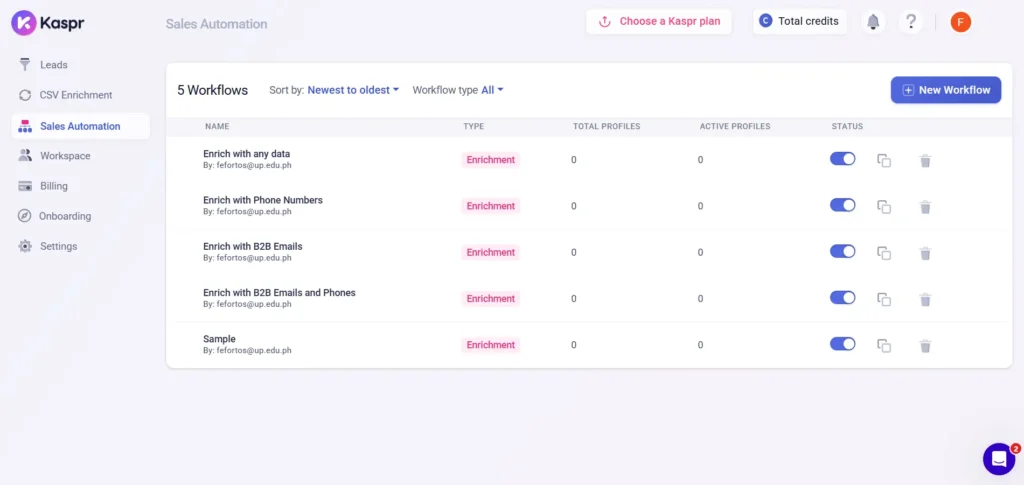
You run a specific LinkedIn search or open a Sales Navigator list. Then trigger a Kaspr automation workflow, and the tool extracts and enriches multiple contacts at once in the background.
All enriched leads go straight to your dashboard for immediate export. This feature reduces repetitive tasks, helping you focus more on conversations and pipeline development rather than data collection.
But again, credits apply per enriched contact.
Prospect Management
Kaspr includes a basic dashboard where you can save leads, leave notes, track activity, and organize prospects into lists. It functions as a CRM-lite functionality. You get to store prospects in one place without switching tools until you’re ready to export the data to your main system.
This feature comes in handy when multiple team members work on the same account or prospecting initiative. That said, it’s not a full CRM. You won’t find pipeline management, deal tracking, or team collaboration features beyond basic lead storage.
Integrations
The Kaspr LinkedIn data extraction tool integrates with HubSpot, Salesforce, and Zapier. You can export enriched leads directly to your CRM, up to 12,000 exports per year on the Starter plan and 30,000 on the Business plan.
You also get API access on certain plans that allow you to connect Kaspr with internal workflows and custom applications.
Kaspr Price & Subscription Plans
Check the Kaspr pricing table below.
| Plan | Monthly price (billed monthly) | Key features |
|---|---|---|
| Free | €0 | 15 B2B emails, 5 phone credits, 5 direct emails |
| Starter | €59 | Unlimited B2B emails, 100 phone credits, 5 direct email credits, Sales Navigator support |
| Business | €99 | Unlimited B2B emails, 200 phone credits, 200 direct emails, API access + more. |
| Enterprise | Custom | Unlimited credits, intent data, SSO |
The platform uses a credit-based pricing model for phone numbers, direct emails, and exports.
While business email access is generous, phone credits and direct email credits remain limited on certain plans. You’ll need to pay extra for phone numbers and direct emails beyond your initial monthly allowance.
Best Alternative to Kaspr
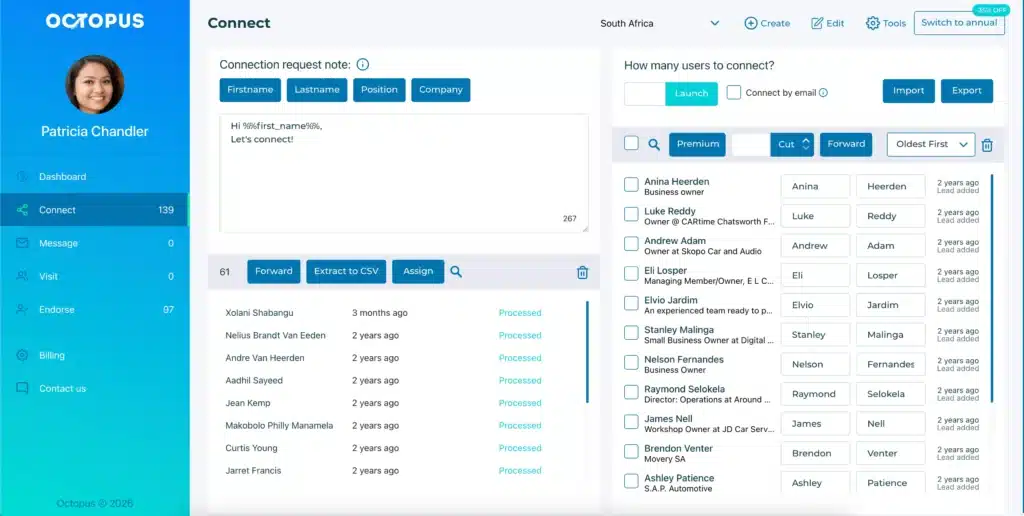
If you’re looking for a Kaspr alternative that actually solves the volume or outreach problem, look at Octopus CRM. Where Kaspr gives you a contact extraction tool, Octopus CRM gives you a complete sales automation solution purpose-built for LinkedIn outreach.
While many Kaspr alternatives provide additional features, Octopus CRM automates your entire LinkedIn prospecting workflow, including data collection, connection requests, messaging, profile visits, skill endorsements, and campaign management.
Octopus CRM LinkedIn automation tool runs directly from your LinkedIn interface.
Here’s how it works: Install and activate the Octopus CRM LinkedIn automation Chrome extension. Then use the LinkedIn search bar (Sales Navigator) along with advanced filters to pinpoint your ideal prospects. Once you’ve built a relevant list of leads, you can import those profiles directly into your Octopus CRM dashboard with a single click.
Next, open your Octopus CRM dashboard and go to the Campaigns section. From there, review the imported leads with the available data and fine-tune your selection using additional filters if needed.
Finally, find the Export to CSV option inside the tool, click it, and download the generated file to your device for further use.
But what happens after you’ve got your prospects list?
Octopus CRM allows you to create and automate outreach campaigns directly on LinkedIn without switching tabs or using additional tools.
- Automatically visit hundreds of profiles;
- Automate connection requests in bulk;
- Send personalized LinkedIn messages;
- Send personalized messages to hundreds of 1st-level connections simultaneously;
- Build multi-step outreach campaigns;
- Manage prospects through funnels;
- Track campaign performance;
- Send connection invites via email once you reach LinkedIn’s weekly connection request limits;
- Automate endorsements and engagement activities;
- Push actions from LinkedIn to Zapier, then forward to hundreds of apps, including HubSpot, Zoho, Asana, and Google Sheets;
- Use the built-in CRM functionality;
- Rest assured, your LinkedIn account is safe as a unique activity control feature monitors your account security constantly.
And best of all: Octopus CRM starts at $6.99/month with annual, flat billing.