
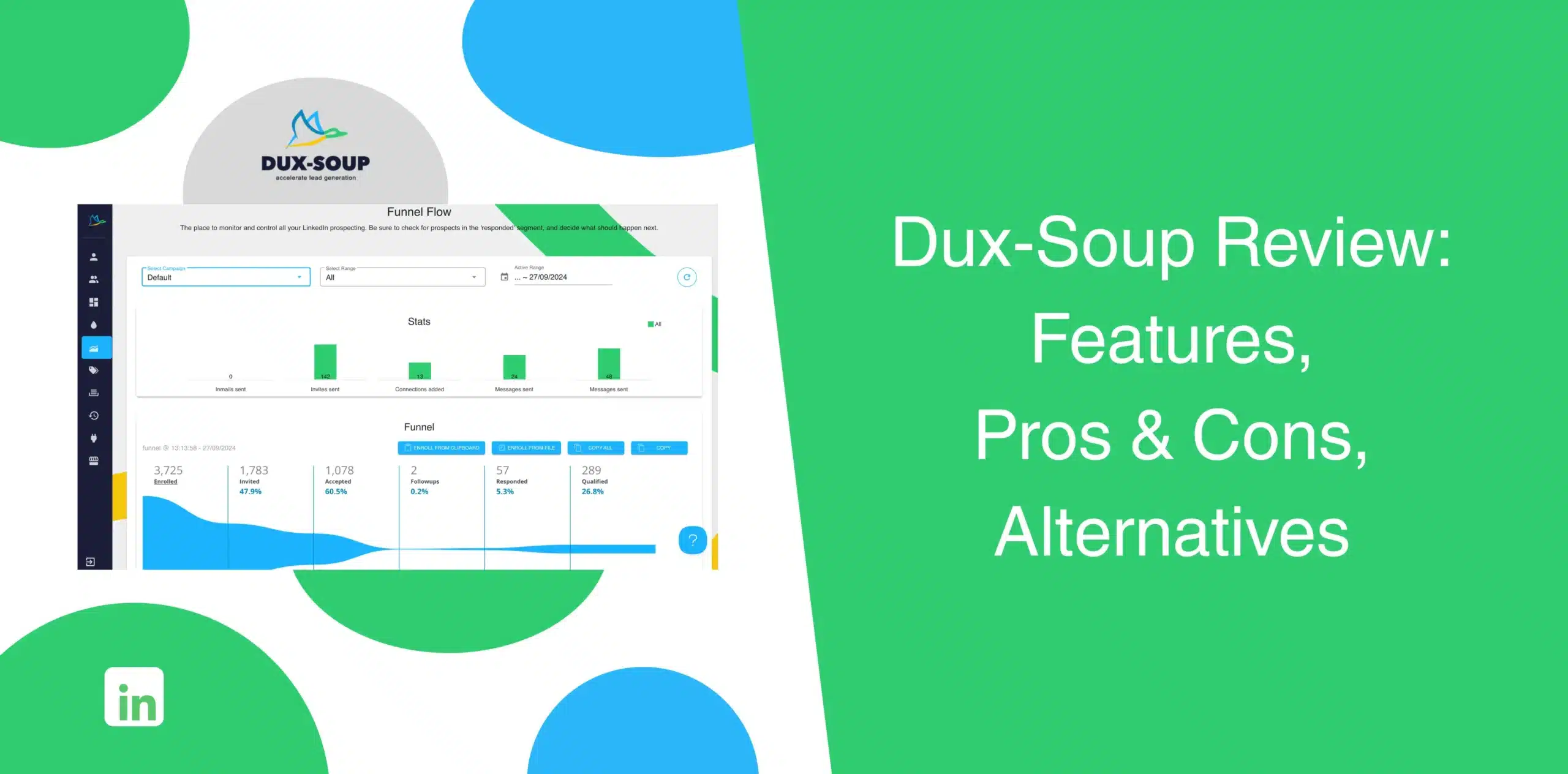
Dux‑Soup is one of the older names in LinkedIn automation. But is it still a solid choice in 2026? When you read through the existing Dux‑Soup reviews, you’ll find a mix of praise and frustration. That’s fair because not all tools age or evolve the same way.
We dug deeper to bring you the most recent and authentic assessment of this LinkedIn automation software. In this Dux‑Soup review, we’ll slice and dice its actual features, pros and cons, pricing, best alternative, and user experiences.
Dux-Soup Overview
Dux-Soup is a browser-based LinkedIn automation tool that streamlines prospecting activities like profile visits, connection requests, and follow-ups. It has been around since 2015, which means the platform has weathered LinkedIn’s frequent policy updates and algorithm changes.
But here’s the thing: lifespan doesn’t automatically mean it’s the right fit for your workflow today. So, let’s take a look at the actual strengths and weaknesses of Dux‑Soup.
Dux-Soup Pros
Dux‑Soup does a few things well:
- The software is easy to install and get started;
- The Chrome extension is good for light or one-off automation, but for complex workflows that should run 24/7, consider subscribing to the Cloud version;
- Dux-Soup connects seamlessly with other CRMs and platforms like HubSpot, Salesforce, Pipedrive, and Zapier;
- The tools give you decent safety control. You can set delays, throttles, and follow‑up logic to mimic human behaviour.
Dux-Soup Cons
Every single time you use Dux-Soup, you also have to live with its downsides:
- Compared to newer tools, the clunky dashboard makes it a bit stale;
- Dux‑Soup wasn’t built for teams, so sharing campaigns and managing multiple accounts is painful;
- The software mimics human actions, but still, many users have reported that their LinkedIn accounts were restricted after aggressive campaigns;
- Limited campaign flexibility makes it harder to fully tailor complex outreach workflows;
- The Pro Dux plan comes with many limitations and a lack of essential features;
- The price may seem good, but there are still many tools out there offering the same features and more at better pricing.
Dux-Soup Reviews
What do Dux-Soup users say about their experience using the tool?
According to Dux-Soup reviews on g2, one user praised Dux-Soup for basic automation, but added that once you try to scale campaigns, it becomes difficult to manage. Another user appreciated its easy integration with many different popular CRMs.
We analyzed feedback from g2, Trustpilot, and Capterra. The overall average score for Dux-Soup is decent at 4.3 out of 5.
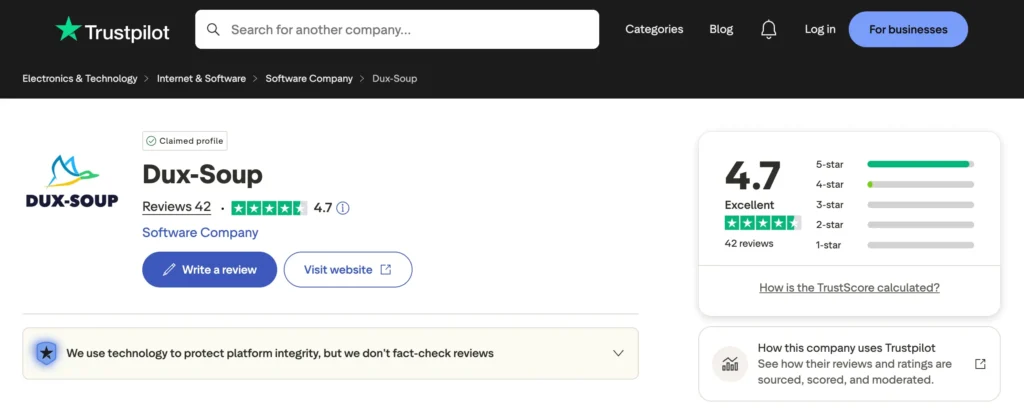
On Trustpilot, a Dux-Soup user said the software was as promised, but it is not as intuitive as it should be. And reviews on Capterra show that users left a positive review about the sequence automation feature.
But the negative reviews are as wide-ranging as the positive ones.
For example, one user complained about the complex and dated UI while also adding that the software slows down based on browser capacity. Another user said they got banned from LinkedIn after using Dux-Soup.
From the reviews we read, it seems that Dux-Soup works… until you need more speed with firmer control, better and modern UI, or safer scaling. And that’s where many users start looking for Dux-Soup alternatives.
Dux-Soup Features
Dux‑Soup bundles its automation under a few main buckets. None of them are revolutionary, but they do cover the basics you’d expect from sales automation software.
Automated LinkedIn Sequences with Built-In Delays
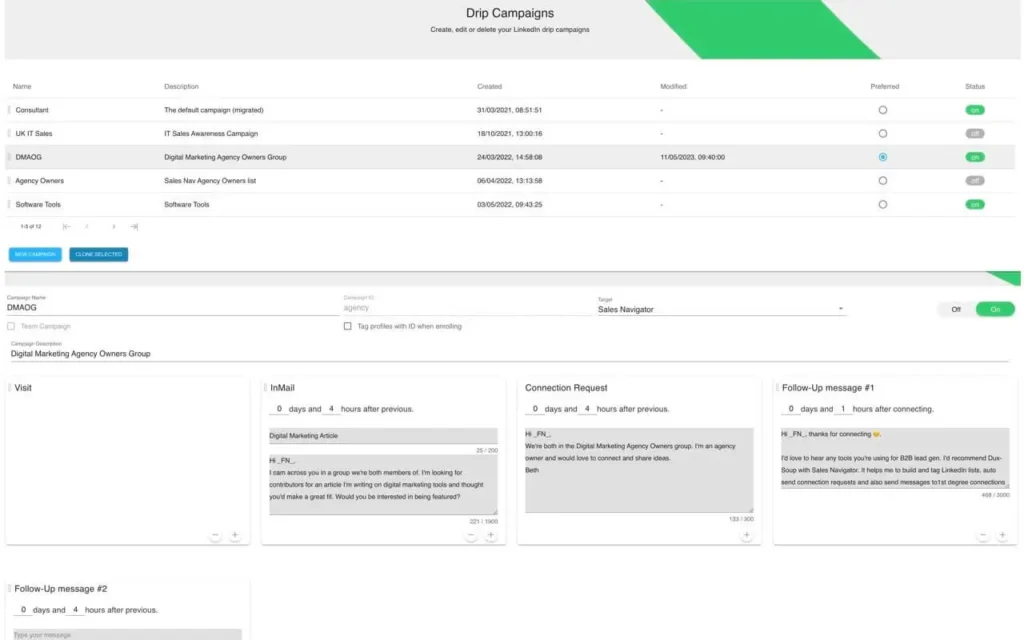
You can create multi‑step sequences with the Dux Soup LinkedIn automation tool.
Example: Visit profile, send a connection request, wait a few days, then send a follow‑up message, and so on.
Custom delays let you set minutes, hours, or days between actions.
This is the core of any LinkedIn automation software, and Dux‑Soup executes it well. However, the challenge is that the sequence builder is not visual. It works, but it appears like setting up a basic workflow rather than building a smart campaign.
Prospect Enrollment and List Control
You can import leads directly from LinkedIn Search, Sales Navigator, or add a CSV list. Dux‑Soup will automatically enroll them into your campaigns and let you apply tags to segment prospects.
You can also apply skip rules to avoid duplicate outreach. Useful, yes. But managing large lists across multiple ICPs? The interface doesn’t scale gracefully. You’ll spend time organizing before automating, as there’s no strong filtering system or advanced segmentation feature.
Monitor Lead Progress at Every Stage
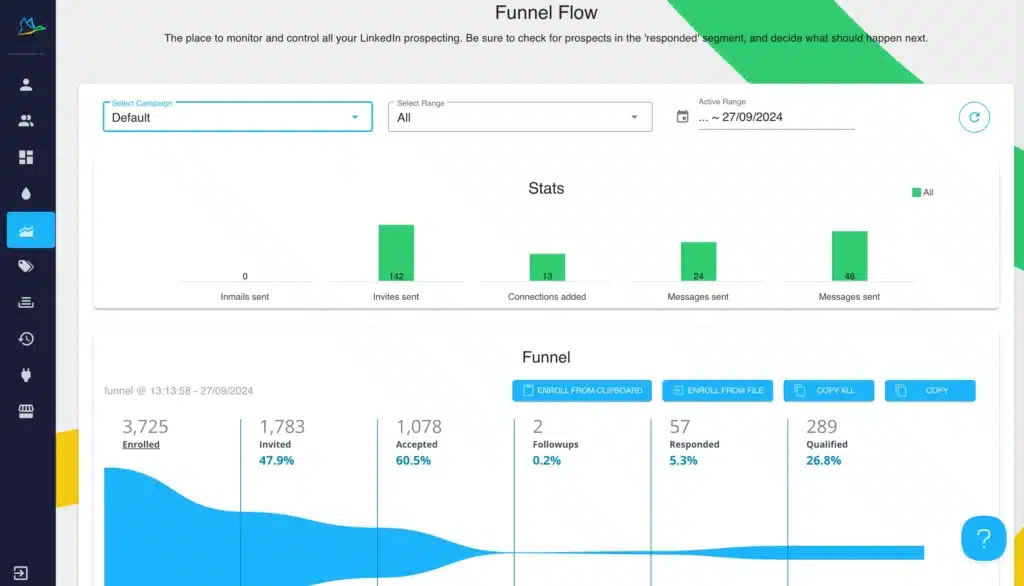
The Funnel Flow view shows where prospects sit in your sequence: enrolled, connected, replied. Activity logs track queued and completed actions. You can see at a glance which message variants perform better. For a tool that’s not a full CRM, the analytics are decent and basic but functional.
For solo users, this feature works. For teams needing shared visibility? You’ll want more robust reporting and role-based access. There’s no deep insight into engagement patterns or conversion tracking.
Run Campaigns Across ICPs, Profiles, and Teams
You can create separate campaigns for different ideal customer profiles (ICPs). The Team plan lets you share campaigns across members to avoid duplicate outreach.
Still, campaign sharing and coordination aren’t as smooth as you’d expect from modern sales automation software. There’s no built-in unified inbox. Each user largely operates in isolation unless they connect Dux-Soup with Microsoft Teams.
Third-Party Integrations
Dux‑Soup integrates with HubSpot, Salesforce, Pipedrive, Zapier, and a few others. You can push leads from LinkedIn directly into your CRM. This saves you from manual data entry.
But integrations often feel like a workaround rather than a native solution.
Some users report sync delays or mapping headaches. If your stack relies on tight integrations, test thoroughly before committing.
Dux-Soup Price & Subscriptions
Dux-Soup offers a few pricing tiers depending on the complexity of your needs. The pricing appears like a ladder of limitations, though. The cheapest plan gives you the extension, but you pay more for cloud, team seats, and advanced features.
Below are the official Dux‑Soup prices we pulled from their site:
| Plan | Monthly Billing | Annual Billing | Best For |
|---|---|---|---|
| Pro Dux | $14.99/month | $11.25/month | Solo users needing basic LinkedIn automation. |
| Turbo Dux | $55/month | $41.25/month | Users wanting drip campaigns + CRM sync. |
| Cloud Dux | $99/month | $74.17/month | Always-on, cloud-based campaigns. |
| Turbo Team | $55/seat/month | $41.25/seat/month | Small teams with shared prospecting. |
| Cloud Team | $99/seat/month | $74.17/seat/month | Teams requiring cloud infrastructure. |
| Cloud Agency | $371 flat per month | $371 flat per month | Agencies managing 5+ client accounts. |
Best Alternative to Dux-Soup
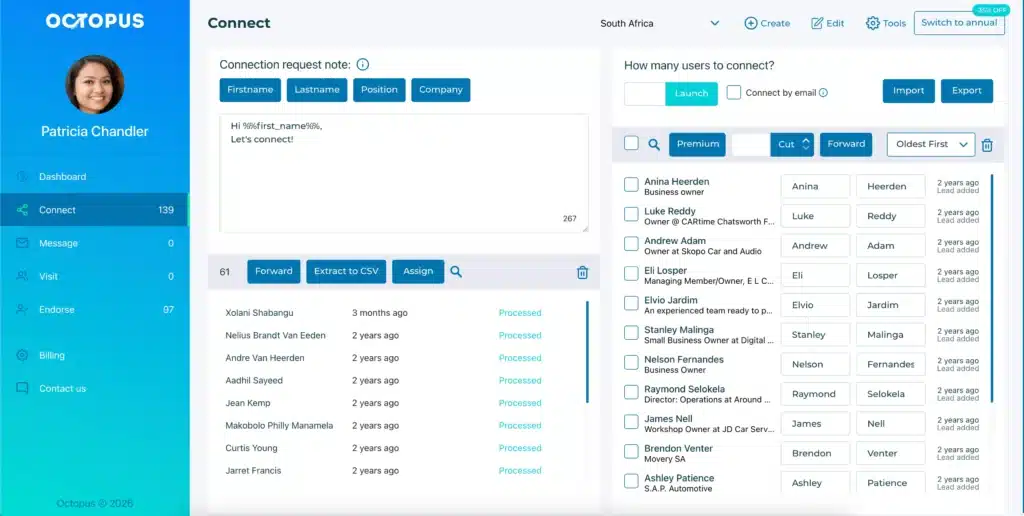
If you’ve made it this far, you’re likely weighing your options. Many users look for a Dux-Soup alternative that offers better scalability, clearer UI, more reasonable pricing, or simpler LinkedIn automation.
The one name that keeps coming up in conversations about value and simplicity is Octopus CRM.
Unlike Dux‑Soup, which forces you into expensive plans just for automating LinkedIn actions, Octopus CRM LinkedIn automation tool gives you most of the essential features at a fraction of the cost. And it is built purely for efficiency and a better user experience.
While Octopus CRM LinkedIn automation Chrome extension works directly from your Chrome browser, the small differences do matter.
- Price advantage – Octopus CRM’s monthly plan starts at $9.99 ($6.99 when billed annually). That’s cheaper than Dux‑Soup’s Pro plan, yet you still get bulk messaging, profile visits, skill endorsements, and campaign funnels;
- Works with any LinkedIn account – You don’t need a Sales Navigator subscription. Dux‑Soup also works with basic accounts, but Octopus CRM is explicit about this and doesn’t hide features behind a paywall;
- Email‑based invites – This feature comes as a saver when you hit LinkedIn’s weekly connection limit. After you reach the 100‑invite weekly limit, Octopus lets you send email invites to keep your campaign moving safely;
- Built‑in campaign funnels – You can structure a multi‑step sequence from first touch to follow‑up. While not as advanced as some cloud tools, it’s enough for most sales teams;
- Zapier and HubSpot integrations – You can push leads to your existing CRM without manual work;
- No steep learning curve – Users consistently say the interface is straightforward and easy to set up;
- Safety – Octopus CRM mimics natural behavior more closely. It helps reduce the chances of triggering LinkedIn restrictions;
- Built-in CRM: Octopus includes simple CRM features to track leads and notes directly inside the extension.