
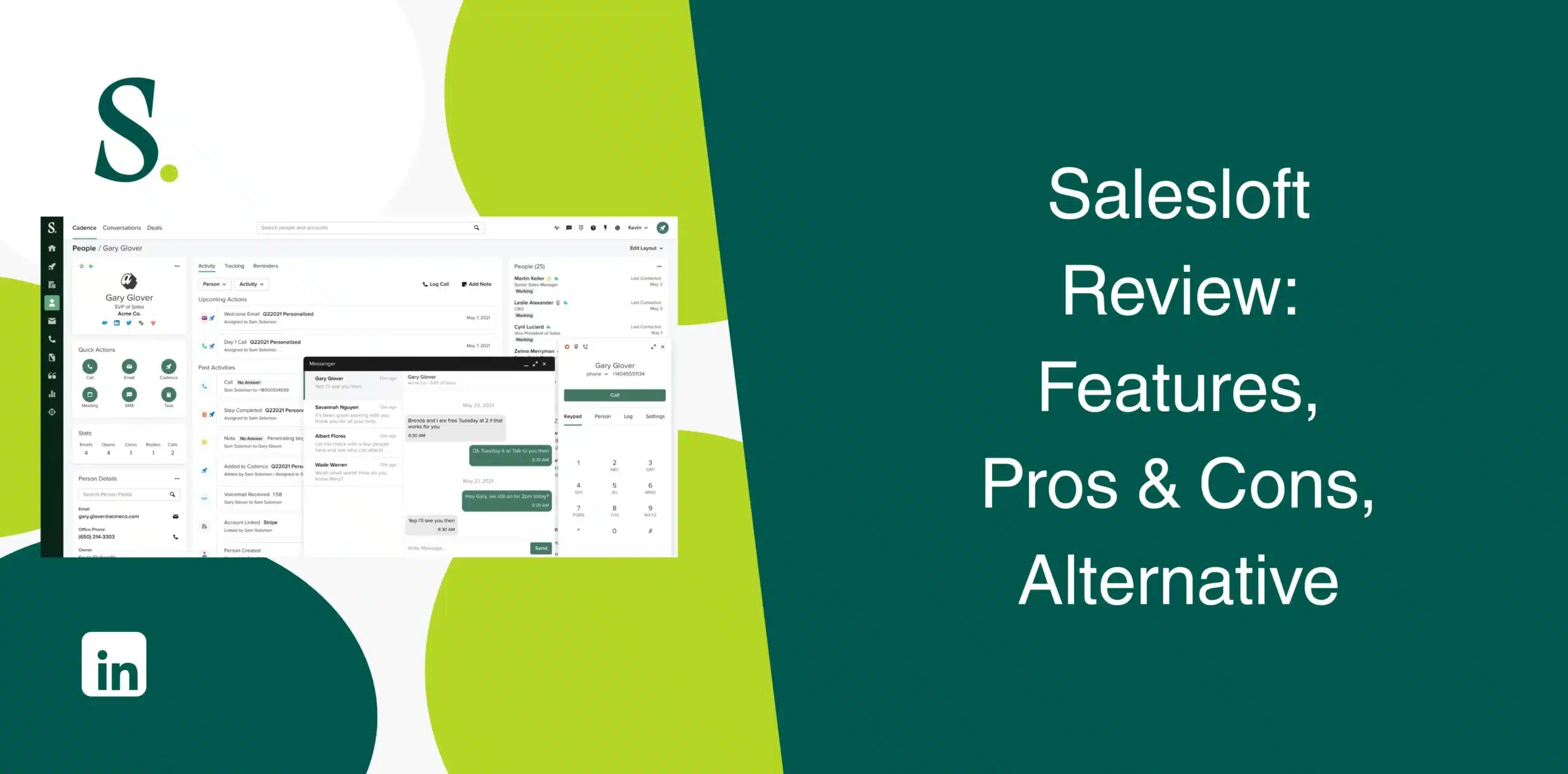
There are many sales engagement tools available in the market, and Salesloft is near the top of every list. Most of the existing Salesloft reviews are either thin on detail or a bit too enthusiastic, making it hard to separate marketing claims from real user experience.
We bring you this honest Salesloft review to help you make the right decision, covering its features, pros and cons, pricing, and best alternative.
Salesloft Overview
Salesloft is a revenue orchestration platform built for B2B sales teams. It combines sales engagement, conversation intelligence, deal management, and forecasting in one software.
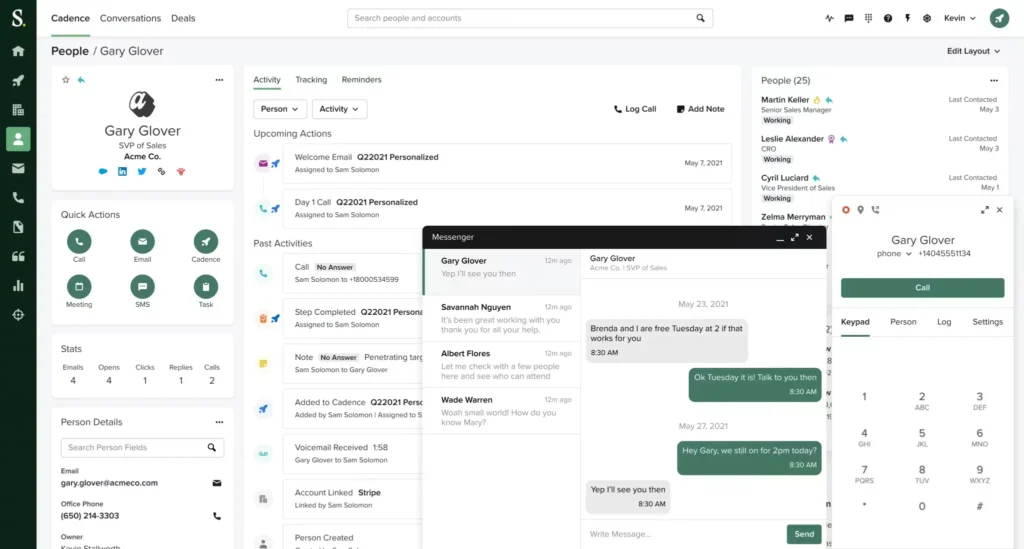
If your organization runs structured outbound campaigns, manages multiple sales representatives, and needs visibility into every stage of the pipeline, Salesloft offers a broad collection of tools to support those workflows.
However, its feature-rich approach also creates a learning curve. And smaller teams may find themselves paying for capabilities they rarely use.
Salesloft Pros
- The cadence builder allows to set up complex, behavior-based multi-step sequences mixing emails, calls, LinkedIn tasks, and manual touchpoints;
- Excellent forecasting and pipeline visibility;
- The conversation intelligence feature records, transcribes, and analyzes calls automatically;
- Activity data syncs bidirectionally and in real time, keeping your CRM records accurate;
- Automates repetitive outreach tasks, saving reps hours of manual work every week;
- AI agents are sprinkled throughout the platform. Examples: Buyer Identification Agent, Deal Summary AI Agent, and AI Forecast Agent.
Salesloft Cons
- No built-in contact database means you’ll need separate data provider subscriptions;
- LinkedIn automation isn’t a core capability;
- The platform is feature-rich, but that richness comes with complexity;
- The dialer is a paid add-on, not a native feature;
- Pricing remains opaque. Salesloft doesn’t publish pricing on its website;
- Contract terms are a recurring sore point in user reviews;
- There are occasional performance issues, such as integration glitches, slow email processing, and stability problems at scale.
Salesloft Reviews
Salesloft reviews on g2 come with a score of 4.5/5 from 4286+ users.
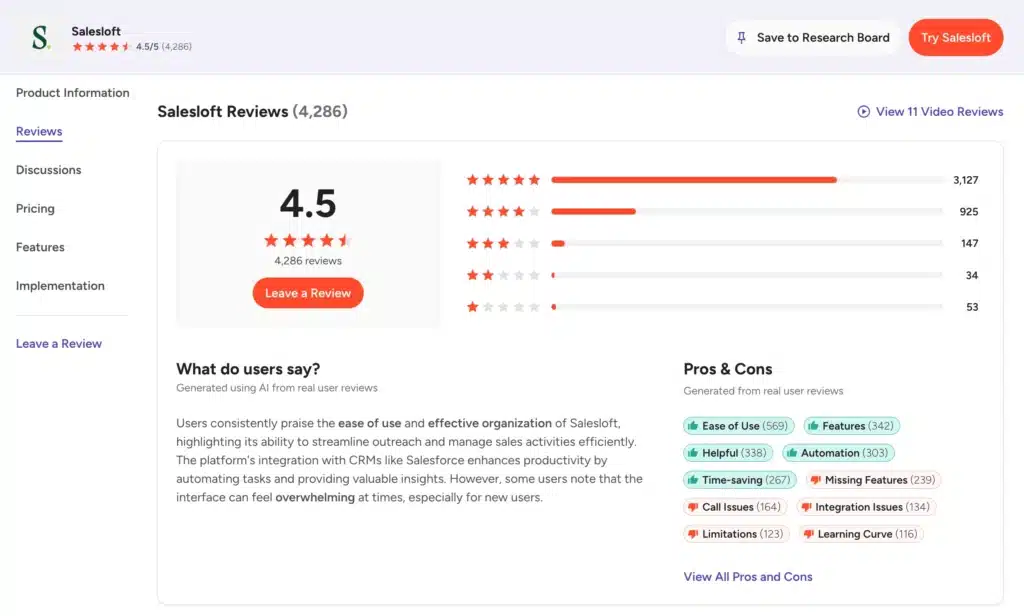
The platform consistently earns praise for its cadence functionality, Salesforce sync accuracy, and rep-level usability. On the downside, reviewers mention the dialer situation and occasional reporting inaccuracies.
Salesloft has a rating of 4.3/5 on Capterra based on 230+ reviews.
Users appreciate the cadence builder, the email tracking capabilities, and the CRM integrations. Complaints center on the learning curve for advanced features and occasional platform issues when handling large data volumes.
On Trustpilot, Salesloft sits at a 2.2 out of 5 rating with around 19 reviews.
The low score mostly stems from contract disputes, billing frustrations, and difficulties canceling subscriptions.
Salesloft Features
Salesloft packs a lot of capabilities into one platform. We’ll cover the core features.
Cadence Automation
Cadence is the engine that drives multi-channel sales sequences. You can build workflows that combine emails, calls, LinkedIn tasks, and other touchpoints. The system adapts based on prospect behavior, meaning if someone engages, the cadence adjusts accordingly.
Sales managers can build high-performing cadences and share them across the team. For SDR teams running high volume, the time savings are real and consistent across reviews.
You can also use the A/B testing feature to evaluate messaging effectiveness and even track all responses, clicks, and views automatically. Plus, the Chrome extension and mobile apps keep you connected from anywhere.
Record, Transcribe, & Analyze Conversations With AI Agents
Salesloft automatically records sales calls, generates transcripts, and uses AI to identify key discussion points, objections, action items, and customer sentiment.
Instead of spending hours reviewing recordings, managers can quickly jump to important moments within conversations. AI-generated summaries also make it easier for account executives to prepare for follow-up meetings without replaying entire calls.
The platform identifies coaching opportunities as well, helping sales leaders identify patterns across successful and unsuccessful conversations.
AI Sales Opportunity Management
Salesloft has a feature that tracks deal progress in your pipeline with precision. It highlights risks and recommends next actions to speed up the sales cycle.
Predictive analytics show which deals will likely close based on historical data. AI flags deals that are at risk and suggests actions to get them back on track. That means you prioritize your time based on hard data, not gut feelings.
Revenue Forecasting
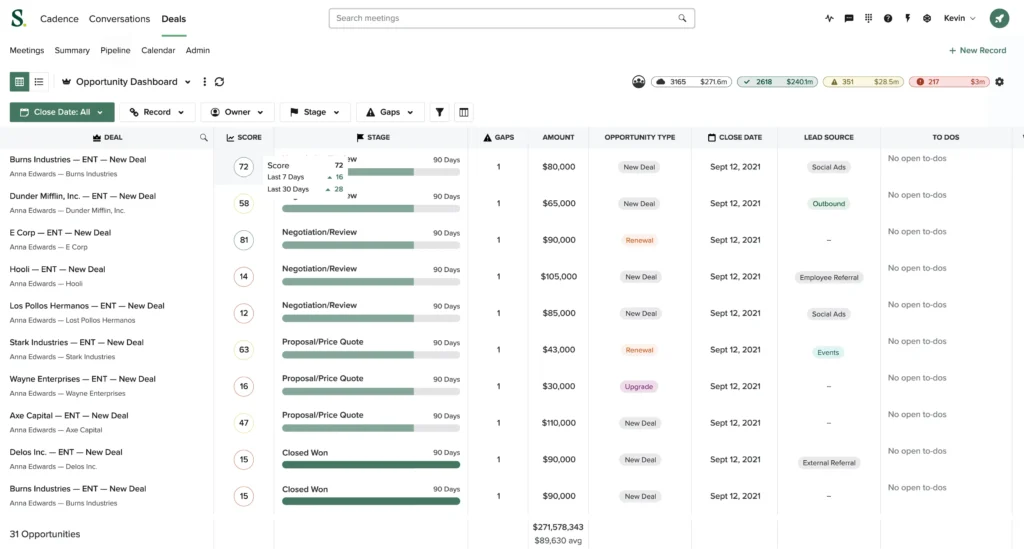
The forecast feature moves revenue prediction beyond spreadsheets, combining real-time deal data, AI analysis, and human input to build forecasts that you can actually defend in a board meeting.
Salesloft combines CRM data with sales activity to generate more informed revenue forecasts.
Roll-up forecasts give managers visibility across their team. They can review pipeline coverage, projected revenue, deal confidence, and quota attainment from centralized dashboards. Plus, users can compare AI forecasts with rep forecasts to make adjustments. Weekly trend charts show how your forecast changes over time.
AI Workflow Intelligence
Salesloft’s AI workflow intelligence, known as Rhythm, helps sales representatives prioritize their daily work. It takes the signals coming in from across the platform, such as email opens, deal activity, website visits, third-party intent data, and turns them into a ranked list of actions for each seller.
Rather than manually deciding which accounts deserve attention, the AI workflow intelligence recommends the next best action based on buyer behavior, engagement signals, and deal progression. This way, representatives get to spend more time speaking with qualified prospects instead of organizing task lists.
AI Chat Agents
Salesloft has AI chat agents trained to interact with website visitors. These agents qualify leads, answer common questions, and book meetings automatically without requiring a live rep to be available.
Sales representatives can also ask the AI agents questions about accounts, deals, conversations, or customer interactions without manually searching through multiple dashboards. The AI then delivers relevant information within the workflow.
Analytics and Reporting
Salesloft Analytics brings reporting together across the full buyer lifecycle.
You get dashboards covering email performance, call connection rates, cadence effectiveness, deal velocity, rep productivity, and pipeline health.
The Analytics Interpreter Agent spots risks and opportunities while the Command Center gives revenue leaders an executive-level view. Then there is the Stalled Deals AI Agent that highlights deals stuck in a stage for too long. Not to mention Performance analytics that provide full visibility into seller productivity.
Integrations
Popular integrations include Salesforce, Microsoft Dynamics 365, HubSpot, Google Workspace, Microsoft Outlook, Zoom, Slack, Gong, LinkedIn Sales Navigator, and numerous additional applications through its integration ecosystem.
These integrations reduce manual data entry while helping sales teams maintain a connected technology stack.
Salesloft Price & Subscription Plans
Check the estimated Salesloft pricing table below, as the platform does not publish pricing on its website.
| Plan | Estimated Monthly Price/User | Billed |
|---|---|---|
| Advanced | $75 to $100 | Annually |
| Elite | $125 to $165 | Annually |
The lack of transparency in pricing is common for enterprise platforms, but frustrating if you’re trying to make a quick budget assessment. To get actual numbers, you’ll need to book a demo and go through their sales process.
Best Alternative to Salesloft
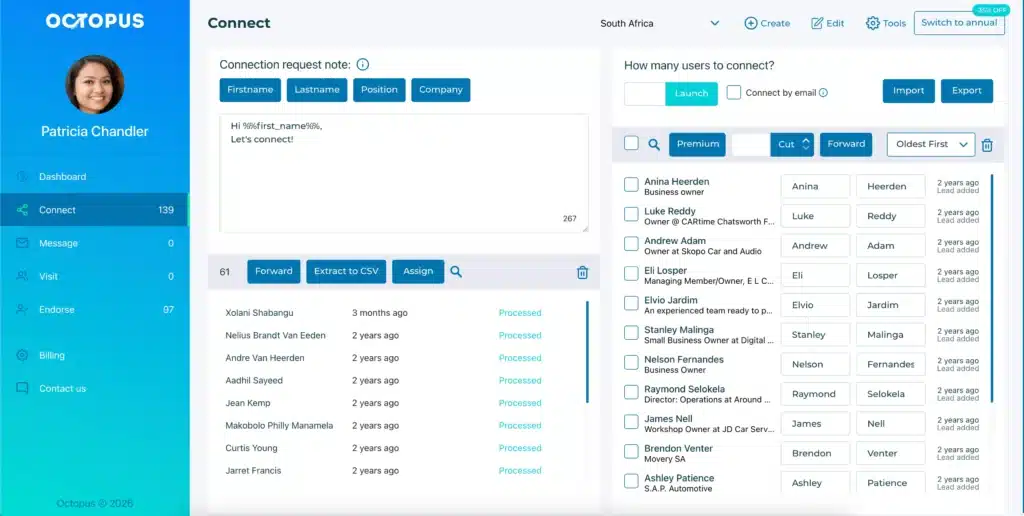
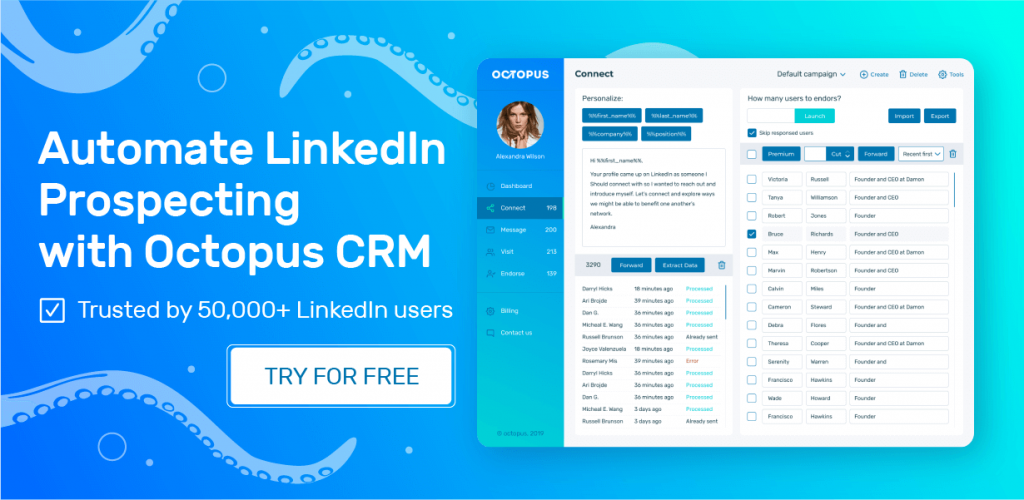
Salesloft is a capable platform for large, well-resourced sales teams. But for individual users and small teams looking for a specialized LinkedIn outreach and automation platform, Octopus CRM is the best Salesloft alternative.
Octopus CRM LinkedIn automation tool built for sales teams who want to scale their outreach on the world’s largest professional network. It allows to automate many of the repetitive LinkedIn tasks that consume valuable selling time, such as connection requests, profile visits, skill endorsements, and follow-ups.
The Octopus CRM LinkedIn automation Chrome extension enables you to:
- Send automated, personalized connection requests to scale your network;
- Message hundreds of first-level connections in bulk to save time;
- Automatically endorse up to seven skills on your contacts’ profiles to build rapport;
- Visit hundreds of profiles automatically to trigger notifications and interest;
- Connect via email to safely bypass LinkedIn’s weekly invite limits;
- Import and export profile lists for highly targeted, specific campaigns;
- Track activity limits to prevent excessive actions and protect your account from bans.
Being a browser extension, you can install and run Octopus CRM in minutes without providing your LinkedIn credentials. This keeps you in full control of your account and avoids the security risks that come with tools that require login access.
Pricing is transparent. Octopus CRM plans start at $6.99/month billed annually for the Starter plan.