
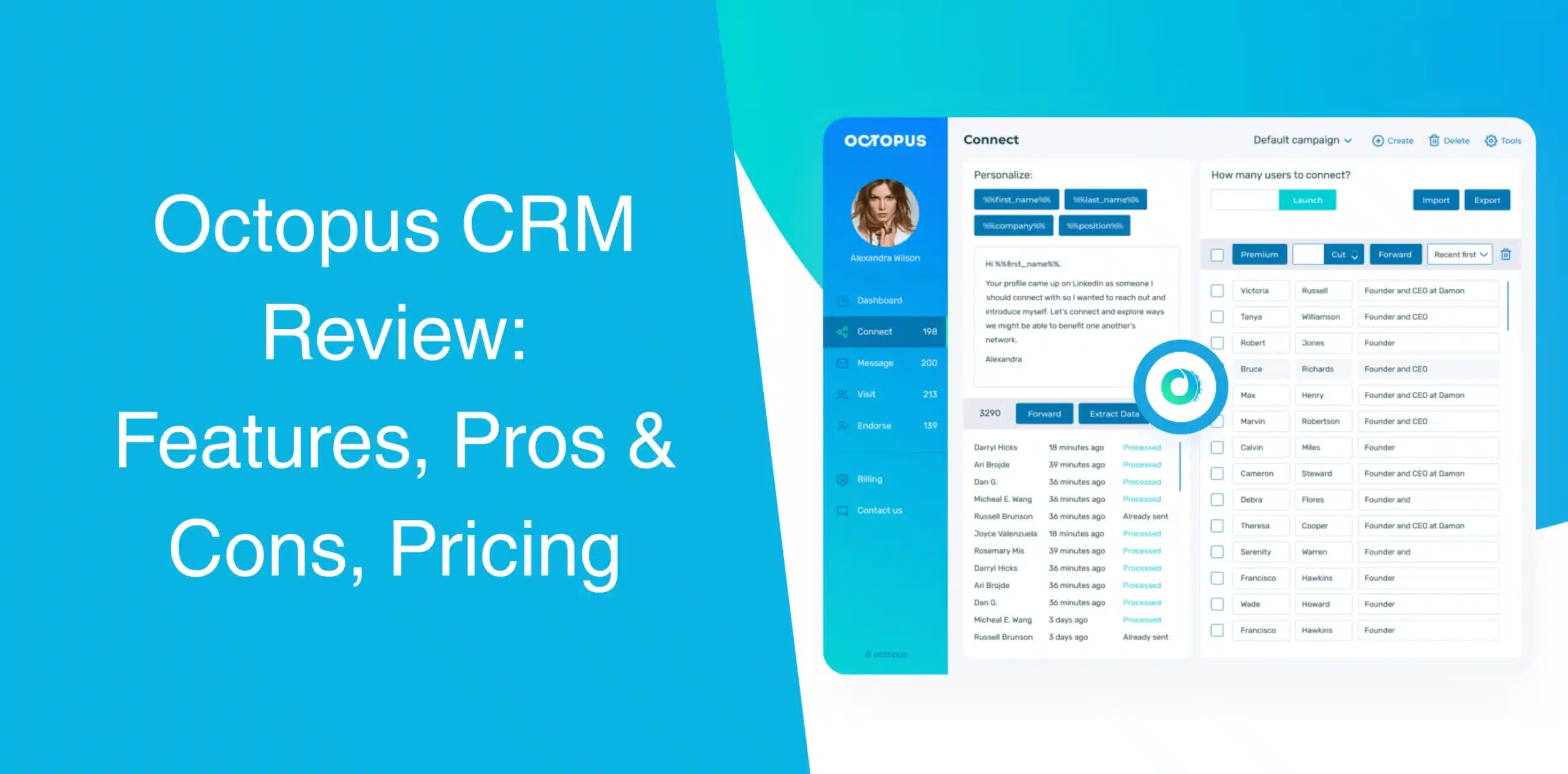
If you’ve been searching for LinkedIn automation tools lately, chances are you’ve come across Octopus CRM more than once. And you might wonder whether it solves your team’s problems or helps grow your business? Or is it just another browser-based tool that overpromises?
Sure, not all automation software for LinkedIn is created equal, but some tools are better than others. When we look at the already available Octopus CRM reviews, the tool appears to be delivering promising outcomes for different user segments.
In this Octopus CRM review, we’ll put this Chrome browser extension for LinkedIn automation under the microscope.
Octopus CRM Overview
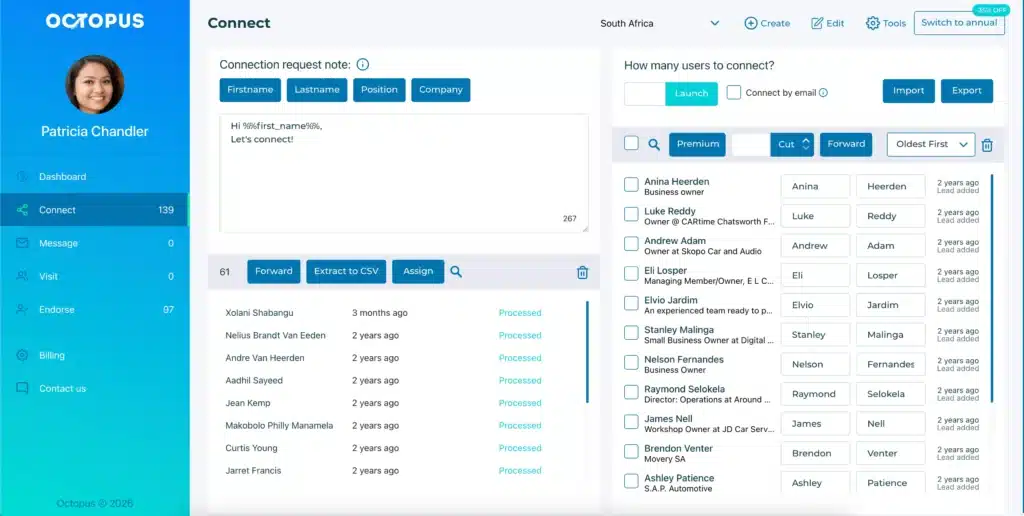
Octopus CRM is an affordable yet feature-rich LinkedIn automation tool built specifically for streamlining prospecting on LinkedIn. You can use it to create a structured, end-to-end LinkedIn lead generation process that runs on autopilot.
Unlike many other solutions, Octopus CRM for LinkedIn automation is not cloud-based. It is available as a LinkedIn automation Chrome extension.
You can use Octopus CRM to automate many repetitive and tedious LinkedIn activities, including profile visits, skill endorsements, connection requests, and follow-ups, directly from your browser.
Octopus has 50,000+ users globally, and one of the main reasons for such a vast user base is the simplicity and user-friendliness of the tool. That’s its core strength.
You don’t need a specific type of LinkedIn premium subscription to run Octopus CRM because it works seamlessly with all sorts of accounts, including basic, premium, Sales Navigator, and Recruiter. Plus, it connects with platforms like HubSpot and Zapier, allowing you to streamline your workflows and keep everything running smoothly across tools.
Also, this automation software has built-in safeguards that track your activity and limit overuse, helping you stay within LinkedIn’s safe usage limits and avoid unnecessary attention.
Check Octopus CRM tutorial to explore all available LinkedIn automation features like, LinkedIn auto connect, auto endorse, invite automatization, prospecting and more.
Octopus CRM Pros
- Plans start at $9.99 per month or $6.99 per month with annual payment. That’s hands-down one of the lowest entry points for LinkedIn automation today;
- Easy to set up and use (no steep learning curve), so you can get your campaigns up and running without spending hours figuring things out;
- Even if you’ve a basic/free LinkedIn account, you can use Octopus CRM. No need to subscribe to Sales Navigator;
- Covers core automation actions (visit, connect, endorse, message), giving you everything you need to manage consistent LinkedIn outreach from one place;
- When you hit LinkedIn’s weekly limit of 100 invites, Octopus CRM allows email-based invites to keep going safely;
- Built-in funnel-style campaign sequences guide prospects through a structured outreach flow from first touch to follow-up;
- Octopus monitors your actions and warns you if you’re pushing too hard. This is vital for keeping your account safe;
- Push LinkedIn data into your existing CRM stack without manual entry; Octopus CRM integrates with Zapier and HubSpot.
Octopus CRM Cons
- Unlike cloud-based platforms, automation stops the moment you close your browser since Octopus CRM is a Chrome extension;
- Limited sequence capabilities, meaning you can’t build multi-step conditional logic. In the footsteps of more advanced tools, this one falls short on complex automation;
- Everything happens inside the Chrome extension. There’s no separate web app to manage campaigns remotely;
- Octopus is built solely for LinkedIn, so if you need a combined (email and LinkedIn) outreach, you’ll require an additional tool.
Octopus CRM Core Features Highlight
Octopus CRM focuses on doing a few things well rather than trying to be everything to everyone. That’s fair, let’s check.
LinkedIn Outreach Automation
Octopus CRM automates four core actions: sending personalized connection requests, messaging first-degree connections in bulk, automatically visiting profiles, and endorsing up to seven skills per contact.
You can use dynamic placeholders to send invitation requests and messages, such as first name, last name, job title, and company, to personalize your messages at scale.
Octopus CRM mimics human behavior with smart delays between actions, which helps reduce the risk of LinkedIn flagging your account as a bot.
The automation isn’t fully autonomous. You need to manually add profiles to your CRM from LinkedIn search results.
LinkedIn Campaign Sequence Builder
Octopus CRM lets you build simple marketing funnels directly within the browser extension, instead of sending one-off random connection requests or messages. The drag-and-drop interface lets you easily add or remove steps.
That means you can create a sequence that looks like this: Visit profile → Send customized connection request → Wait → Endorse Skills (after invite is accepted) → Send message → Follow up
Just set up the steps and let Octopus CRM handle everything automatically.
Performance Insights
The Octopus CRM dashboard provides the following key metrics and stats so you can see how your campaigns are performing and adjust on the fly.
- Profile views;
- Search appearances;
- Connection acceptance rates;
- Messages sent;
- Social Selling Index (SSI).
Tracking these metrics helps you adjust your outreach. That’s practical.
Email-Based Connection Request
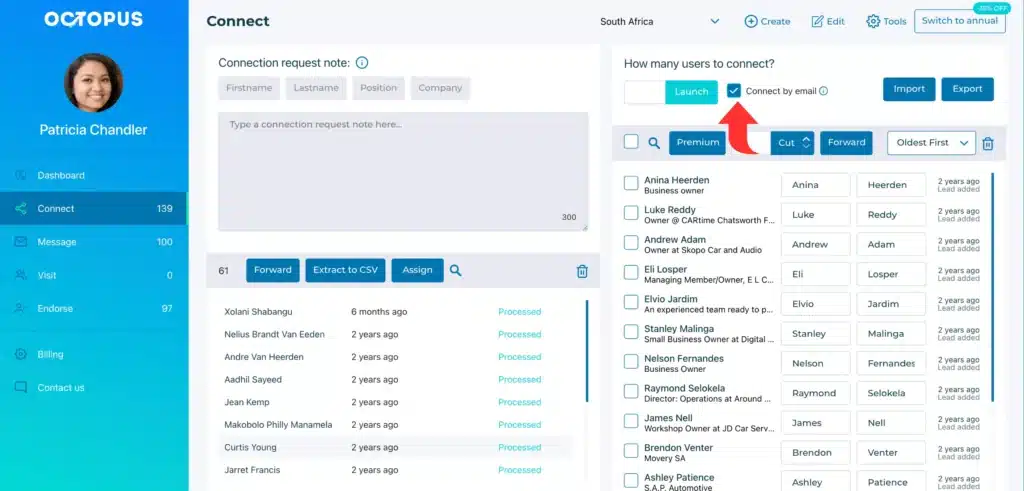
This feature deserves individual attention. Since LinkedIn imposes its weekly limit of roughly 100 connection requests, Octopus CRM lets you switch to sending invites via email. You can increase your outreach without running into LinkedIn’s limits. That comes in handy if you already have a list of leads.
Using this feature is simple: Enter a prospect’s email address or upload a list, and let Octopus send connection requests through LinkedIn’s “Connect by email” pathway.
Import and Export Functions
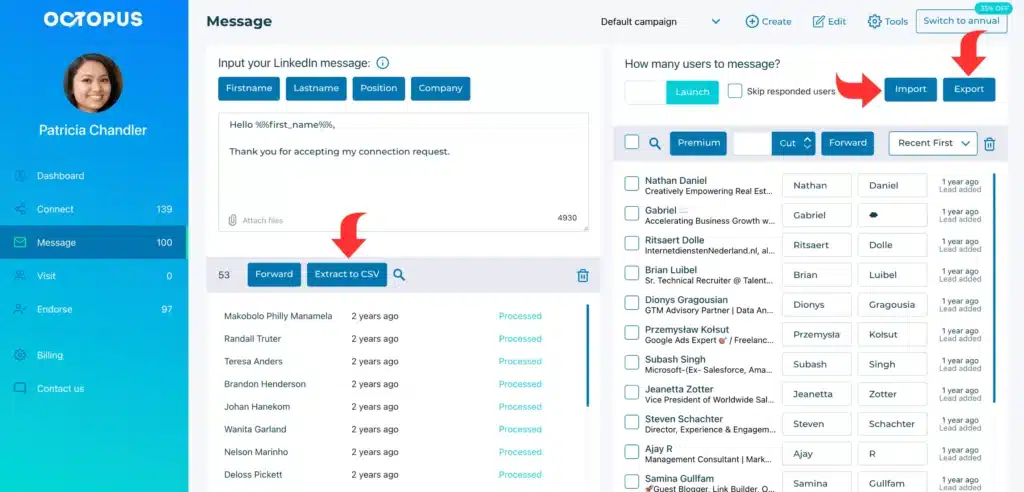
Octopus CRM enables smooth import and export of all your lead data. Export your leads as CSV files and import pre-built profile lists into campaigns. That means you’re not stuck working inside LinkedIn alone.
You can move data into Google Sheets, a CRM, or another campaign. Simple and effective, no complex mapping.
This feature is particularly useful if you’ve already compiled prospect lists from other sources like LinkedIn Sales Navigator exports or third-party lead databases.
Integration with Marketing Tools
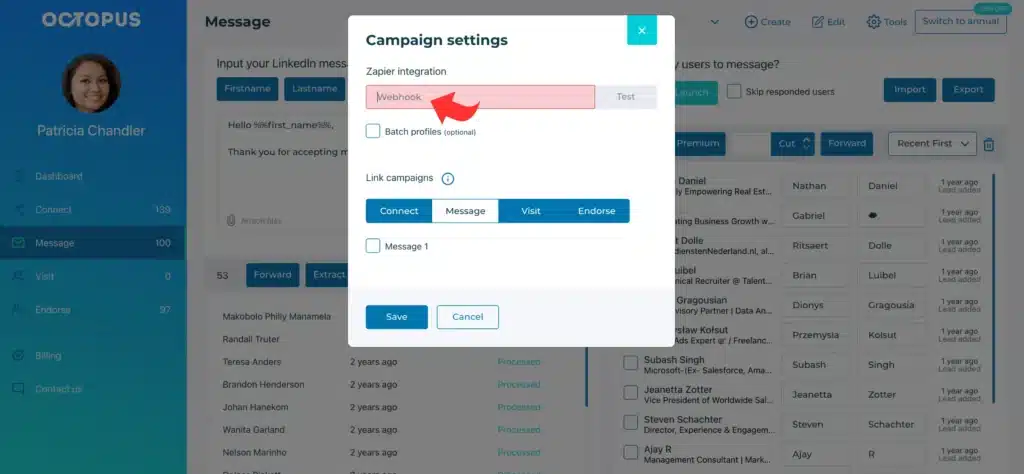
Octopus CRM connects and works seamlessly with other apps, including Zapier, HubSpot, and Google Docs. Through Zapier, you can push LinkedIn actions to hundreds of other apps, such as Google Sheets, Salesforce, Pipedrive, Asana, and more.
While this opens up automation workflows, it requires setup. But for sales teams already using a CRM, this integration saves hours of manual data entry.
Octopus CRM Pricing and Subscription Plans
Pay attention to the Octopus CRM pricing, because this is where it stands out. Compared to other tools, Octopus is way cheaper. Currently, there are Octopus CRM subscription plans or pricing tiers, namely Starter, Pro, Advanced, and Unlimited.
You can choose a monthly or annual billing for any plan you select. When you choose yearly billing, you get a 35% discount. So, the Starter plan will cost you only $6.99, Pro plan will cost only $9.99, Advanced – $14.99 and very cheap price for the Unlimited subscription plan – $24.99.
Businesses that manage 20+ client accounts should contact the Octopus sales team to learn about exclusive pricing.
| Plan | Billed Monthly | Billed Annually -35% |
|---|---|---|
| Starter | $9.99 | $83.88 |
| Pro | $14.99 | $119.88 |
| Advanced | $21.99 | $179.88 |
| Unlimited | $39.99 | $299.88 |
All plans include a non-obligation 7-day Octopus CRM LinkedIn free trial, no card required, unsubscribe anytime.
Is Octopus CRM the Right Fit for Your Business?
You probably have a rough idea about how to use Octopus CRM with LinkedIn and who uses Octopus CRM? But is it the right option for your enterprise or needs? Octopus CRM fits some situations well. Others? Not so much.
Who Can Benefit from Octopus CRM?
If you want to run solo campaigns and need simple automation (without complex workflows or using multiple accounts), Octopus CRM is the way to go.
It is an affordable LinkedIn automation tool for freelancers, recruiters, sales teams, marketing agencies, or SMEs who want LinkedIn automation without breaking the bank. At $9.99 to start, the barrier to entry is low.
It is also an excellent choice for beginners to LinkedIn automation. The learning curve is shallow. You install the Chrome extension, log in to LinkedIn, and start sending invites within minutes. No complex settings here.
And if you already use HubSpot, Salesforce, or another CRM and just need to pipe LinkedIn leads into it, Octopus CRM’s Zapier integration handles that nicely. It’s also suitable for users who prefer a Chrome extension over a cloud platform.
Check Octopus CRM reviews on g2 and reviews on Capterra to find out what users like and dislike. Have you become a user? Then leave a feedback as well.
Who Octopus CRM Isn’t Ideal For
Octopus CRM might not be the right choice for big agencies or any large business managing over 50+ LinkedIn accounts. The tool lacks team management features and a cloud dashboard. Each account requires its own Chrome extension setup.
Also, if you want multi-step conditional logic, A/B testing, or complex automation rules, look elsewhere. Octopus CRM doesn’t have those capabilities.
Since Octopus runs only when Chrome is open, it won’t work for “set and forget” overnight campaigns. If you need automation that runs 24/7, look for a cloud-based software.