
Crafting the perfect ChatGPT prompt is important for anyone who uses the large language model, especially for business or professional purposes. ChatGPT prompt engineering skill is in high demand because most organizations now require their workforce to use artificial intelligence to increase productivity.
Knowing how to write a prompt for ChatGPT can help you guide the AI model to generate your desired output. For example, as a B2B sales professional, you can prompt ChatGPT for LinkedIn messages creation or analyze industry trends.
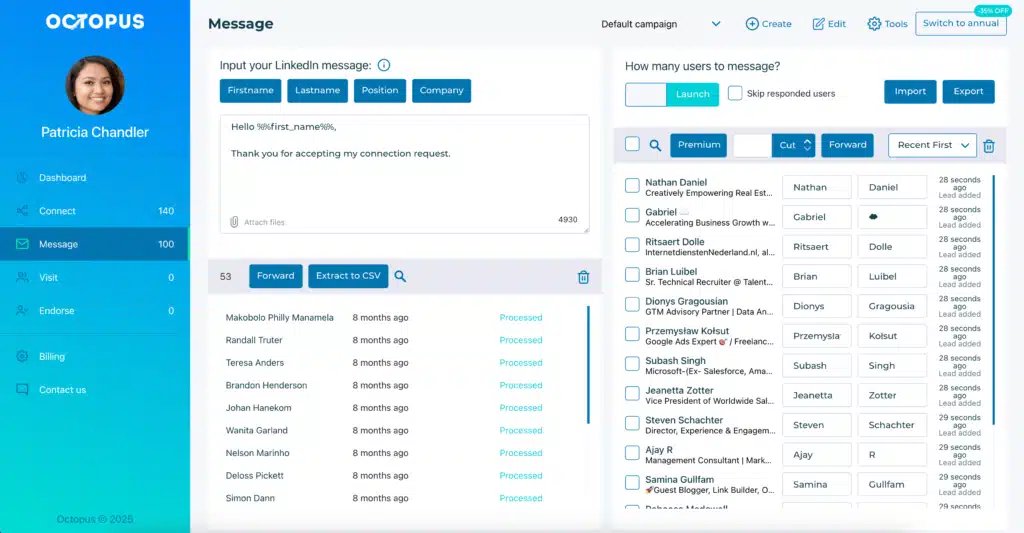
With Octopus CRM LinkedIn automation tool you can send personalized messages crafted with ChatGPT to your LinkedIn network.
Octopus CRM is simple and quality software to automate your outreach campaigns on LinkedIn. Try a free trial now!
Generic prompts produce vague responses. To get the best output, you need to write a good prompt for ChatGPT. We’ll guide you on how to best prompt ChatGPT and get purpose-driven results.
Generic prompts produce vague responses. To get the best output, you need to write a good prompt for ChatGPT. We’ll guide you on how to best prompt ChatGPT and get purpose-driven results.
What Is Prompt?
AI tools require a prompt to generate an output. A prompt is an instruction, a question, or a statement you give to ChatGPT to interact with the AI model, generate a response, or perform a task. It sets the context, defines the task, and guides the tone and format of the output.
Prompts can be as simple as “Write a thank-you email to my colleague” or as detailed as “Draft a 150-word LinkedIn post in a conversational tone about remote work challenges, targeting mid-level marketing managers, with a call to action to download our free productivity checklist.”
The quality of your prompt often determines the standard of the response. Clear, specific prompts guide ChatGPT into providing more accurate and useful results. As such, knowing how to write prompts for ChatGPT involves providing clarity, context, and constraints.
What Is Prompt Engineering?
Prompt engineer ChatGPT is one of the most in-demand roles in the corporate world right now. Prompt engineering is the skill of creating, refining, and optimizing instructions for ChatGPT to get the most accurate, high-quality, and relevant outputs or responses from the AI model.
Many people wrongly assume that prompt engineering for ChatGPT involves coding. The truth is that it is the skill of effectively communicating and interacting with generative AI models. A prompt engineer communicates with ChatGPT using role assignment, examples, tone guidance, and structural constraints to get the desired output.
A prompt engineer knows how to write a ChatGPT prompt that fully unlocks the potential of the AI model, which is trained on massive amounts of data. Without clear direction, ChatGPT may produce answers that are too broad, too technical, or misaligned with the user’s intent.
Prompt engineers experiment with structure, phrasing, and context to transform raw AI capability into actionable insights, creative ideas, or even complex problem-solving. Prompt engineering connects human intention with machine intelligence to achieve clear, accurate, and meaningful outcomes from AI systems.
No matter if you’re using ChatGPT for LinkedIn, internal documentation, or client proposals, prompt engineering improves AI output so they’re more authentic and purposeful.
How to Write a Prompt for ChatGPT?
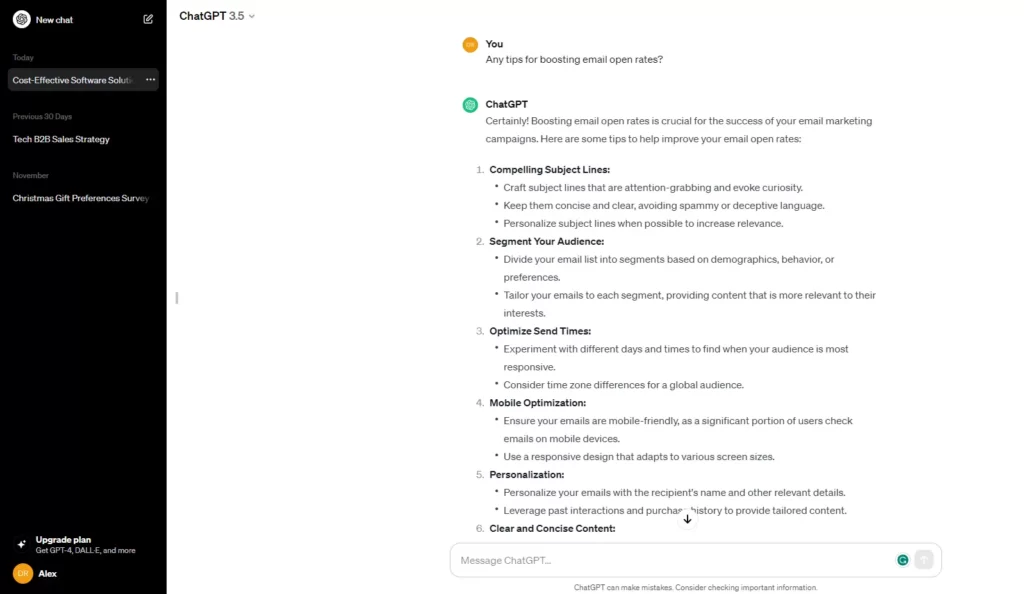
Write a good prompt for ChatGPT to get the best output. Start with a clear objective, define your audience, specify tone and format, assign a role, and include examples if possible.
- Be Clear and Specific – Precise requests generate better answers from ChatGPT. Instead of writing “Tell me about marketing,” try “Explain three digital marketing strategies small businesses can use to increase sales in 2025”;
- Assign a Role and Define the Task – Give ChatGPT a perspective and purpose. For example: “Act as a B2B sales expert with extensive experience and write a 700-word blog post on how to engage B2B decision makers”;
- Provide Context – Share background information so the response matches your needs. For example: “The target audience is B2B sales professionals looking to improve their outreach and relationship-building skills”;
- Set the Format and Include Constraints – Tell ChatGPT how to deliver the response. For instance: “Use bullet points, keep sentences under 25 words, and write short paragraphs”;
- Use Step-by-Step Instructions – ChatGPT performs best when instructions are clear and sequential. For example, instead of “Help me write a business plan,” try “First, create an outline for a business plan for a coffee shop. Then, expand on the marketing section with specific examples”;
- Define the Style and Tone – Tell ChatGPT how the response should sound. Do you want it to be formal, casual, persuasive, or playful? Example: “Write in a professional but conversational tone, using simple language that avoids jargon”.
Prompt writing is an interactive process. If the first response isn’t perfect, adjust your wording, add detail, or try a new approach until you get the result you want.
How to Prompt ChatGPT to Write Like a Human?
How to prompt ChatGPT to write like a human is a common question. A good example of making ChatGPT sound human prompt is to tell it to use natural language, inject personality cues, add emotions, avoid robotic phrasing, and request imperfections like contractions or colloquialisms.
ChatGPT often produces robotic text. It often lacks emotions, personal touch, natural transitions, and conversational tone. Simply telling ChatGPT to write like a human is not enough. Instead, you must give it rules about tone, rhythm, and variation.
- Ask for Varied Sentence Structure – Humans don’t write in uniform rhythms. Some sentences are short and others are longer. Ask ChatGPT to write a mix of short, medium, and long sentences so it flows naturally;
- Specify a Conversational Tone – Tell ChatGPT to sound like it’s talking to a person. Prompt example: “Write in a conversational tone, using words like ‘you’ and ‘we,’ as if you’re explaining something to a colleague”;
- Add Emotion and Empathy – Human writing often shows understanding of feelings or struggles. Prompt example: “Acknowledge the reader’s challenges and write with empathy, as if you’ve been in their shoes”;
- Encourage Natural Transitions – Smooth flow prevents the content from sounding robotic. Prompt example: “Use natural transition words like ‘but,’ ‘so,’ and ‘for example’ to keep the writing easy to follow”.
Here’s an example of a prompt to guide ChatGPT to write like a human:
“Write a short email to a client following up on a demo. It sounds warm, slightly informal, and uses contractions like ‘you’re’ and ‘we’ve.’ Include one light personal remark (e.g., about the weather or a recent event) to build rapport.”
Give ChatGPT a few samples of your own writing and ask it to mimic the style. This helps the AI pick up on your unique voice, whether it’s formal, casual, or conversational.

How to Write a Good Prompt for ChatGPT?
To write a good prompt for ChatGPT, provide details, be specific, assign a role, and set constraints. A good prompt engineer ChatGPT also has a mindset of iterative improvement.
Here are the best practices to write a ChatGPT prompt:
- Provide details: Vague prompts get vague answers. Instead of “Help with a proposal,” try “Outline a one-page project proposal for a website redesign for a small retail business. Include sections for objectives, timeline, key deliverables, and budget.”;
- Use Examples: Provide ChatGPT with an example of the style or format you like. You can say, “Write a product description in the same tone as this example: [paste example here].”;
- Iterate and Refine: The first prompt you write often needs adjustment. It is best to iterate and refine your command. In a new prompt, you can say, “That’s good, but make the introduction more compelling and add a section on risk assessment.” This iterative process is core to knowing how to best prompt ChatGPT;
- Break Down Complex Tasks: Don’t ask ChatGPT to write a full-length report in one go. Break it into steps. First, ask for an outline. Then, ask it to expand on each section individually. This allows for more control and better results;
- Set the Audience: Always specify who the text is for. “Explain quantum computing to a 10-year-old” yields a drastically different result than “Explain quantum computing to a physics graduate student”.
Advanced ChatGPT Prompting Strategies
After mastering the basics, you can use the following advanced ChatGPT prompting techniques to push the boundaries and get top-quality outputs. These strategies are useful for complex tasks where you need entirely unique outputs.
Chain of Thought Prompting
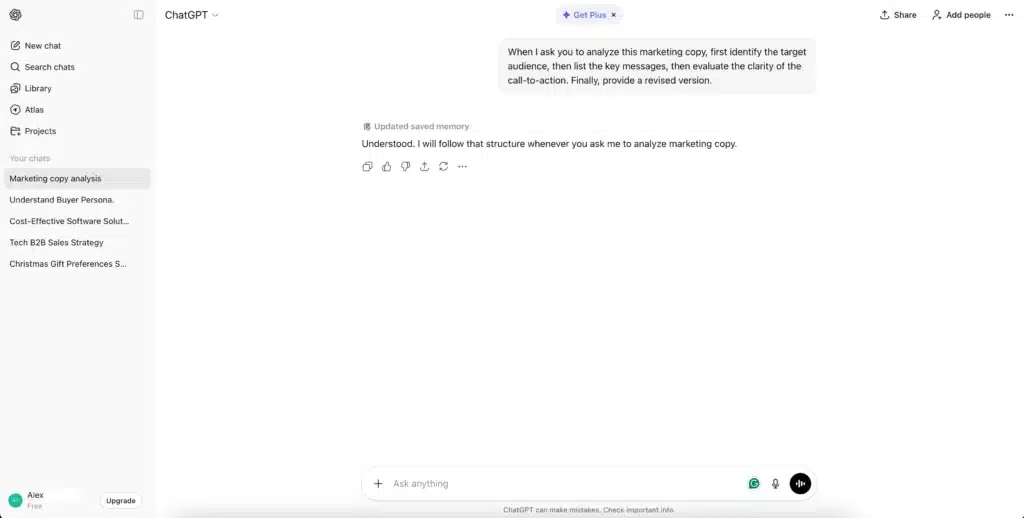
This involves asking ChatGPT to explain its reasoning step by step before delivering the final answer.
For example, “When I ask you to analyze this marketing copy, first identify the target audience, then list the key messages, then evaluate the clarity of the call-to-action. Finally, provide a revised version.”
This prompt forces the AI tool to perform a deeper analysis before generating an output.
Giving a Persona
Instead of asking it to take on a simple role, give ChatGPT a detailed persona.
Example: “You are a skeptical product reviewer with 15 years of experience in the tech industry. You value data over hype. Write a review of the latest smartphone, highlighting three strengths and three weaknesses based on the provided spec sheet.”
This persona-based instruction will get a much more distinct response from ChatGPT.
Ask for Multiple Drafts
It is also a good idea to ask the AI model for multiple versions and then pick the one that meets your needs.
Example: “Give me three different introductory paragraphs for this article: one that is direct and factual, one that uses a metaphor, and one that starts with a question.”
Incorporate Feedback Loops
Paste ChatGPT’s own output back into the chat and ask it to critique or improve it. This is a great strategy to mimic an editing workflow and incorporate excellent refinements.
Example: “Here is the email you wrote. Can you review it for clarity and conciseness? Suggest any edits to make it more persuasive.”
Conclusion
As artificial intelligence makes its way into every facet of our lives, it is essential to develop AI prompting skills to stay ahead. Now that you’ve learned how to write a prompt for ChatGPT, you can start with the basics like defining your goal, specifying your audience, and setting the tone and format of the output.
As your prompting skills improve, you can use more advanced techniques like chain of thought prompting and feedback loops. Over time, you’ll craft ChatGPT prompts and get the best possible results.